
.svg)






%201.avif)
Retailers today need systems that work as hard as they do, bridging the gap between digital commerce and physical storefronts without creating operational headaches. Shopify POS delivers exactly that: a point-of-sale solution built from the ground up to serve businesses already selling online through Shopify, or those ready to expand into physical retail. With over two million merchants worldwide using Shopify's ecosystem, the platform's POS system has evolved into a sophisticated tool that handles everything from inventory synchronisation to customer relationship management, all whilst maintaining the simplicity that made Shopify famous in the first place.
What Makes Shopify POS Different from Traditional Systems
Traditional point-of-sale systems were designed for a world where shops existed separately from websites. Shopify POS takes a fundamentally different approach, treating your entire business as a unified operation regardless of where sales happen.
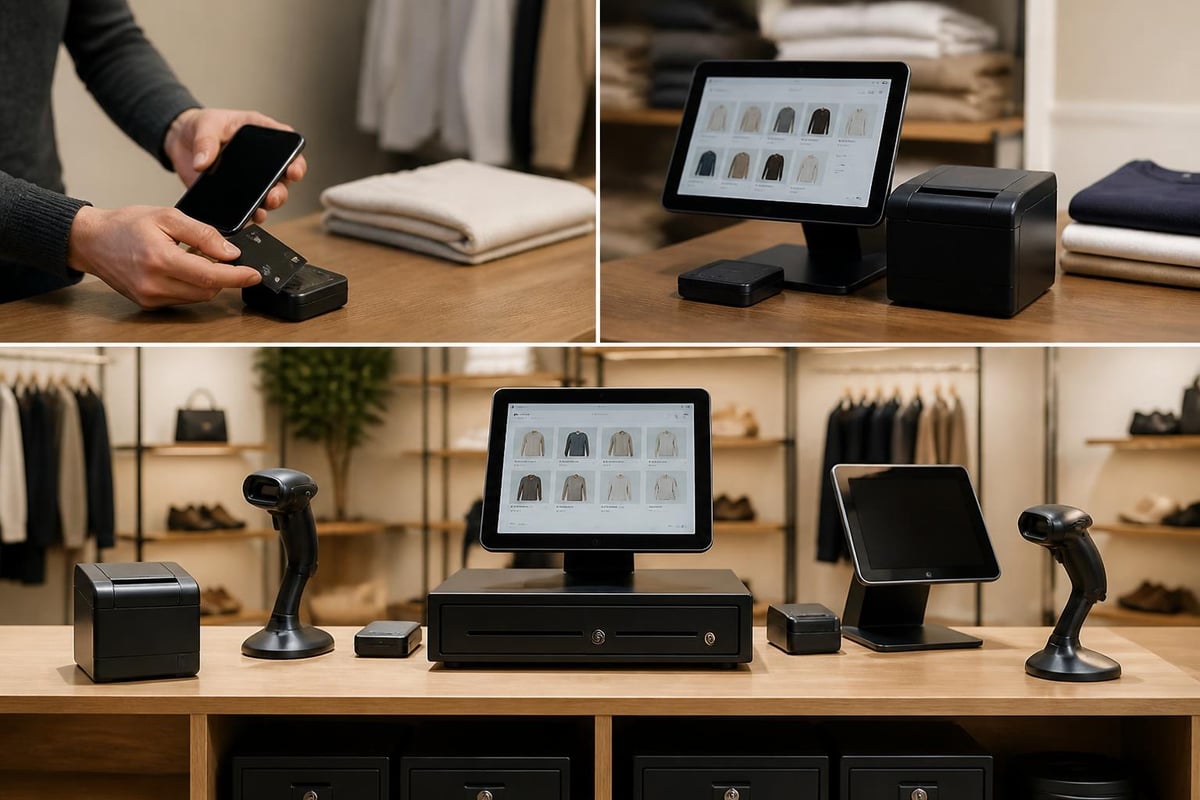
The system runs on iPads, iPhones, and Android devices, turning everyday hardware into powerful retail tools. You don't need expensive proprietary terminals or complex server setups. Everything syncs in real time with your Shopify admin, meaning a sale in Manchester updates your inventory in Cardiff instantly, and customers can buy online then collect in-store without any manual intervention.
Hardware Flexibility and Requirements
Minimum Requirements:
- iOS 15.0 or later (iPhone or iPad)
- Android 8.0 or later
- Stable internet connection (WiFi or mobile data)
- Shopify store on any plan
Optional Hardware:
- Card readers (Tap & Chip, Bluetooth models)
- Receipt printers (WiFi or Ethernet)
- Barcode scanners
- Cash drawers
- Label printers
The beauty of this approach lies in its scalability. Start with just a smartphone and card reader for weekend markets, then expand to multiple terminals with full peripheral setups as your retail operation grows.
Shopify POS Pricing Structure and Plans
Shopify offers POS functionality across all its standard subscription tiers, but the features available vary significantly depending on which plan you choose.
| Plan | Monthly Cost | POS Features | Best For |
|---|---|---|---|
| Basic | £19 | Basic POS functionality, unlimited registers | Single location, simple retail needs |
| Shopify | £79 | Standard reports, better staff management | Growing businesses, 2-3 locations |
| Advanced | £289 | Advanced reports, third-party calculated shipping | Multi-location operations |
| Shopify Plus | From £1,600 | POS Pro included, unlimited staff, advanced features | Enterprise retailers |
Beyond the base subscription, there's Shopify POS Pro at £72 per location monthly. This unlocks significant capabilities that serious retailers will find essential, including unlimited staff accounts, advanced inventory management, and detailed analytics that help you understand what's actually driving revenue.
Card processing fees follow Shopify Payments' standard structure in the UK, typically ranging from 1.4% to 2.4% plus 25p per transaction, depending on your plan level. These rates become increasingly competitive as your sales volume grows, particularly when compared to traditional POS systems reviewed by TechRadar which often carry higher monthly fees and transaction costs.
Hidden Costs to Consider
While Shopify POS appears straightforward on paper, budget for these additional expenses:
- Card reader hardware (£49-£199 depending on model)
- Receipt printers and other peripherals (£150-£400)
- Internet connectivity for each location
- Staff training time
- Potential app subscriptions for specialised features
Core Features That Drive Retail Operations
The comprehensive feature set outlined by Shopify demonstrates how far modern POS systems have evolved beyond simple transaction processing.
Omnichannel Inventory Management
Every product, variant, and stock level lives in one centralised system. When someone buys your last medium blue jumper online at 2am, your shop staff see that update immediately when they open the next morning. No duplicate data entry, no spreadsheet reconciliation, no overselling stock you don't have.
The system handles complex scenarios like split fulfilment (part ship, part collect), inter-location transfers, and purchase orders all within the same interface. For businesses operating both online and offline, this unified inventory approach eliminates the operational chaos that typically comes with multi-channel retail.
Customer Profiles and Relationship Management
Shopify POS builds detailed customer profiles automatically. When someone makes a purchase in-store, you can capture their details and link that transaction to their online account if they have one. This creates a complete purchase history spanning all channels.
Customer data captured:
- Purchase history (online and offline)
- Average order value
- Preferred products and categories
- Contact preferences
- Custom notes and tags
This information feeds directly into marketing campaigns, allowing you to send targeted emails based on in-store purchases or offer personalised recommendations that actually reflect what customers buy across all touchpoints.

Setting Up Shopify POS for Your Business
Implementation doesn't require technical expertise, but thoughtful planning ensures you're not rebuilding your setup three months later when you discover features you should have configured from day one.
Initial Configuration Steps
- Install the Shopify POS app on your iOS or Android device from the respective app store
- Configure your locations in Shopify admin, even if you're starting with one
- Set up tax rates for each location based on regional requirements
- Create staff accounts with appropriate permission levels
- Add your product catalogue or verify existing products are POS-ready
- Order and configure hardware including card readers and receipt printers
- Test transactions using Shopify's test mode before going live
The setup process typically takes 2-4 hours for a straightforward single-location implementation. Multi-location businesses with complex inventory requirements should allow several days for proper configuration and testing.
When setting up your Shopify store initially, consider whether physical retail forms part of your long-term strategy, as certain architectural decisions affect POS implementation down the line.
Product Catalogue Preparation
Your online products don't automatically translate into great POS experiences without some adjustment. Consider these POS-specific requirements:
- Barcodes: Add GTINs, UPCs, or custom SKUs to every variant for efficient scanning
- Images: Include product images even for items you think are offline-only
- Inventory tracking: Enable tracking for all physical products
- Pricing: Verify pricing is consistent across channels unless you deliberately want different online/offline prices
Advanced Capabilities for Growing Retailers
Once you've mastered the basics, Shopify POS Pro unlocks features that transform how you operate retail locations.
Smart Inventory Features
Advanced inventory management goes far beyond simple stock counting. The system suggests optimal reorder points based on sales velocity, alerts you to products approaching stockout, and can automatically create purchase orders when inventory drops below specified thresholds.
Transfer stock between locations with a few taps, and track those transfers in real time. If your Birmingham location is overstocked whilst Leeds is running low, rebalancing inventory becomes a simple administrative task rather than a logistical challenge requiring phone calls and spreadsheets.
Staff Management and Permissions
Permission Levels Available:
- Full access (owner-level control)
- Limited access (process sales only)
- Custom permissions (granular control over specific features)
Assign unique PIN codes to staff members, track individual performance metrics, and identify your top performers based on actual sales data. This visibility helps with scheduling, commission calculations, and understanding which team members might need additional training or support.
According to detailed reviews from eComm.design, the staff management features particularly benefit businesses operating multiple shifts or locations where accountability and performance tracking directly impact profitability.
Integration with Third-Party Applications
Whilst Shopify POS handles core retail functions brilliantly, many businesses require specialised capabilities that come from third-party applications.
| App Category | Purpose | Example Use Cases |
|---|---|---|
| Loyalty programmes | Reward repeat customers | Points systems, VIP tiers, birthday rewards |
| Advanced reporting | Deeper analytics | Custom dashboards, financial reporting, forecasting |
| Booking systems | Appointment scheduling | Service-based retail, consultations, fittings |
| Marketing automation | Customer engagement | Automated follow-ups, abandoned cart recovery |
The Shopify App Store contains thousands of POS-compatible applications. When selecting apps, prioritise those marked as "Works with Shopify POS" and check recent reviews specifically mentioning POS functionality, as integration quality varies significantly between developers.
For businesses building custom functionality, Shopify's API provides extensive POS integration capabilities. Working with experienced Shopify developers ensures these integrations maintain data integrity whilst delivering the specific features your business requires.
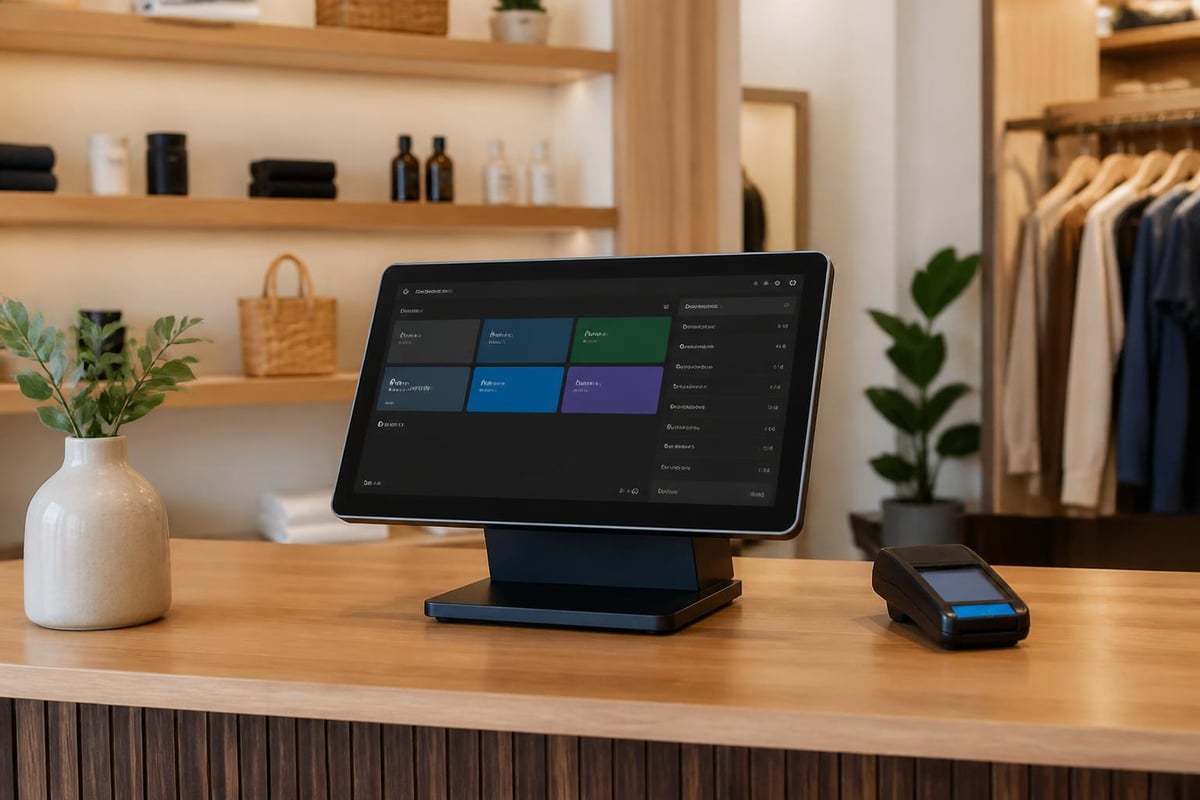
Real-World Performance Considerations
Theory matters less than practice when you're serving actual customers who expect fast, reliable service regardless of technical challenges.
Internet Dependency and Offline Mode
Shopify POS requires an internet connection for full functionality, but includes offline mode for situations where connectivity drops. In offline mode, you can continue processing cash and saved card transactions, with everything syncing automatically once connection restores.
Offline Mode Capabilities:
- Process cash sales
- Process card payments using saved cards
- Access product catalogue
- View customer information
Offline Mode Limitations:
- Cannot process new card payments
- Cannot create new customer profiles
- Limited reporting access
- No real-time inventory updates
For locations with unreliable internet, invest in quality WiFi equipment and consider backup mobile data connections to minimise offline periods.
Transaction Speed and Customer Experience
Average transaction times on Shopify POS range from 15-30 seconds depending on payment method and hardware quality. Cash transactions process fastest, contactless payments follow closely, and chip-and-PIN transactions take slightly longer due to authentication requirements.
Hardware quality significantly impacts speed. Budget card readers sometimes struggle with reading cards on the first attempt, frustrating customers and slowing queues. Investing in Shopify's recommended hardware typically pays for itself through improved customer experience and reduced transaction times during busy periods.
Shopify POS vs Competitors in 2026
The retail technology landscape contains numerous POS options, each with distinct strengths and weaknesses. Understanding where Shopify POS excels helps determine whether it suits your specific requirements.
When Shopify POS Makes Perfect Sense
Ideal Scenarios:
- You're already selling on Shopify online
- You're planning to launch online and offline simultaneously
- You need seamless omnichannel capabilities
- You value ecosystem integration over point solutions
- You want room to scale without switching systems
The NerdWallet analysis of Shopify POS particularly highlights its strength for businesses already committed to the Shopify ecosystem, where the tight integration creates operational efficiencies impossible with separate systems.
When to Consider Alternatives
Traditional POS systems might better serve businesses with:
- No online sales component (now or planned)
- Highly specialised industry requirements (restaurants, salons)
- Complex offline-only workflows
- Existing systems with deep integrations
- Budget constraints that favour one-time purchases over subscriptions
Maximising ROI from Your Shopify POS Investment
Simply installing the system doesn't guarantee results. Strategic implementation and ongoing optimisation separate businesses that thrive from those that merely survive.
Staff Training Best Practices
Your team's proficiency directly impacts customer experience and operational efficiency. Dedicate proper time to training rather than expecting staff to learn whilst serving customers.
- Initial training sessions (2-3 hours per staff member)
- Hands-on practice with test transactions before going live
- Quick reference guides for common scenarios
- Regular refresher training when adding new features
- Designated POS champions who become internal experts
Softabase's detailed review emphasises that businesses achieving the best results invest heavily in training, treating it as an ongoing process rather than a one-time event.
Data-Driven Decision Making
Shopify POS generates valuable data that many retailers underutilise. Weekly review of key metrics transforms this information into actionable insights.
Critical Metrics to Monitor:
- Sales by location and channel
- Top-performing products and categories
- Average transaction value (online vs in-store)
- Staff performance and sales per hour
- Customer return rate and lifetime value
- Inventory turnover by product
This data informs everything from purchasing decisions to staffing schedules, marketing campaigns to store layout optimisation. Businesses treating this data seriously typically see measurable improvements in profitability within months.
Security and Compliance Considerations
Retail systems handle sensitive customer and payment data, making security non-negotiable rather than optional.
PCI Compliance and Data Protection
Shopify POS maintains PCI DSS Level 1 compliance, the highest security standard in the payments industry. When using Shopify Payments, the platform handles the complex compliance requirements automatically, reducing your burden significantly.
Your Responsibilities:
- Secure physical access to POS devices
- Use strong passwords and regular rotation
- Restrict staff access to appropriate permission levels
- Monitor for suspicious transactions or activity
- Regularly update POS app and device operating systems
For UK businesses, GDPR compliance requires careful handling of customer data. Shopify provides tools for managing consent, data access requests, and deletion requirements, but you remain responsible for using these tools correctly and maintaining appropriate policies.
Physical Security Measures
POS hardware represents both a financial investment and a security risk if compromised. Implement these practical security measures:
- Lock devices to counters or desks when possible
- Enable device-level security (Face ID, PIN codes)
- Implement opening and closing procedures that account for all hardware
- Maintain insurance coverage for retail equipment
- Regular inventory checks of all POS-related hardware
Future-Proofing Your Retail Technology Stack
Technology moves quickly, and today's cutting-edge solution risks becoming tomorrow's limitation if you don't choose platforms that evolve alongside market demands.
Shopify's Development Roadmap
Shopify consistently releases new POS features and improvements, with 2026 seeing significant advances in machine learning-powered recommendations, enhanced loyalty programme integration, and improved offline capabilities. The platform's commitment to ongoing development means your investment continues delivering value long after initial implementation.
TechRadar's 2026 Shopify review notes the platform's sustained innovation as a key differentiator, particularly valuable for businesses wanting to avoid the disruption of switching systems every few years.
Scalability Across Growth Stages
Shopify POS scales from single-person operations at weekend markets through to enterprise retailers operating hundreds of locations. This scalability matters because switching POS systems mid-growth creates significant operational disruption and risk.
Starting with Basic or Shopify plans, then upgrading to Advanced or Plus as your needs evolve, provides a clear growth path without forcing platform migrations. Your staff expertise, workflows, and integrations remain intact even as your capabilities expand.
When considering your broader ecommerce strategy, exploring Shopify consultant services can help identify the optimal configuration and growth path for your specific business model, ensuring your POS implementation aligns with long-term objectives rather than just immediate needs.
Shopify POS represents more than just a payment processing system. It's a strategic tool that unifies your retail operations across every channel, providing the foundation for sustainable growth whilst maintaining operational simplicity. Whether you're launching your first physical location or optimising an existing multi-site operation, implementing POS properly separates thriving retailers from those constantly fighting their technology. If you're building or optimising a Shopify store and need expert guidance on creating seamless online-to-offline experiences, Futur Media specialises in designing and developing high-performing Shopify stores that work brilliantly across all sales channels, helping ambitious UK brands grow through smart technology choices and conversion-focused builds.



.svg)