
.svg)





%201.avif)
Choosing the right shopify pos hardware can transform how UK retailers manage in-store transactions whilst maintaining seamless integration with their online operations. Whether you're launching a pop-up shop, opening your first physical location, or scaling multiple retail sites, understanding which devices work best with Shopify's point-of-sale system ensures you invest wisely and avoid compatibility headaches. This guide explores everything from essential equipment to advanced peripherals, helping you build a POS setup that matches your business needs and budget.
Understanding Shopify POS Hardware Requirements
Shopify's point-of-sale system operates through a mobile or desktop app, which means your core hardware choices centre around the device running this software. The most straightforward option involves using an iPad or iPhone you already own, downloading the Shopify POS app, and purchasing only the payment accessories you need. This approach works brilliantly for smaller retailers or those testing physical sales channels before committing to substantial hardware investments.
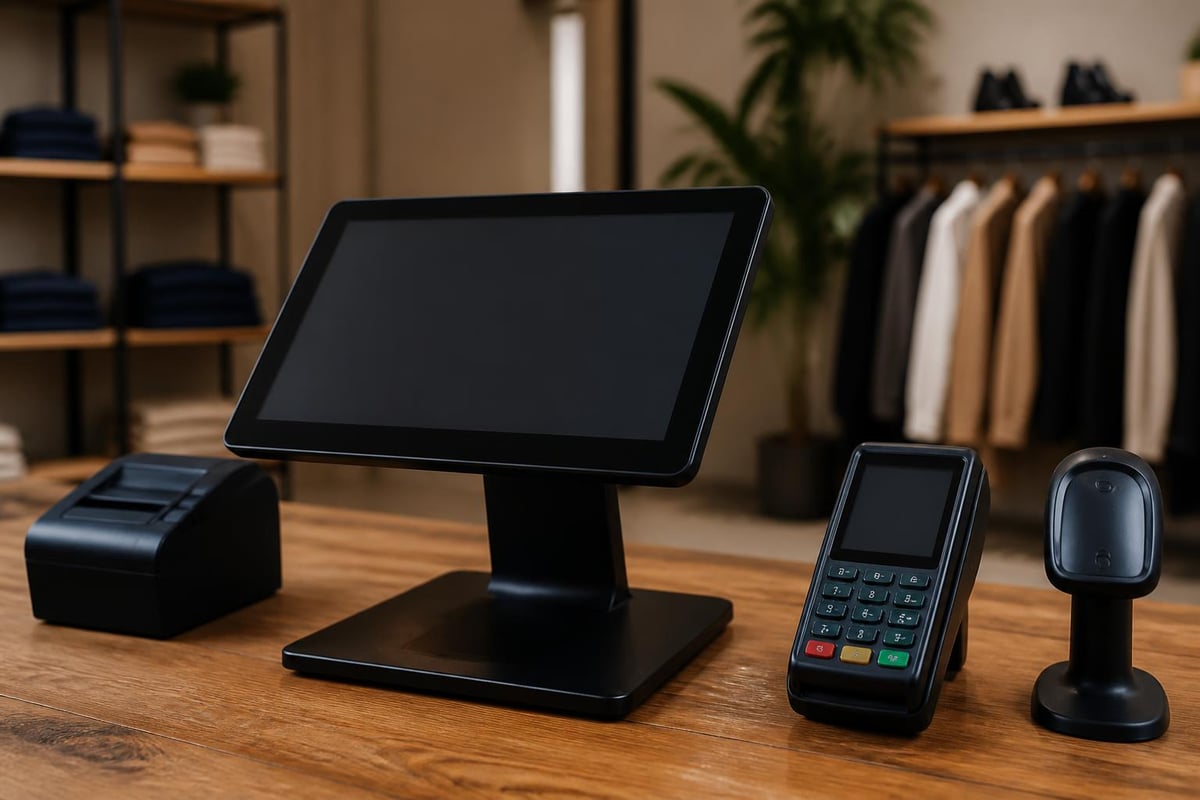
For businesses requiring dedicated POS terminals, Shopify offers POS Go, a purpose-built device launched to provide an all-in-one solution. Unlike generic tablets, POS Go includes built-in payment processing, barcode scanning, and receipt printing capabilities within a single portable unit. This eliminates the need to purchase multiple peripherals, though it does limit flexibility compared to modular setups.
Core Device Options
Your choice of primary device affects everything else in your hardware ecosystem. Here's how the main options compare:
| Device Type | Advantages | Limitations | Best For |
|---|---|---|---|
| iPad/iPhone | Familiar interface, app ecosystem, multiple size options | Requires separate payment hardware | Existing Apple users, flexible budgets |
| POS Go | All-in-one design, optimised for retail | Locked to Shopify ecosystem | Dedicated retail operations |
| Android Tablet | Lower cost entry point | Less seamless Shopify integration | Budget-conscious startups |
Each device type supports the full Shopify POS software, but the surrounding hardware ecosystem differs significantly. Apple devices connect with a broader range of third-party accessories, whilst POS Go offers tighter integration with Shopify's native payment processing.

Essential Payment Hardware
Payment acceptance forms the cornerstone of any retail operation, making your card reader selection crucial. Shopify supports several payment hardware options, each designed for different transaction volumes and merchant requirements. The Shopify POS hardware ecosystem has expanded considerably, offering both proprietary and compatible third-party solutions.
Shopify-Branded Card Readers
Shopify's Tap & Chip Reader and WisePad 3 provide the most straightforward setup experience. These devices connect directly to your iOS device via Bluetooth and integrate seamlessly with Shopify Payments, eliminating the need for separate payment processor accounts. The Tap & Chip Reader handles contactless payments, chip cards, and magnetic stripe transactions, whilst offering battery life sufficient for full trading days.
The main advantage involves simplified fee structures. When using Shopify's hardware with Shopify Payments, you face transparent per-transaction rates rather than complex merchant service agreements. This clarity helps UK retailers forecast costs accurately, particularly important for businesses operating on tight margins.
Third-Party Compatible Devices
Alternative payment processors like SumUp, Square, and iZettle offer compatible hardware, though integration requires additional setup steps. These options appeal to merchants already committed to specific payment providers or those seeking lower transaction fees in particular scenarios. However, third-party hardware typically sacrifices some integration depth compared to Shopify's native solutions.
Barcode Scanners and Inventory Management
Efficient inventory handling separates profitable retailers from those struggling with stock discrepancies. Shopify pos hardware ecosystems accommodate various barcode scanning solutions, from affordable handheld scanners to sophisticated integrated systems.
Socket Mobile and Zebra manufacture popular Bluetooth scanners compatible with Shopify POS. These devices let staff scan products quickly during sales transactions, stock takes, or receiving shipments. The choice between basic laser scanners and advanced 2D imagers depends largely on your product types and barcode formats.
For retailers managing extensive inventories across multiple locations, investing in quality scanning hardware pays dividends through reduced errors and faster service. Modern scanners read damaged or poorly printed barcodes more reliably, maintaining transaction speed even when product labels deteriorate through handling.
Receipt Printers and Customer Communication
Customer receipt preferences vary, but offering printed options remains important for many UK shoppers, particularly in certain sectors like fashion, homewares, and premium goods. Shopify supports both desktop thermal printers and portable Bluetooth models, each suited to different retail environments.
Desktop Receipt Printers
Star Micronics produces the TSP143IIIU and mPOP, both widely recommended for Shopify installations. Desktop printers deliver faster print speeds and more reliable paper handling compared to portable alternatives. The mPOP combines receipt printing with an integrated cash drawer, creating a compact solution for counter-based operations.
These printers connect via USB or network cables, providing stable connections that won't drop during busy periods. For retailers processing high transaction volumes, wired connections eliminate the frustration of Bluetooth pairing issues disrupting service flow.
Portable Printing Solutions
Mobile retail environments demand portable receipt printers. Star Micronics' SM-S230i and similar Bluetooth-enabled models allow staff to complete transactions anywhere in-store, perfect for queue-busting during peak times or outdoor market trading. Battery life typically supports full-day operation, though charging discipline becomes essential.
The comprehensive guide on Shopify POS hardware highlights that portable printers sacrifice some speed and paper capacity for mobility benefits. Retailers must balance these trade-offs against their operational priorities.

Cash Handling Equipment
Despite digital payment growth, many UK retailers still process significant cash volumes. Integrating cash drawers with your shopify pos hardware setup ensures accurate cash reconciliation and secure storage throughout trading hours.
Cash drawers connect to receipt printers via RJ-11 or RJ-12 cables, opening automatically when transactions complete. This automation prevents drawer access between sales, improving security whilst maintaining transaction speed. Star Micronics and APG manufacture popular models compatible with Shopify-supported printers.
Sizing and Security Considerations
Drawer selection depends on expected cash volumes and denominations handled. Standard tills accommodate five note compartments and five to eight coin sections, sufficient for most retail operations. High-volume businesses might require larger configurations with additional compartments for different currencies or increased note storage.
Security features range from basic key locks to sophisticated electronic locking mechanisms. Premium drawers include removable cash trays for secure banking, weighted bases preventing theft, and concealed cable routing reducing tampering opportunities. Retailers operating in high-risk locations should prioritise these advanced features despite increased costs.
Building Complete Hardware Bundles
Rather than purchasing components individually, many retailers benefit from preconfigured hardware bundles. These packages combine compatible devices at bundled pricing, often saving 10-20% compared to separate purchases whilst ensuring all components work together seamlessly.
Entry-Level Bundles
Starter packages typically include:
- iPad or POS Go device
- Bluetooth card reader
- Basic receipt printer
- Cash drawer
- Stand or mounting hardware
These bundles suit new retailers launching first physical locations or established online stores testing offline channels. Total investment ranges from £800 to £1,500 depending on device choices and peripheral quality.
Professional Retail Setups
Comprehensive packages for serious retail operations add:
- Barcode scanner
- Customer-facing display
- Label printer for price tags
- Backup payment terminal
- Extended warranty coverage
Investment reaches £2,000 to £4,000, justified by increased efficiency, reduced transaction errors, and improved customer experience. Multiple location operators often negotiate volume discounts when standardising hardware across sites.
| Bundle Type | Price Range | Key Components | Ideal Customer |
|---|---|---|---|
| Starter | £800-£1,200 | Basic POS, reader, printer | Pop-ups, market traders |
| Standard | £1,200-£2,000 | Complete counter setup | Single location retail |
| Professional | £2,000-£4,000 | Advanced peripherals, backups | Multi-site operations |
| Enterprise | £4,000+ | Custom integration, multiple units | Large retail chains |
Compatibility and Integration Considerations
Not all hardware marketed as "POS compatible" works flawlessly with Shopify's system. Before purchasing, verify devices appear on Shopify's official compatibility lists or purchase directly through Shopify's hardware shop to guarantee integration success. The detailed analysis from TechRadar emphasises checking compatibility before committing to expensive hardware investments.
Third-party peripherals occasionally require firmware updates or specific configuration settings to function properly. Whilst this shouldn't deter you from selecting appropriate hardware, factor additional setup time into your launch planning. If you're building a comprehensive retail operation alongside your ecommerce presence, partnering with specialists who understand both channels becomes valuable-many retailers work with agencies offering Shopify web design services to ensure their online and offline systems complement each other effectively.
Network and Connectivity Requirements
Stable internet connectivity underpins reliable Shopify POS operation. Whilst the system includes offline mode for continuing sales during connection disruptions, full functionality requires consistent network access for:
- Real-time inventory synchronisation
- Payment processing authorisation
- Customer profile updates
- Order fulfilment coordination
Hardware selection should account for your location's connectivity infrastructure. Retailers in areas with unreliable broadband might prioritise 4G-enabled devices or cellular backup systems preventing transaction interruptions.
Advanced Hardware for Specialised Retail
Certain retail categories benefit from specialised shopify pos hardware beyond standard components. Fashion retailers might add scale integration for accurate shipping calculations, whilst food retailers require age verification prompts and ingredient tracking capabilities.
Customer-Facing Displays
Dual-screen setups improve transparency and reduce transaction disputes. Customer-facing displays show itemised purchases, running totals, and payment amounts, allowing shoppers to verify charges before completing transactions. This reduces chargebacks whilst enhancing perceived professionalism.
Star Micronics and Elo manufacture displays compatible with Shopify POS systems. Installation requires additional counter space and cable management, but customer confidence benefits often justify the investment, particularly for higher-value transactions.
Label and Tag Printers
Retailers managing their own pricing and product labelling benefit from integrated label printers. Zebra and Dymo produce models compatible with Shopify, allowing staff to print price tags, product labels, and barcode stickers directly from inventory data.
This capability particularly suits businesses with:
- Frequently changing prices
- Multiple size/colour variants
- Custom or personalised products
- Consignment or second-hand inventory
Label printer integration eliminates manual data entry errors whilst maintaining consistent branding across product displays.
Setup and Installation Best Practices
Successful shopify pos hardware deployment extends beyond simply unboxing equipment. Proper installation prevents frustrating technical issues whilst maximising your hardware investment's longevity and performance.
Physical Positioning
Counter layout significantly impacts transaction efficiency. Position card readers within natural customer reach, ensuring they can tap contactless cards or insert chip cards without awkward stretching. Receipt printers should face customers, allowing them to retrieve receipts without staff assistance.
Cash drawers require secure mounting preventing theft whilst remaining accessible for legitimate transactions. Cables should route through desk grommets or cable trays, preventing trip hazards and protecting connections from damage.
Software Configuration Steps
Once hardware connects physically, software configuration ensures smooth operation:
- Download latest firmware updates for all devices
- Pair Bluetooth peripherals following manufacturer sequences
- Configure receipt formats including branding and legal requirements
- Test payment processing with small transactions
- Train staff on hardware operation and troubleshooting
Many retailers underestimate training requirements, assuming staff will intuitively understand new systems. Dedicating time to proper training prevents costly errors whilst maintaining customer service standards during busy periods. Resources like the official Shopify setup video provide helpful visual guides for getting started.
Cost Management and ROI Considerations
Hardware costs represent significant upfront investment, particularly for multi-location retailers. Understanding total cost of ownership helps justify expenditure whilst identifying areas for strategic savings without compromising functionality.
Direct Hardware Costs
Beyond initial purchase prices, account for:
- Replacement parts (receipt paper, printer heads)
- Extended warranties and support contracts
- Spare devices preventing downtime
- Upgrade cycles as technology evolves
Most shopify pos hardware requires replacement or significant upgrades every three to five years. Cloud-connected devices receive longer software support, potentially extending useful life compared to traditional standalone POS terminals.
Operational Efficiency Gains
Quality hardware investment delivers returns through:
- Faster transaction processing increasing throughput
- Reduced errors minimising refunds and reconciliation time
- Better inventory accuracy preventing stockouts and overstock
- Enhanced customer experience driving repeat business
According to NerdWallet's comprehensive review, retailers report average transaction time reductions of 30-40% after upgrading from basic to professional hardware setups.
Financing and Leasing Options
Rather than substantial upfront investments, some retailers prefer leasing arrangements spreading costs across monthly payments. Shopify partners with financing providers offering equipment leasing, though total costs typically exceed outright purchase prices by 15-25% over contract terms.
Leasing benefits include:
- Preserved working capital for inventory and marketing
- Simplified upgrade paths with contract renewals
- Potential tax advantages depending on business structure
- Bundled support and replacement coverage
Conversely, ownership provides flexibility for resale, redeployment across locations, and avoiding long-term payment commitments.
Maintenance and Troubleshooting
Even premium shopify pos hardware occasionally requires maintenance or experiences technical issues. Understanding common problems and their solutions minimises downtime whilst extending equipment life.
Preventive Maintenance Tasks
Regular maintenance prevents many common failures:
- Clean barcode scanner lenses weekly
- Replace receipt printer heads every 12-18 months
- Update device firmware quarterly
- Test backup batteries monthly
- Inspect cable connections for wear
Simple maintenance routines prevent expensive emergency repairs whilst ensuring consistent system performance. Many retailers schedule maintenance during quieter trading periods, avoiding disruption during peak times.
Common Technical Issues
Despite careful setup, hardware problems occasionally occur. Typical issues include:
| Problem | Likely Cause | Solution |
|---|---|---|
| Card reader won't connect | Bluetooth pairing lost | Re-pair device, check battery |
| Printer not responding | Paper jam, connection issue | Clear paper path, restart printer |
| Scanner misreading barcodes | Dirty lens, damaged codes | Clean scanner, reprint labels |
| Cash drawer won't open | Cable disconnection | Check RJ-12 connection |
Understanding these common scenarios allows staff to resolve minor issues without external support, maintaining service continuity during busy periods.
Multi-Location Hardware Management
Retailers operating across multiple sites face additional shopify pos hardware complexities. Standardisation, remote management, and consistent customer experience become priorities requiring strategic planning.
Standardised Equipment Policies
Deploying identical hardware across locations simplifies:
- Staff training and transfers between sites
- Spare parts inventory management
- Technical support and troubleshooting
- Software configuration and updates
Whilst standardisation increases initial procurement costs through bulk purchasing, operational efficiencies typically justify this investment for retailers managing three or more locations.
Remote Monitoring and Support
Cloud-connected POS systems allow centralised monitoring of hardware health across locations. Managers can identify failing devices, monitor transaction volumes, and coordinate maintenance from head office rather than visiting individual sites.
This visibility helps retailers:
- Schedule proactive repairs before failures occur
- Optimise staffing based on transaction patterns
- Identify training needs through error analysis
- Coordinate system updates during off-peak hours
Sophisticated retailers integrate POS monitoring with broader business intelligence platforms, creating comprehensive operational dashboards informing strategic decisions.
Future-Proofing Your Hardware Investment
Technology evolution means today's cutting-edge hardware becomes tomorrow's legacy system. Strategic purchasing decisions account for future requirements whilst avoiding premature obsolescence.
Scalability Considerations
Growing retailers should prioritise hardware supporting expansion:
- Modular designs allowing peripheral additions
- Network-capable devices supporting multiple terminals
- Systems with published API for custom integrations
- Manufacturers with strong product roadmaps
Investing slightly more upfront for expandable systems prevents costly replacement when business requirements evolve. The insights from FirstPier's hardware analysis suggest that scalable systems deliver 25-30% better total cost of ownership over five-year periods compared to basic configurations.
Emerging Technology Integration
Forward-thinking retailers monitor emerging technologies potentially affecting future hardware requirements:
- Contactless payment evolution beyond cards
- Biometric authentication for staff and customers
- Augmented reality product visualisation
- AI-powered inventory forecasting integration
Whilst not all innovations prove commercially viable, maintaining awareness helps retailers make informed decisions about upgrade timing and technology adoption strategies. For businesses planning significant digital transformation, working with specialists offering Shopify development services ensures technical decisions align with broader ecommerce strategies.
Regulatory Compliance and Security
UK retailers must ensure shopify pos hardware meets relevant regulations whilst protecting customer payment data. Non-compliance risks substantial fines alongside reputational damage potentially devastating small businesses.
PCI DSS Compliance
Payment Card Industry Data Security Standards apply to all businesses processing card payments. Shopify-compatible hardware typically arrives pre-certified for PCI compliance, but retailers remain responsible for:
- Maintaining secure network configurations
- Implementing strong access controls
- Regularly testing security systems
- Maintaining information security policies
Using Shopify Payments with official Shopify hardware simplifies compliance, as Shopify assumes much of the compliance burden. Third-party payment processors may shift more responsibility to merchants.
Data Protection Considerations
GDPR requirements affect how retailers collect, store, and process customer data through POS systems. Hardware selection should support:
- Encrypted data transmission
- Secure credential storage
- Audit trail generation
- Customer data access and deletion requests
Modern cloud-connected POS systems handle most data protection requirements through software, but hardware must support these features through appropriate connectivity and processing capabilities.
Selecting the right shopify pos hardware transforms retail operations, creating seamless experiences connecting your physical and digital channels whilst maintaining efficiency and customer satisfaction. Whether you're launching your first shop, expanding across multiple locations, or upgrading legacy systems, the hardware choices you make today affect operational efficiency for years to come. If you're building or optimising a retail presence alongside your online store, Futur Media can help design integrated solutions that work brilliantly across every customer touchpoint, ensuring your technology investment delivers measurable results.



.svg)