
.svg)





%201.avif)
Your checkout page is where browsers become buyers — and with cart abandonment rates sitting at around 70%, even small improvements to your Shopify checkout design can have a serious impact on revenue. This guide covers everything you need to know about Shopify checkout customisation in 2026, from basic branding controls through to the full layout flexibility available on Shopify Plus. The system underpinning all of this is Shopify Checkout Extensibility, which replaced the old checkout.liquid template. If you'd like expert help getting the most out of your store, take a look at our Shopify development service.
Your checkout page represents the final frontier between browsing and buying. For Shopify merchants, the ability to shopify customise checkout page elements can mean the difference between completed sales and abandoned carts. With checkout abandonment rates averaging 70% across eCommerce stores, optimising this crucial touchpoint has never been more important. Whether you're looking to align checkout branding with your store identity, streamline the payment process, or add custom fields for specific business requirements, understanding the full scope of checkout customisation options available in 2026 will directly impact your bottom line.
Understanding Shopify Checkout Customisation Options
Shopify provides different levels of checkout customisation depending on your subscription plan. Standard Shopify plans offer basic branding controls, whilst Shopify Plus merchants gain access to comprehensive checkout customisation through Checkout Extensibility.
The fundamental customisation tiers break down as follows:
- Basic branding controls (colours, logos, background images)
- Custom field additions through apps and extensions
- Payment and delivery method organisation
- Post-purchase upsell opportunities
- Complete layout restructuring (Shopify Plus only)
Plan limitations determine what's technically possible. Standard Shopify merchants work within the constraints of Shopify's hosted checkout, which prioritises security and PCI compliance but restricts deep structural changes. Shopify Plus stores can access checkout extensibility features that enable bespoke functionality without compromising platform stability.
The Shift to Checkout Extensibility
Shopify retired script editor and checkout.liquid in 2024, transitioning all customisations to the new Checkout Extensibility framework. This architectural change improves performance, security, and mobile responsiveness whilst maintaining flexibility.

The new system uses three core components: UI extensions for visual elements, functions for business logic, and checkout branding settings for design consistency. Merchants benefit from faster load times, better mobile experiences, and reduced technical debt. However, the transition requires updated approaches to common customisation requests.
Essential Checkout Branding Customisations
Visual consistency between your main store and checkout builds trust. Customers who encounter a jarring design shift at checkout often hesitate, questioning whether they've been redirected to a third-party processor.
Core branding elements you should align include:
- Primary and accent colours matching your store theme
- Typography selections (headings and body text)
- Logo placement and sizing
- Background treatments and imagery
- Button styling and hover states
- Form field appearance
Accessing these settings requires navigating to Settings > Checkout within your Shopify admin panel. The branding editor provides real-time previews across desktop, tablet, and mobile viewports. Changes apply immediately without requiring development work or app installations.
Consider how your checkout appearance affects perceived legitimacy. Professional, polished checkout pages with clear branding reduce customer anxiety. A mismatched or generic checkout experience can trigger security concerns, particularly for first-time buyers unfamiliar with your brand.
Adding Custom Fields and Functionality
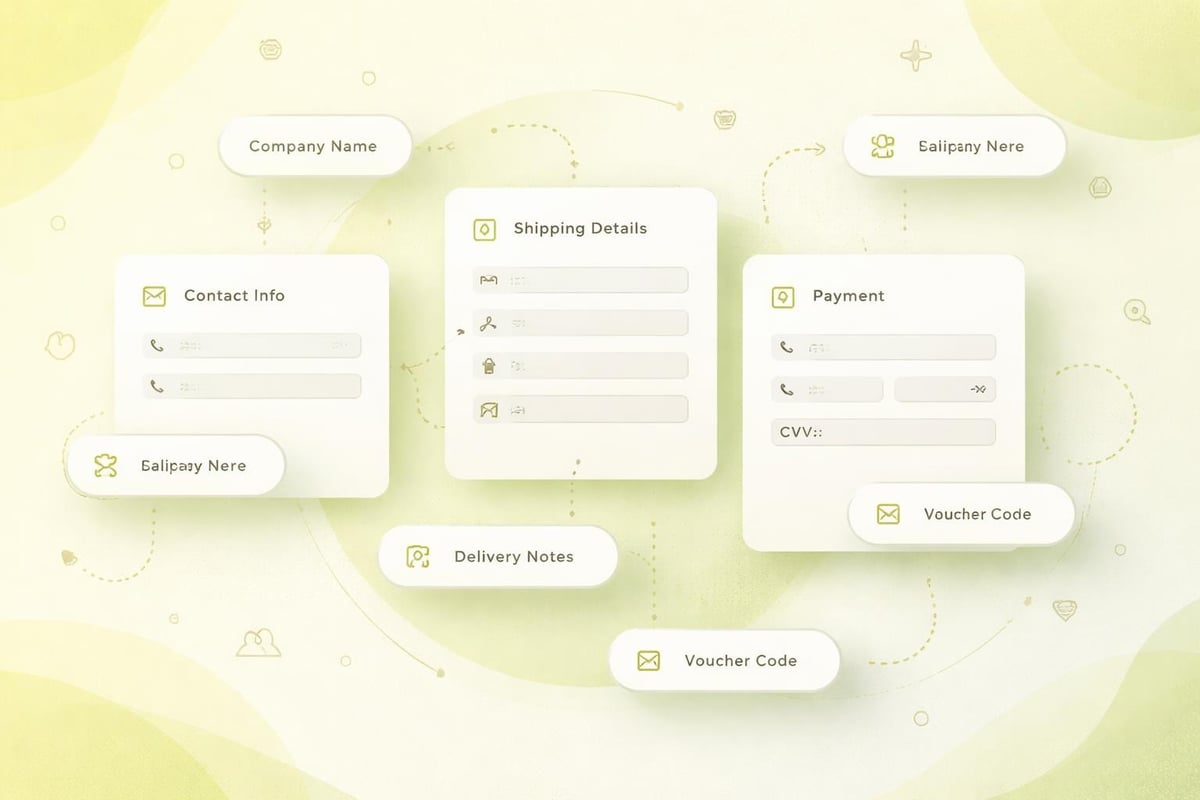
Many businesses require additional information during checkout beyond standard shipping and billing details. Gift messages, delivery instructions, corporate purchase order numbers, or personalisation details all necessitate custom field additions.
The Shopify App Store features dedicated checkout customisation apps that enable these additions without coding. These applications integrate seamlessly with the Checkout Extensibility framework, ensuring compatibility and performance.
Customisation NeedImplementation MethodPlan RequirementGift message boxCheckout app or UI extensionAll plansCustom delivery instructionsCheckout appAll plansOrder attribute fieldsTheme customisation or appAll plansConditional field logicCustom UI extensionShopify Plus recommendedPost-purchase surveysCheckout extensionAll plans
When selecting applications for checkout functionality, prioritise those that explicitly support Checkout Extensibility. Legacy apps built for checkout.liquid may not function correctly or could create performance bottlenecks. Working with a Shopify development partner ensures these integrations are implemented correctly and maintain site speed, particularly when combining multiple extensions.
Strategic Field Placement
Where you position custom fields affects completion rates. Fields placed early in the checkout process see higher completion rates than those positioned near payment submission. This psychological principle reflects customer commitment escalation.
Test different placements using your analytics platform. Monitor form abandonment at specific steps to identify friction points. Sometimes removing optional fields improves conversion more than adding requested features.
Optimising Payment and Delivery Options
How you present payment methods and shipping choices directly influences purchase completion. Clear organisation, appropriate defaults, and smart sorting improve both conversion rates and average order values.
Shopify automatically detects customer location and displays relevant payment methods. However, you control the order of appearance and which options are available. Popular payment methods should appear first, reducing scroll time and cognitive load.
Payment method optimisation checklist:
- Position most-used methods at the top
- Enable accelerated checkouts (Shop Pay, Apple Pay, Google Pay)
- Display trust badges near payment selection
- Ensure mobile wallets appear prominently on mobile devices
- Consider market-specific preferences (Klarna in Sweden, iDEAL in Netherlands)
Shipping option presentation follows similar principles. Default to your most popular service level, but present alternatives clearly. Dynamic shipping rates that calculate in real-time build trust more effectively than flat-rate estimates that adjust after customer commitment.
For stores handling complex shipping scenarios, calculated rates prevent revenue loss from shipping cost miscalculations. International merchants particularly benefit from carrier-integrated rate calculations that account for duties, taxes, and regional restrictions.
Implementing Trust Signals and Conversion Elements
Security concerns remain a primary abandonment reason. Your checkout must communicate safety, legitimacy, and reliability through both visual and textual elements.
Trust signals worth implementing include:
- SSL certificate indicators and security badges
- Money-back guarantee messaging
- Return policy summaries
- Customer service contact information
- Payment processor logos (Visa, Mastercard, PayPal)
- Industry certifications or awards
Position these elements strategically throughout the checkout flow rather than clustering them at a single point. Distributed trust signals provide reassurance at each decision stage. However, excessive badge displays can appear defensive or trigger suspicion.
Progress Indicators and Transparency
Multi-step checkouts benefit enormously from clear progress indicators. Customers who understand how many steps remain are significantly more likely to complete purchases than those facing an ambiguous process length.
Implement either numerical steps (Step 1 of 3) or visual progress bars. Both approaches work effectively, though visual bars perform slightly better on mobile devices where screen real estate limits numerical displays. Shopify's checkout automatically includes progress indication, but custom implementations allow brand-aligned styling.
Advanced Shopify Plus Checkout Capabilities
Shopify Plus unlocks the full potential of checkout customisation. Merchants on this plan access the complete Checkout Extensibility toolkit, enabling truly bespoke experiences that reflect unique business requirements.
Plus-exclusive capabilities include:
- Complete checkout UI rebuilding through React components
- Custom discount functions beyond standard promotion limits
- B2B-specific functionality (purchase orders, net terms)
- Post-purchase upsell extensions
- Advanced script-based validation rules
- Multi-currency and multi-language customisations
These advanced features particularly benefit brands with complex business models. B2B merchants, subscription services, and international retailers leverage Plus checkout capabilities to serve customer segments that standard checkout flows cannot accommodate.
Feature CategoryStandard ShopifyShopify PlusBranding customisationBasic colours, logosComplete UI controlCustom fieldsVia apps onlyApps + custom extensionsCheckout structureFixed layoutFlexible restructuringPost-purchase offersLimitedFull extensibilityB2B functionalityBasicComprehensive
Implementing these advanced customisations typically requires development expertise. Many UK brands partner with agencies like Wallmander Co or specialists in Shopify web design to execute complex checkout projects that balance functionality with performance.

Testing and Measuring Checkout Performance
Implementing checkout customisations without measurement creates blind spots. What appears to improve experience may actually harm conversion rates. Systematic testing separates opinion from evidence.
Key metrics to monitor when you shopify customise checkout page elements:
- Overall checkout conversion rate
- Step-by-step abandonment rates
- Average time to complete checkout
- Mobile vs desktop completion rates
- Payment method selection distribution
- Error message frequency and type
Google Analytics 4 enhanced eCommerce tracking captures these data points automatically when properly configured. Set up checkout funnel visualisations to identify precisely where customers abandon the process. Even small improvements at high-abandonment steps yield significant revenue increases.
A/B testing checkout variations requires careful implementation on Shopify. Unlike product pages or landing pages, checkout testing must maintain consistent customer experiences whilst gathering comparative data. Shopify Plus merchants can use checkout extensibility to serve different versions to segmented traffic groups.
Mobile Checkout Optimisation
Over 60% of Shopify traffic originates from mobile devices in 2026, making mobile checkout performance critical. Desktop-optimised checkouts often translate poorly to smartphone screens, creating friction that destroys conversion rates.
Mobile-specific considerations include:
- Thumb-friendly button sizing and placement
- Auto-focus on appropriate form fields
- Native keyboard triggers (number pad for postal codes)
- Minimal typing requirements through autofill support
- Single-column layouts that avoid horizontal scrolling
- Accelerated checkout prominence (Apple Pay, Google Pay)
Test your checkout thoroughly on actual devices, not just browser emulators. Real-world testing reveals interaction patterns that simulations miss. Pay particular attention to form field tapping accuracy and keyboard behaviour during address entry.
Legal and Compliance Considerations
Checkout customisation must respect regional legal requirements. UK merchants face specific obligations around pricing transparency, delivery timing disclosure, and customer data handling under UK GDPR.
Legally required checkout disclosures in the UK include:
- Full price breakdown including VAT
- Estimated delivery timeframes
- Return policy accessibility
- Contact information for customer service
- Clear consent checkboxes for marketing communications
- Privacy policy links near data collection points
These requirements aren't optional customisation features. Failure to display mandatory information can result in legal challenges, particularly from consumer protection authorities. When implementing custom fields or restructuring checkout flows, ensure legal disclosures remain visible and clearly presented.
International sellers face additional complexity. GDPR compliance extends beyond the UK throughout Europe. Other markets impose their own requirements, such as Australia's consumer law provisions or California's transparency regulations. Multi-market stores require flexible checkout configurations that adapt based on customer location.
Practical Implementation Approaches
For merchants ready to shopify customise checkout page elements, implementation follows a structured approach. Rushing into customisations without planning typically creates problems that require later reversal.
Recommended implementation sequence:
- Audit current checkout performance and identify specific issues
- Research solutions through Shopify apps or development requirements
- Design customisations with mobile-first thinking
- Implement in a test environment before production deployment
- Gather baseline metrics before going live
- Monitor performance closely during the first two weeks
- Iterate based on actual customer behaviour data
Start with high-impact, low-complexity changes. Branding alignment and trust signal additions deliver immediate results without technical complexity. Once these foundations are solid, progress to advanced functionality like custom fields or restructured flows.
Many merchants benefit from professional guidance during checkout optimisation. Shopify CRO specialists bring experience from hundreds of checkout implementations, identifying opportunities that internal teams might overlook. They also navigate technical constraints more efficiently, reducing implementation time.
Common Pitfalls to Avoid
Certain checkout customisation mistakes appear repeatedly across Shopify stores. Learning from these common errors saves time and protects revenue.
Frequent implementation mistakes include:
- Adding too many custom fields that overwhelm customers
- Implementing autofill-blocking field validations
- Creating mobile-unfriendly custom elements
- Neglecting load time impacts of multiple apps
- Removing standard fields that customers expect
- Inconsistent branding between checkout and main store
Each additional checkout field reduces completion probability. Be ruthless about questioning whether requested information is truly necessary. Often, data collected at checkout can be gathered post-purchase through order confirmation emails or customer accounts, reducing friction at the critical purchase moment.
Integration with Broader Store Experience
Checkout shouldn't exist in isolation from your overall store experience. The most effective implementations create seamless transitions from product pages through cart and into checkout, maintaining consistent messaging, design language, and customer expectations.
Consider the complete customer journey when planning checkout customisations. If your product pages emphasise fast delivery, your checkout should prominently display expedited shipping options. Stores that build trust through extensive social proof should carry review highlights or testimonials into the checkout environment.
Understanding eCommerce website design principles helps create this cohesion. Checkout exists as one component within a broader conversion ecosystem. Optimising checkout whilst neglecting product page clarity or cart transparency limits overall effectiveness.
This holistic perspective particularly matters for brands investing in comprehensive Shopify web design projects. When redesigning your entire store presence, checkout customisation should be included from the initial planning stages rather than treated as an afterthought following launch.
Successfully customising your Shopify checkout requires balancing aesthetic preferences, functional requirements, and conversion psychology. The options available in 2026 provide unprecedented flexibility whilst maintaining the security and performance that customers expect. Whether you're implementing basic branding alignment or complex Shopify Plus customisations, systematic testing and customer-focused thinking deliver the best results. Futur Media helps ambitious UK brands create high-converting Shopify checkouts through data-led CRO, custom development, and strategic design that turns browsers into buyers.



.svg)

