
.svg)



.webp)


%201.avif)
Building a professional eCommerce presence has never been more accessible, and Shopify remains the platform of choice for ambitious UK brands looking to launch or scale their online stores. Whether you're launching your first venture or migrating from another platform, knowing how to shopify create website efficiently can determine the difference between a functional online shop and a high-converting revenue driver. This guide walks through the essential steps, design principles, and strategic decisions that transform a basic Shopify setup into a performance-led eCommerce store that drives measurable results.
Understanding Shopify as Your Website Platform
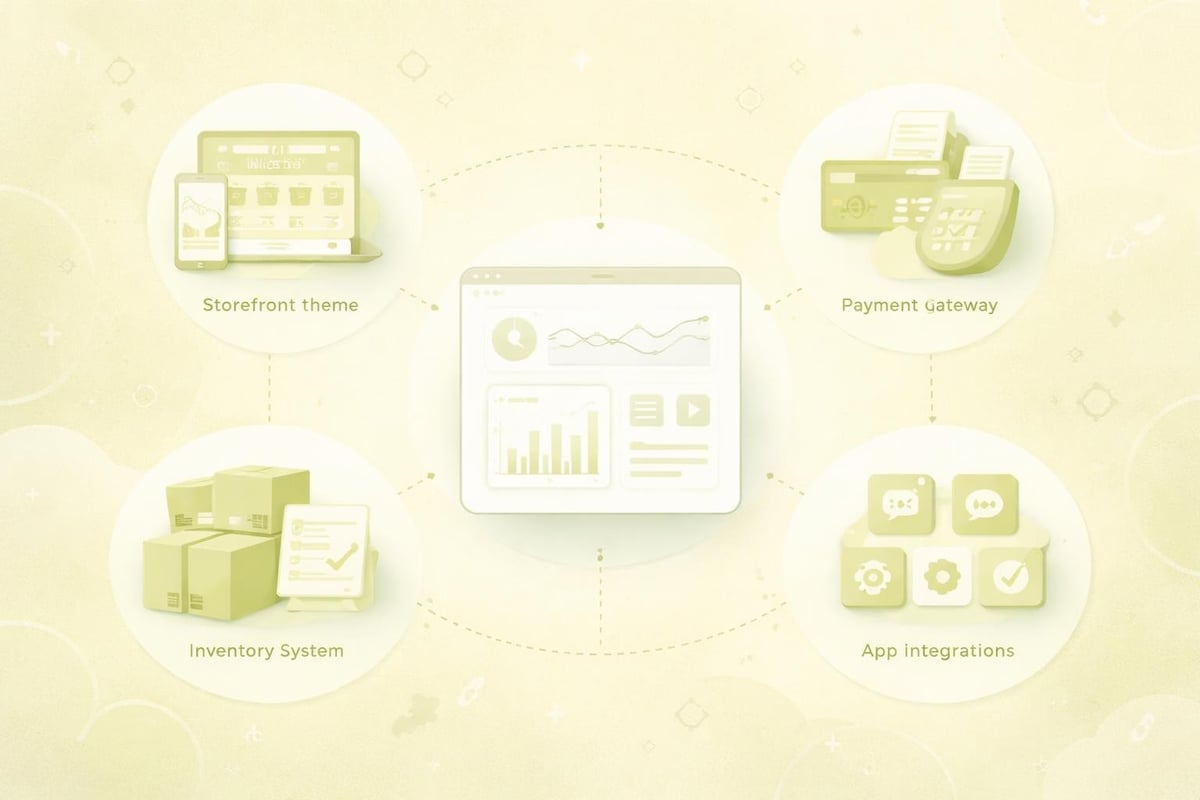
Shopify powers over 4.6 million stores worldwide, but simply signing up for an account doesn't guarantee success. The platform offers unmatched flexibility for eCommerce businesses, combining intuitive store management with powerful customisation capabilities. When you shopify create website, you're building on infrastructure specifically designed to handle product catalogues, payments, inventory, and customer data without requiring extensive technical knowledge.
Key advantages include:
- Hosted solution with built-in security and SSL certificates
- Integrated payment processing through Shopify Payments
- Mobile-responsive themes designed for conversion
- Extensive app ecosystem for functionality expansion
- Regular platform updates and security patches
The platform serves businesses across all stages, from startups testing product-market fit to established brands processing thousands of orders monthly. Unlike generic website builders, Shopify's architecture prioritises eCommerce functionality, ensuring features like abandoned cart recovery, discount codes, and multi-channel selling work seamlessly from day one.
Choosing the Right Shopify Plan
Before diving into design and development, selecting the appropriate pricing tier shapes your store's capabilities. Shopify offers several plans, each unlocking different features and transaction fee structures.
PlanMonthly CostTransaction FeesBest ForBasic£252.2% + 20pNew stores testing productsShopify£651.9% + 20pGrowing businesses with established salesAdvanced£3841.6% + 20pHigh-volume stores requiring advanced reportingPlusCustom pricingNegotiableEnterprise brands with complex needs
Most UK businesses starting out find the Basic plan sufficient, upgrading as transaction volumes increase. The key consideration isn't just monthly cost but how transaction fees impact your margins at scale. A store processing £50,000 monthly saves significantly by moving from Basic to Shopify plan purely through reduced transaction costs.
Essential Steps to Shopify Create Website Successfully
The technical process of launching a Shopify store follows a logical sequence, though the order can vary based on whether you have existing products, branding, and content ready. Following Shopify's official build guide provides foundational knowledge, but understanding the strategic decisions at each stage separates average stores from exceptional ones.
Initial Setup and Configuration
Creating your Shopify account takes minutes, but proper initial configuration saves hours of rework later. Start by setting your store name, which becomes your default myshopify.com URL until you connect a custom domain. Choose a name reflecting your brand whilst ensuring the corresponding .co.uk domain remains available.
Critical setup tasks:
- Configure your business address and contact details
- Set up tax calculations for UK VAT (20% standard rate)
- Enable appropriate payment gateways
- Define shipping zones and rates
- Establish legal policies (returns, privacy, terms)
Many merchants rush through settings to reach the "fun" design phase, but neglecting proper configuration causes customer confusion and operational headaches. Tax settings particularly deserve attention, as incorrect VAT handling creates compliance issues and accounting nightmares.
Selecting and Customising Your Theme
Your theme determines your store's visual identity and user experience architecture. Shopify's theme store offers both free and premium options, with prices ranging from £0 to £300. When you shopify create website, resist choosing themes solely on aesthetics. Performance, mobile responsiveness, and customisation flexibility matter equally.
Premium themes typically offer superior code quality, better mobile optimization, and more layout options. Free themes like Dawn provide solid foundations but may require more customisation to achieve a distinctive brand presence. For UK brands seeking conversion-optimised design, partnering with specialists offering Shopify web design services ensures your theme aligns with user behaviour patterns and industry-specific best practices.
Theme customisation happens through Shopify's visual editor or by editing liquid code directly. The customiser allows changes to:
- Colour schemes and typography
- Header and footer layouts
- Homepage section arrangements
- Product page templates
- Collection page structures
Adding Products and Collections
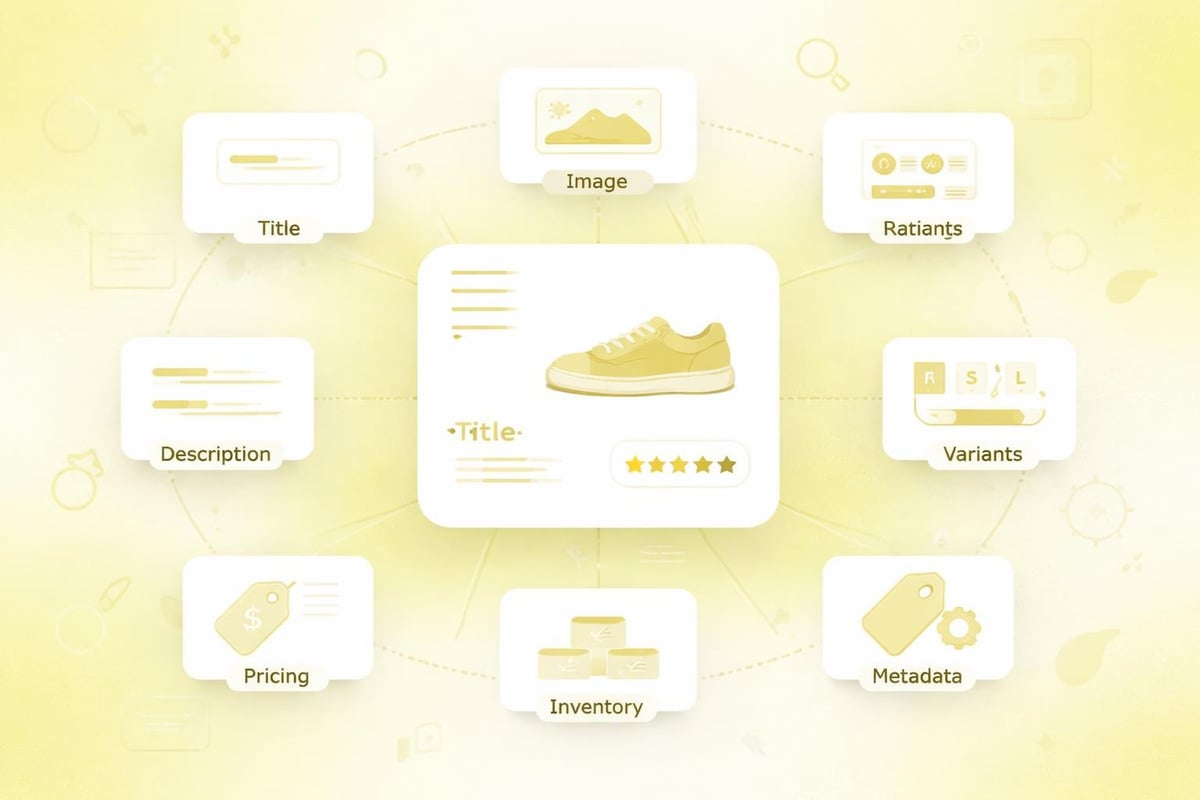
Product presentation directly impacts conversion rates. When adding products, complete every field thoroughly rather than treating descriptions and metadata as optional extras. High-quality product photography remains non-negotiable, with images showing multiple angles, scale, and context of use.
Essential product information includes:
- Clear, benefit-driven product titles
- Detailed descriptions addressing customer questions
- High-resolution images (minimum 2048 x 2048 pixels)
- Accurate pricing including VAT
- Inventory tracking and SKU codes
- Product variants (size, colour, material)
- SEO metadata (title tags, descriptions)
Collections organise products logically, improving navigation and merchandising opportunities. Create collections based on product types, seasonal campaigns, price ranges, or customer segments. Automated collections using tags and conditions save time whilst ensuring new products appear in relevant categories immediately.
Design Principles for High-Converting Shopify Stores
Effective eCommerce design balances aesthetic appeal with functional simplicity. When you shopify create website with conversion in mind, every design decision should reduce friction in the customer journey whilst building trust and desire. Research from WebFX demonstrates that stores prioritising user experience see significantly higher conversion rates than those focusing purely on visual impact.
Navigation and Information Architecture
Visitors should locate any product within three clicks. Main navigation should showcase your primary product categories whilst secondary navigation handles account access, policies, and support pages. Mega menus work well for stores with extensive catalogues, allowing category browsing without page transitions.
Search functionality deserves particular attention. Shopify's default search provides basic keyword matching, but premium search apps offer predictive suggestions, synonym recognition, and filtering capabilities that dramatically improve product discovery. For stores with hundreds of SKUs, investing in enhanced search pays dividends through improved conversion rates.
Mobile Optimisation and Performance
Over 70% of UK shoppers browse on mobile devices, making mobile-first design essential rather than optional. Shopify themes provide responsive layouts by default, but truly optimised mobile experiences require deliberate design choices around touch targets, simplified navigation, and streamlined checkout flows.
Page speed directly correlates with conversion rates and SEO rankings. Shopify's theme development best practices emphasise performance through:
- Lazy loading images below the fold
- Minimising JavaScript dependencies
- Optimising image file sizes
- Reducing unnecessary apps and scripts
- Leveraging Shopify's content delivery network
Regular performance testing using tools like Google PageSpeed Insights identifies opportunities for improvement. Aim for mobile load times under three seconds to minimise bounce rates and maintain competitive advantage.
Trust Signals and Social Proof
UK consumers demonstrate increasing caution with unfamiliar online retailers. Building trust requires strategic placement of credibility indicators throughout your store. Security badges, customer reviews, professional photography, and clear return policies all contribute to perceived legitimacy.
Trust ElementImplementationImpactCustomer ReviewsProduct review app with photosHigh conversion liftSecurity BadgesSSL indicators, payment iconsReduced cart abandonmentProfessional PhotographyHigh-resolution lifestyle imagesIncreased engagementClear PoliciesAccessible returns and privacy pagesHigher customer confidenceContact InformationVisible phone, email, chat optionsImproved trust signals
Social proof extends beyond reviews to include customer counts, recent purchases, and user-generated content. Apps displaying "recently purchased" notifications create urgency whilst demonstrating product popularity.
Technical Configuration and Optimisation
Beyond visual design, technical configuration determines how effectively your store operates and ranks in search engines. When businesses shopify create website without addressing technical foundations, they limit long-term growth potential regardless of how attractive the storefront appears.
Domain Setup and SSL Configuration
Custom domains convey professionalism and improve brand recall compared to default myshopify.com addresses. Purchase domains through your preferred registrar and connect via DNS settings. Shopify automatically provisions SSL certificates for custom domains, encrypting customer data and improving search rankings.
Choose domains that are:
- Short and memorable
- Relevant to your brand or product category
- Available as .co.uk for UK-focused businesses
- Easy to spell and pronounce
Avoid hyphens, numbers, or unconventional spellings that complicate verbal sharing and direct traffic entry.
SEO Fundamentals for Shopify Stores
Search visibility determines organic traffic potential. Shopify provides SEO-friendly infrastructure, but merchants must implement best practices to rank competitively. Each product, collection, and content page requires optimised metadata, structured headings, and relevant keyword integration.
Core SEO tasks include:
- Writing unique meta titles and descriptions
- Optimising image alt text with descriptive keywords
- Creating XML sitemap submissions to search engines
- Implementing schema markup for rich results
- Building logical internal linking structures
- Generating SEO-friendly URL structures
For brands committed to long-term organic growth, understanding eCommerce website fundamentals provides context for why certain technical decisions impact search performance. Shopify handles many technical SEO elements automatically, but content optimisation and strategic keyword targeting require manual effort.
App Selection and Integration Strategy
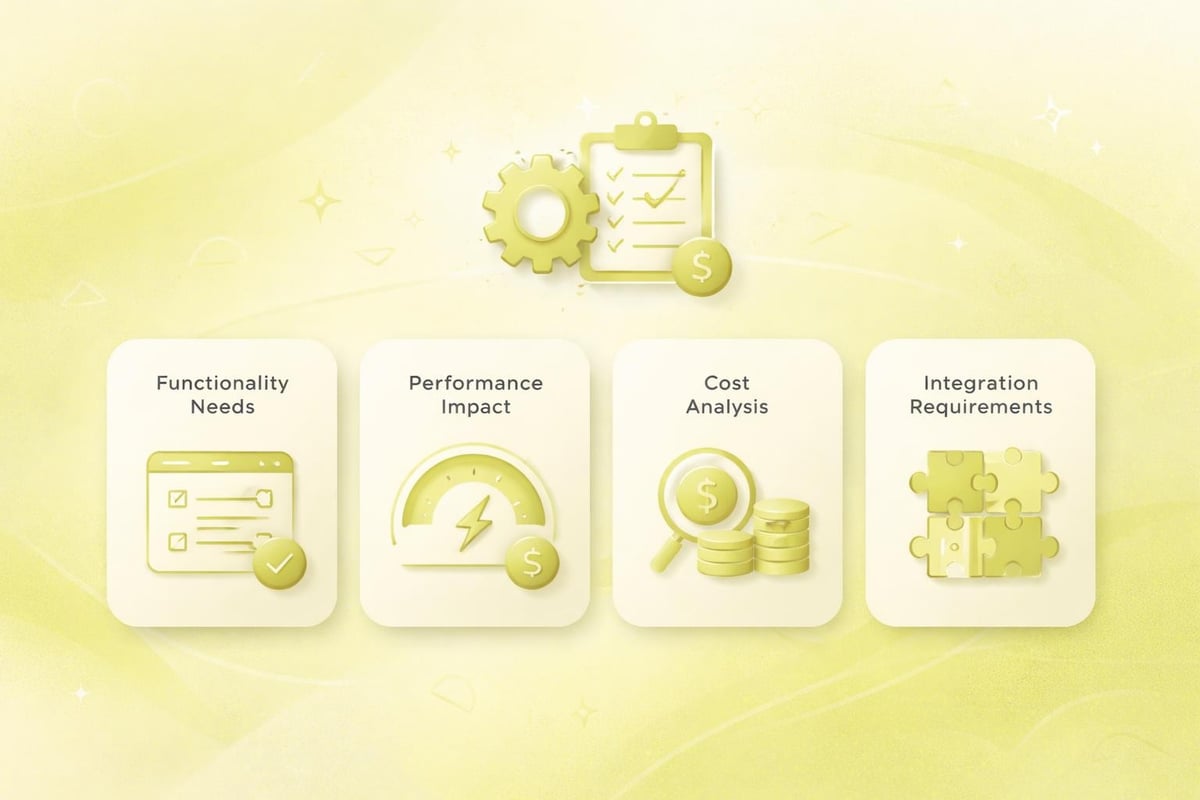
Shopify's app ecosystem offers solutions for virtually every eCommerce challenge, from email marketing to inventory forecasting. However, excessive apps bloat your store, slow page loads, and create maintenance headaches. Approach app selection strategically, installing only applications directly supporting revenue generation or operational efficiency.
Essential app categories include:
- Email marketing and automation
- Customer reviews and testimonials
- Enhanced search and filtering
- Abandoned cart recovery
- Inventory management
- Accounting integration
Before installing any app, evaluate its performance impact, recurring costs, and whether native Shopify features might suffice. Many merchants install apps replicating functionality already available in their plan or theme.
Content Strategy and Brand Development
Successful Shopify stores extend beyond product catalogues to provide valuable content addressing customer needs throughout their purchase journey. When you shopify create website with content strategy integrated from launch, you build sustainable organic traffic channels whilst establishing industry authority.
Creating Compelling Product Descriptions
Generic manufacturer descriptions fail to differentiate your store or address specific customer concerns. Effective product content answers questions, highlights benefits over features, and incorporates relevant search terms naturally. Structure descriptions with scannable formatting using headings, bullet points, and short paragraphs.
Consider customer search intent when crafting descriptions. Shoppers researching products seek detailed specifications, whilst those ready to purchase need reassurance about sizing, delivery, and returns. Addressing both audiences within product content improves conversion across different funnel stages.
Blog Content and Resource Development
Shopify includes blogging functionality allowing stores to publish educational content, buying guides, and industry insights. Regular blogging supports SEO by targeting informational keywords whilst building relationships with potential customers before they're ready to purchase.
Content topics might include:
- Product comparison guides
- How-to tutorials and usage tips
- Industry news and trend analysis
- Customer success stories
- Behind-the-scenes brand content
Quality matters more than quantity. Monthly in-depth articles outperform weekly superficial posts. Focus content efforts on topics where you offer genuine expertise and that align with customer questions.
Brand Consistency Across Touchpoints
Your Shopify store exists within a broader brand ecosystem including social media, email marketing, and potentially physical retail. Maintaining visual and tonal consistency across channels strengthens brand recognition and builds customer trust. Establishing brand guidelines covering colours, typography, photography style, and voice ensures coherence as your business scales.
For businesses operating across multiple channels, understanding web development services available in the UK helps identify when custom development enhances your Shopify foundation versus when platform limitations require alternative solutions.
Testing and Launch Preparation
Rushing to launch without thorough testing creates customer experience issues that damage reputation and conversion rates. Allocate time for comprehensive testing across devices, browsers, and user scenarios before removing password protection from your store.
Pre-Launch Checklist
Systematic testing ensures no critical elements remain incomplete. Work through each store section methodically, testing both customer-facing features and administrative functions.
Critical testing areas:
- Complete test purchases on desktop and mobile
- Verify shipping calculations across postal codes
- Test discount codes and promotional rules
- Review automated email notifications
- Check contact form submissions
- Validate payment gateway processing
- Confirm legal page accuracy and accessibility
- Test mobile navigation and checkout flow
- Review page load speeds across devices
- Verify search functionality returns relevant results
Recruit friends or colleagues unfamiliar with your store to navigate and provide honest feedback. Fresh perspectives identify confusing elements or unclear messaging that you've overlooked through familiarity.
Analytics and Tracking Setup
Understanding customer behaviour requires proper analytics implementation from day one. Shopify provides built-in analytics, but integrating Google Analytics offers deeper insights and custom reporting capabilities. Install tracking before launch to establish baseline metrics.
Configure goal tracking for key conversion events including:
- Product page views
- Add to cart actions
- Checkout initiations
- Completed purchases
- Newsletter subscriptions
Enhanced eCommerce tracking in Google Analytics provides granular data on product performance, checkout abandonment stages, and revenue attribution across marketing channels. This data informs optimisation priorities post-launch.
Post-Launch Optimisation and Growth
Launching your Shopify store marks the beginning rather than culmination of your eCommerce journey. Continuous improvement based on data analysis and customer feedback differentiates thriving stores from stagnant ones. When you shopify create website with growth mindset, you establish processes for regular testing and iteration.
Conversion Rate Optimisation
Small improvements in conversion rates compound dramatically over time. A store converting at 2% generates twice the revenue of one converting at 1% from identical traffic volumes. Systematic testing identifies friction points and opportunities for enhancement.
Common optimisation opportunities include:
- Simplifying checkout processes
- Improving product imagery and descriptions
- Testing pricing and promotional strategies
- Enhancing site search functionality
- Optimising mobile user experiences
- Refining email automation sequences
A/B testing allows data-driven decisions rather than relying on assumptions. Test one variable at a time to isolate impact, running experiments until statistical significance is achieved.
Customer Feedback Integration
Your customers provide invaluable insights into experience gaps and product opportunities. Implement feedback collection mechanisms including post-purchase surveys, product reviews, and customer service interaction analysis. Patterns emerging from feedback highlight systematic issues requiring attention.
Negative feedback, whilst uncomfortable, often proves most valuable. Customers taking time to explain frustrations care enough about your brand to want improvements. Addressing common complaints demonstrates responsiveness whilst improving experience for future visitors.
Scaling Infrastructure and Capabilities
As transaction volumes grow, reassess whether your current Shopify plan, theme, and app stack supports your needs efficiently. Store performance degrading under increased traffic signals infrastructure limitations requiring attention. Similarly, manual processes manageable at 50 orders weekly become bottlenecks at 500 weekly orders.
Consider upgrading to Shopify Plus when your business requires advanced customisation, dedicated support, or processes high volumes exceeding standard plan capabilities. The investment makes sense when enhanced features directly enable revenue growth or operational efficiency improvements offsetting the increased cost. For businesses questioning whether to work with a Shopify agency versus managing growth internally, evaluate your team's technical capabilities against your growth ambitions and timeline.
Common Pitfalls and How to Avoid Them
Understanding frequent mistakes helps you sidestep costly errors when you shopify create website for the first time. Many issues stem from prioritising aesthetics over functionality or neglecting foundational business processes in eagerness to launch.
Overcomplicating Initial Launches
Perfectionism delays launches indefinitely. Start with core functionality and expand over time based on actual customer needs rather than anticipated requirements. Launch with a curated product selection, proven payment methods, and essential pages rather than attempting comprehensive launches covering every possible scenario.
Minimum viable store includes:
- 10-20 hero products with complete information
- Clear navigation and search functionality
- Secure checkout with primary payment method
- Essential legal pages and contact information
- Basic email collection and automation
- Simple social proof elements
Additional features, expanded catalogues, and advanced functionality can follow once initial sales validate your market approach.
Neglecting Mobile Experience
Desktop-focused design alienates the majority of UK shoppers. Test your store extensively on actual mobile devices, not just responsive browser previews. Touch targets, form fields, and navigation elements behaving perfectly on desktop often prove frustrating on mobile screens.
Ignoring Loading Speed
Beautiful design loses impact when pages take five seconds to load. Shopify's infrastructure provides fast hosting, but heavy themes, excessive apps, and unoptimised images undermine performance. Prioritise speed from the start rather than attempting optimisation after launch when removing problematic elements disrupts established workflows.
Inadequate Product Information
Sparse product details force customers to seek information elsewhere, often landing on competitor sites in the process. Comprehensive descriptions, multiple images, sizing guides, and specifications reduce purchase hesitation whilst supporting SEO through natural keyword inclusion. According to Ayatas's best practices guide, detailed product content directly correlates with reduced returns and increased customer satisfaction.
Creating a successful Shopify website requires balancing platform capabilities with strategic business decisions and customer-focused design principles. By following structured processes, prioritising user experience, and committing to continuous improvement, UK brands build eCommerce foundations supporting sustainable growth. If you're ready to launch or optimise your Shopify presence with expert support, Futur Media specialises in building high-performing Shopify stores for ambitious UK brands, combining conversion-led design with technical excellence to drive measurable results.



.svg)

