
.svg)






%201.avif)
Organising your Shopify store effectively starts with understanding how collections work. Collections shopify functionality allows you to group products in ways that make sense for your customers, improve discoverability, and drive more conversions. Whether you're launching a new store, restructuring an existing catalogue, or optimising for search engines, mastering collections is fundamental to creating a high-performing eCommerce experience. This guide explores how UK brands can leverage collections strategically to enhance both user experience and commercial performance.
What Are Collections in Shopify
Collections shopify serve as the organisational backbone of your product catalogue. They group related products together, making it easier for customers to browse and discover items that match their interests.
Two main types of collections exist in Shopify:
- Automated collections: Products are added automatically based on conditions you set (tags, price, vendor, inventory levels)
- Manual collections: You select and arrange products individually, giving complete control over what appears and in what order
Automated collections save time and keep your catalogue organised as you add new products. Manual collections offer precision when you need to curate specific product groupings for campaigns or seasonal promotions.
Why Collection Structure Matters for Performance
Your collection architecture directly impacts how customers navigate your store and how search engines understand your site hierarchy. A well-structured collection system creates clear pathways through your catalogue, reduces bounce rates, and improves conversion rates.
When customers land on a collection page, they should immediately understand what products they'll find and how to refine their search. This clarity comes from thoughtful naming, logical categorisation, and strategic use of filtering options.
Building Effective Collections Shopify Structures
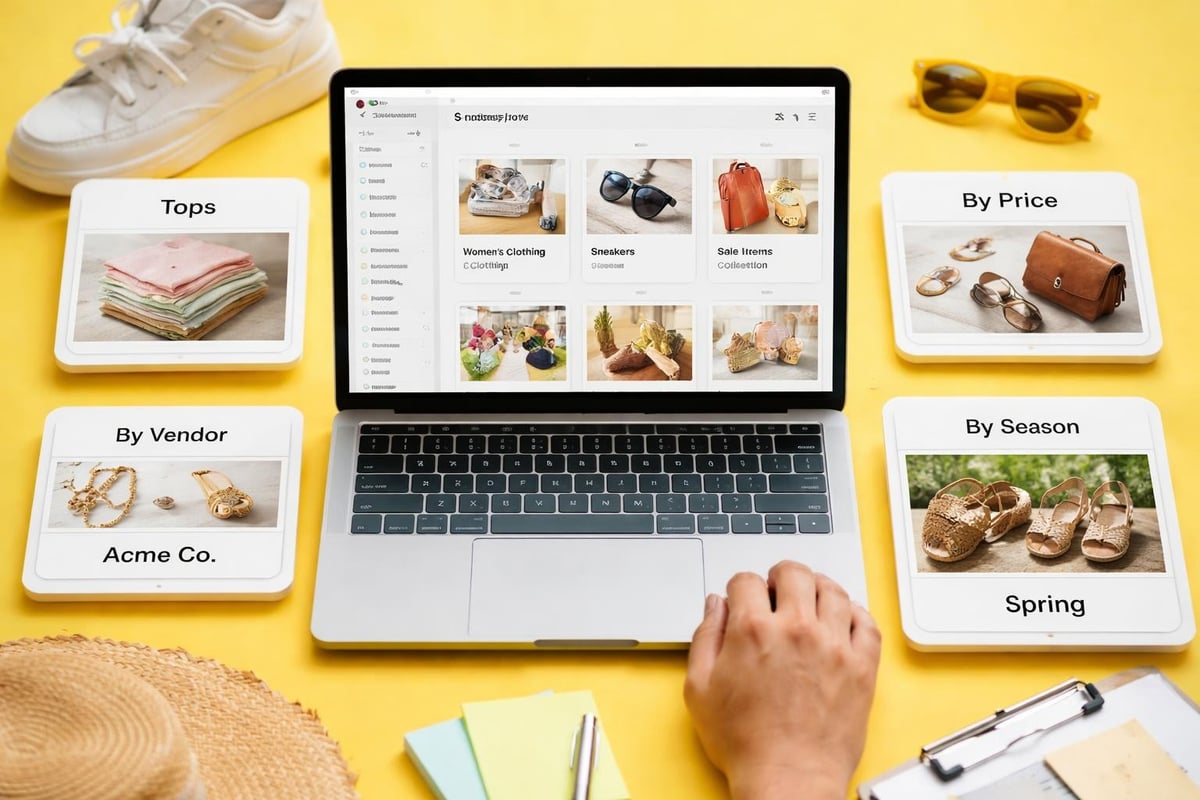
Creating collections that serve both customers and search engines requires strategic planning. Start by mapping your product catalogue into logical groups based on how your target audience shops.
Primary Collection Categories
Most successful Shopify stores use a combination of these collection types:
- Product type collections (Dresses, Trainers, Laptops)
- Seasonal or occasion collections (Summer Sale, Christmas Gifts, Back to School)
- Feature-based collections (Bestsellers, New Arrivals, Sale Items)
- Brand or vendor collections (particularly relevant for multi-brand retailers)
- Problem-solving collections (Gifts Under £50, Vegan Products, Eco-Friendly Options)
Collection TypeBest ForUpdate FrequencySEO ValueProduct TypeCore navigationStableHighSeasonalCampaignsRegularlyMediumFeature-BasedEngagementWeeklyMediumPrice-BasedConversionAs neededLow-MediumProblem-SolvingDiscoveryMonthlyHigh
The most effective stores layer these collection types, allowing customers multiple pathways to discover products. Someone shopping for a gift might browse "Gifts Under £50" whilst another customer heads straight to "Women's Trainers".
Setting Up Automated Collection Rules
Automated collections use conditional logic to populate themselves. This becomes particularly powerful as your catalogue grows, ensuring new products appear in relevant collections without manual intervention.
Common automation conditions include:
- Product tags matching specific keywords
- Product type containing certain terms
- Price falling within defined ranges
- Vendor or brand names
- Inventory quantity above threshold
- Product weight or dimensions
For example, an automated collection for "Summer Dresses" might include products where the product type contains "dress" AND tags include "summer". As you add new summer dresses with appropriate tags, they automatically appear in this collection.
When implementing e-commerce SEO best practices, automated collections ensure consistency across your catalogue whilst reducing manual administrative work.
Optimising Collections Shopify for Search Engines
Collection pages often rank well in search results because they target broader, higher-volume keywords than individual product pages. Optimising these pages properly can drive significant organic traffic to your store.
Collection Page SEO Fundamentals
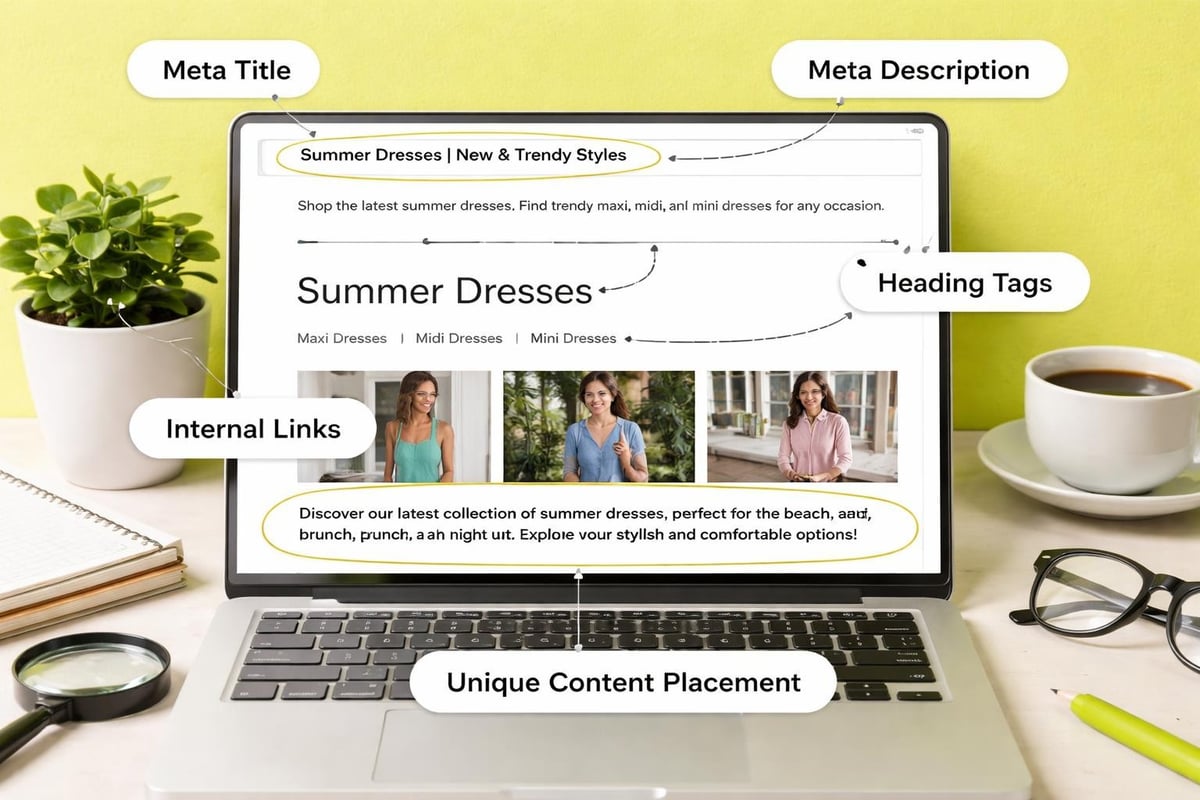
Each collection page needs unique, descriptive content that serves both users and search engines. This means going beyond the default Shopify template and adding value.
Essential elements for collection page optimisation:
- Descriptive, keyword-rich collection titles
- Unique meta descriptions (140-150 characters)
- Custom collection descriptions (150-300 words minimum)
- Optimised collection images with descriptive alt text
- Clean, descriptive URL structures
- Strategic internal linking to related collections
The collection description sits at the top of your collection page and should explain what customers will find, why these products are grouped together, and how they benefit from browsing this collection. This content also provides search engines with context about the page's purpose.
URL Structure and Collection Handles
Shopify automatically generates collection URLs based on the collection handle you create. A collection titled "Women's Running Trainers" might have the handle womens-running-trainers, creating the URL /collections/womens-running-trainers.
This handle becomes permanent once created, so plan carefully. Choose handles that:
- Reflect the collection content accurately
- Include relevant keywords naturally
- Remain concise and readable
- Avoid special characters or unnecessary words
If you're migrating to Shopify from another platform, maintaining your existing URL structure helps preserve SEO value. Futur Media's Shopify migration service ensures your collection URLs, redirects, and SEO performance are protected throughout the transition.
Internal Linking Through Collections
Collections create natural opportunities for strategic internal linking. Link from related collections, use breadcrumb navigation, and reference collections in blog content to distribute authority throughout your site.
Optimizing Shopify collection pages for SEO involves building a logical hierarchy where main collections link to subcollections and related categories. This structure helps search engines understand your site architecture whilst giving customers multiple discovery paths.
Enhancing User Experience with Collections
Beyond SEO benefits, collections shopify organisation directly impacts how customers experience your store. Well-designed collection pages guide users toward products they'll love, reducing friction in the buying journey.
Collection Navigation and Filtering
Modern shoppers expect robust filtering options. Your collection pages should allow customers to refine results by:
- Price range
- Size and fit
- Colour options
- Brand or vendor
- Product features
- Availability status
These filters work best when they reflect how your specific audience shops. A fashion retailer might prioritise colour and size filters, whilst a technology store emphasises technical specifications.
Filter TypeImplementationUser BenefitTechnical ConsiderationPriceSlider or rangesQuick budget matchingDynamic updatingSizeCheckboxesPrecise fit findingStock trackingColourVisual swatchesVisual selectionImage consistencyBrandDropdown or listLoyalty filteringVendor metadata
Sticky filters that remain visible as users scroll improve usability significantly. Customers can adjust their criteria without scrolling back to the top, particularly valuable on mobile devices where screen space is limited.
Visual Presentation and Product Arrangement
How products appear on collection pages influences purchasing decisions. Consider these arrangement strategies:
- Featured products first: Highlight bestsellers or high-margin items
- Price ascending/descending: Help price-conscious shoppers
- Newest arrivals: Keep the collection feeling fresh
- Manual curation: Full control for campaigns or storytelling
- Bestselling order: Social proof drives conversions
Testing different arrangements for different collections often reveals surprising insights. Your "Sale" collection might perform best with price ascending, whilst "New Arrivals" benefits from chronological ordering.
For comprehensive guidance on organizing Shopify collections for better customer experience, consider how each collection serves a different customer intent and adjust the presentation accordingly.
Advanced Collections Shopify Strategies
Once you've mastered basic collection management, advanced techniques can further differentiate your store and improve performance.
Nested Collections and Hierarchy
Creating parent and child collection relationships helps customers drill down through your catalogue logically. For example:
- Men's Clothing (parent)
- Men's Shirts (child)
- Men's Trousers (child)
- Men's Outerwear (child)
This hierarchy appears in navigation menus and breadcrumbs, giving customers clear context about where they are in your catalogue. It also creates a logical site structure that search engines can crawl efficiently.
Seasonal and Campaign Collections
Temporary collections for specific events or seasons drive urgency and relevance. These might include:
- Holiday gift guides
- Seasonal sales (Spring/Summer, Autumn/Winter)
- Event-specific collections (Valentine's Day, Mother's Day)
- Limited edition releases
- Clearance events
Best practices for campaign collections:
- Set up well before the campaign launches
- Create compelling, unique descriptions
- Use high-quality featured images
- Remove or hide when no longer relevant
- Track performance metrics for future planning
When running seasonal promotions, these focused collections make it easy to share specific URLs in marketing campaigns, measure traffic sources, and analyse which products resonate with different audience segments.
Smart Collections Using Metafields
Advanced Shopify users leverage metafields to create sophisticated automated collections. Metafields are custom fields that store additional product information beyond Shopify's standard fields.
For example, you might create a metafield for "sustainability rating" and then build automated collections around eco-friendly products scoring above a certain threshold. This allows complex segmentation without manually managing collection membership.
Measuring Collection Performance
Understanding which collections drive revenue helps prioritise optimisation efforts. Shopify's analytics provide insights into collection performance, but deeper analysis reveals opportunities.
Key Metrics to Track
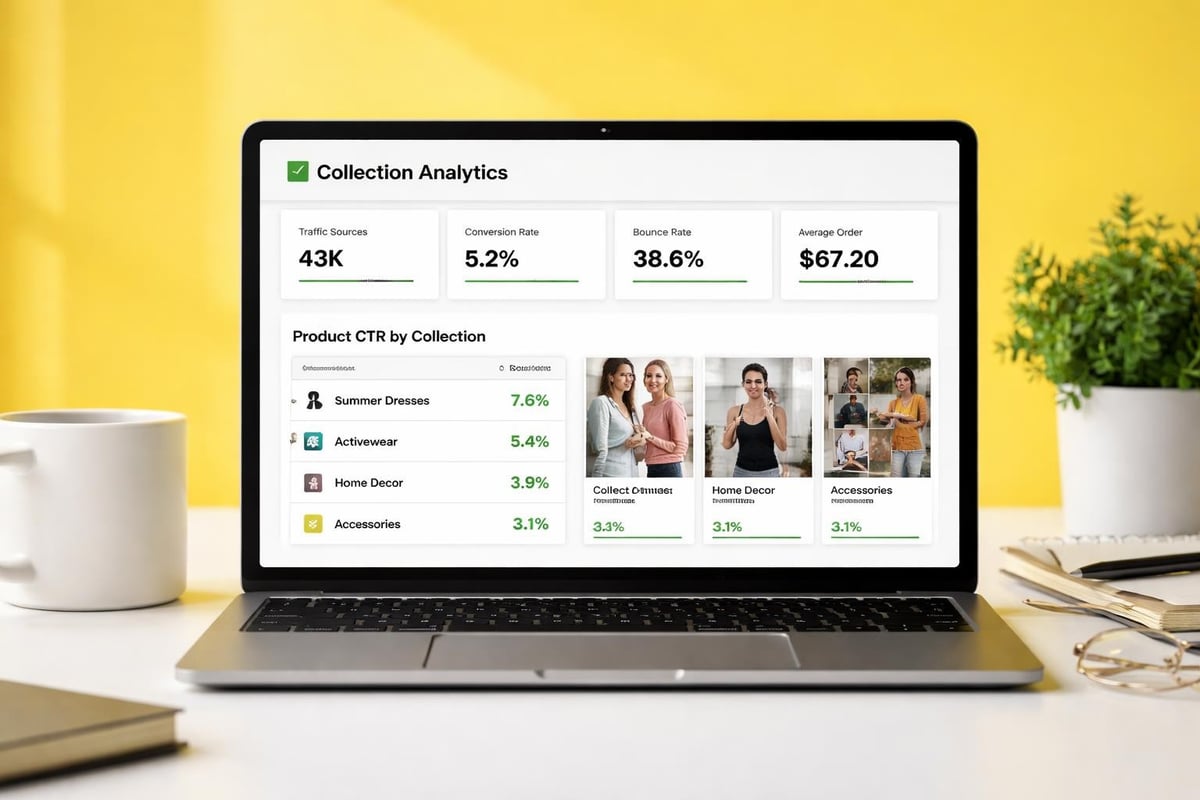
Monitor these metrics for each significant collection:
- Traffic volume: How many visitors view the collection
- Conversion rate: Percentage of visitors who purchase
- Average order value: Revenue per transaction from the collection
- Bounce rate: Visitors who leave without interaction
- Time on page: Engagement level with the collection
- Product click-through rate: How many visitors click through to products
Collections with high traffic but low conversions might need better product selection, clearer filtering, or improved descriptions. Collections with low traffic might benefit from better internal linking or Shopify SEO optimisation.
A/B Testing Collection Elements
Systematic testing reveals what resonates with your audience. Test variables including:
- Collection descriptions and messaging
- Featured images and banners
- Default product sorting
- Number of products per page
- Filter placement and options
- Call-to-action button text and placement
Run tests long enough to gather statistically significant data, typically at least two weeks for most traffic levels. Document results and implement winning variations permanently.
Common Collections Shopify Mistakes to Avoid
Even experienced store owners make collection management errors that hurt performance. Avoiding these pitfalls keeps your store running efficiently.
Mistake 1: Too Many or Too Few Collections
Finding the right balance matters. Too many collections overwhelm customers and dilute your SEO efforts across too many pages. Too few collections force customers to sift through large, unfocused product lists.
General guidelines:
- Small catalogues (under 50 products): 3-7 collections
- Medium catalogues (50-500 products): 8-20 collections
- Large catalogues (500+ products): 20-50 collections
These numbers vary based on your product diversity and how customers naturally segment your offerings.
Mistake 2: Duplicate or Overlapping Collections
Creating collections that contain mostly the same products confuses customers and wastes SEO potential. Each collection should serve a distinct purpose with minimal overlap.
If you find significant overlap, consider whether both collections are necessary or if one could become a filtered view of the other.
Mistake 3: Neglecting Collection Descriptions
Default empty collection descriptions represent missed opportunities. Search engines have little context about the page's purpose, and customers receive no guidance about what they're viewing.
Write unique descriptions for every significant collection, focusing on:
- What products the collection contains
- Who the collection serves
- Why customers should browse this collection
- How products in this collection solve specific problems
Mistake 4: Ignoring Mobile Experience
Over 70% of eCommerce traffic comes from mobile devices. Collection pages must work flawlessly on smaller screens with touch interfaces.
Test your collections on actual mobile devices, checking:
- Filter usability with thumbs, not mouse pointers
- Image loading speed on mobile connections
- Readability of product titles and prices
- Ease of scrolling and product selection
- Cart addition process from collection pages
Mistake 5: Static Collections That Never Evolve
Customer behaviour and search trends change. Collections that worked brilliantly two years ago might underperform today. Regular audits identify opportunities to refresh, consolidate, or retire collections.
Quarterly reviews of your collection structure keep your store aligned with current customer needs and seasonal trends. For stores requiring ongoing optimisation and technical support, working with specialists who understand collection strategy proves valuable.
Technical Considerations for Collections
Behind the scenes, technical factors influence how collections perform. Understanding these elements helps you make informed decisions about collection setup and management.
Collection Page Speed
Slow-loading collection pages hurt both conversions and SEO rankings. Optimise loading speed through:
- Image compression and lazy loading
- Minimal app scripts on collection pages
- Efficient theme code
- CDN usage for asset delivery
- Reduced HTTP requests
Collection pages typically load slower than other pages because they contain multiple product images. Implement progressive loading, where the page structure appears quickly whilst product images load sequentially.
Collection Templates and Customisation
Most Shopify themes include a default collection template, but custom templates allow different presentations for different collection types.
You might create:
- A standard template for regular product type collections
- A campaign template with larger images and promotional banners
- A sale template highlighting discounts and countdown timers
- A brand template showcasing brand stories alongside products
Custom templates require theme development knowledge or working with Shopify development specialists who can build tailored solutions that align with your brand and commercial objectives.
Handling Out-of-Stock Products in Collections
Decide how to handle products that are temporarily or permanently out of stock within collections:
Option 1: Hide out-of-stock products completely
- Pros: Cleaner collection pages, no customer disappointment
- Cons: Lost SEO value, customers can't see full range
Option 2: Show but deprioritise out-of-stock items
- Pros: Maintains SEO, shows full range, allows waitlist signups
- Cons: Requires careful visual distinction
Option 3: Show with clear "Notify when available" options
- Pros: Captures demand, maintains interest, builds email list
- Cons: May frustrate customers seeking immediate purchase
Most successful stores use option three, treating temporary stock issues as opportunities to capture customer interest for future sales.
Mastering collections shopify organisation transforms how customers navigate your store and how effectively search engines understand your catalogue. Strategic collection structure, thoughtful optimisation, and regular performance analysis create compound benefits that grow alongside your business. If you're ready to build a high-performing Shopify store with intelligent collection architecture, Futur Media brings expertise in conversion-focused design and technical development that turns browsers into buyers.



.svg)

