
.svg)






%201.avif)
The right payment gateway can make a significant difference to your conversion rate — and for UK Shopify stores, PayPal Express Checkout is one of the most effective ways to reduce friction and get more customers over the line. This guide covers everything you need to know about setting up and optimising PayPal Express Checkout on Shopify, from initial configuration through to advanced tips that drive measurable results. If you want expert help optimising your store's checkout experience, take a look at our Shopify development service.
What Is PayPal Express Checkout for Shopify
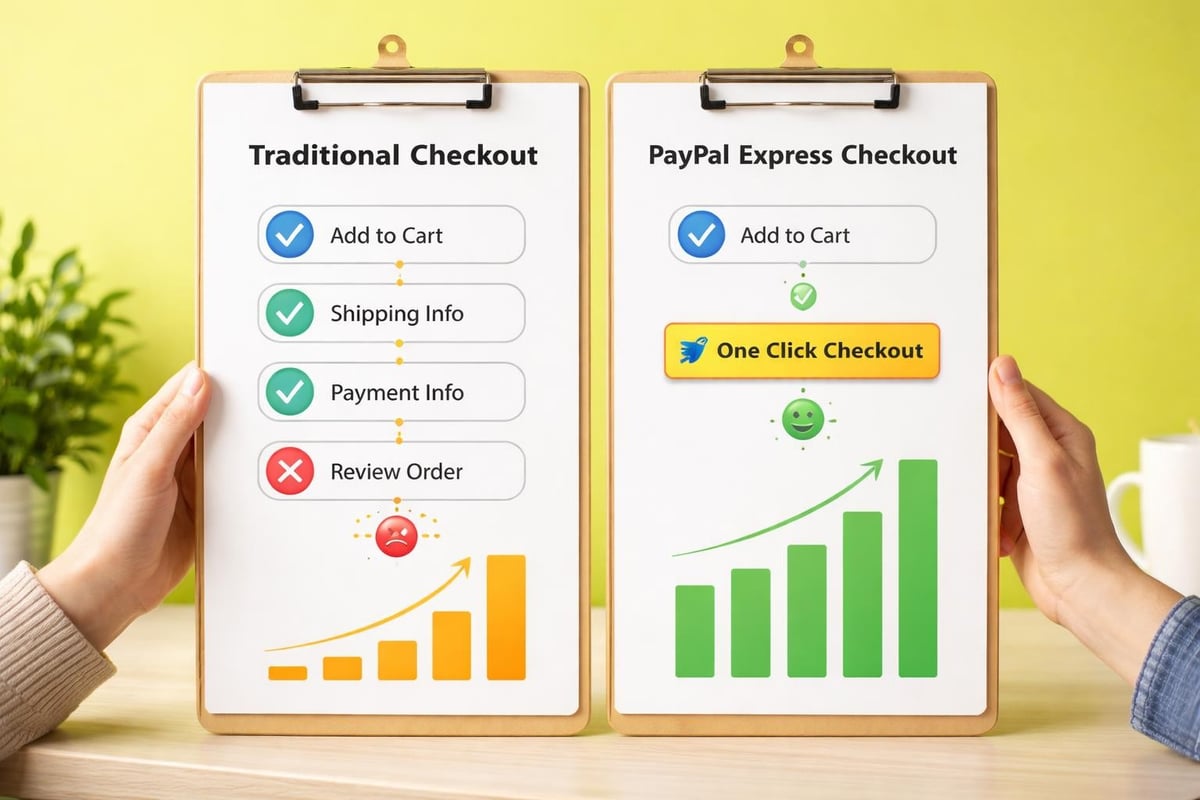
PayPal Express Checkout represents a simplified payment flow that allows customers to complete transactions using their PayPal account without navigating through traditional checkout pages. Unlike standard PayPal integration, Express Checkout appears directly on product pages and cart pages, enabling one-click purchases that significantly reduce cart abandonment rates.
This payment method works by pulling shipping and billing information directly from customers' PayPal accounts, eliminating manual data entry and reducing the likelihood of form errors. For mobile shoppers especially, this streamlined approach removes substantial friction from the buying journey.
Key Features That Set Express Checkout Apart
The paypal express checkout shopify integration offers several distinct advantages over conventional payment processing:
- Single-click payment processing that bypasses multiple checkout steps
- Automatic address population from PayPal account details
- Mobile-optimised interface designed for smartphone transactions
- Built-in fraud protection through PayPal's security infrastructure
- Multi-currency support for international transactions
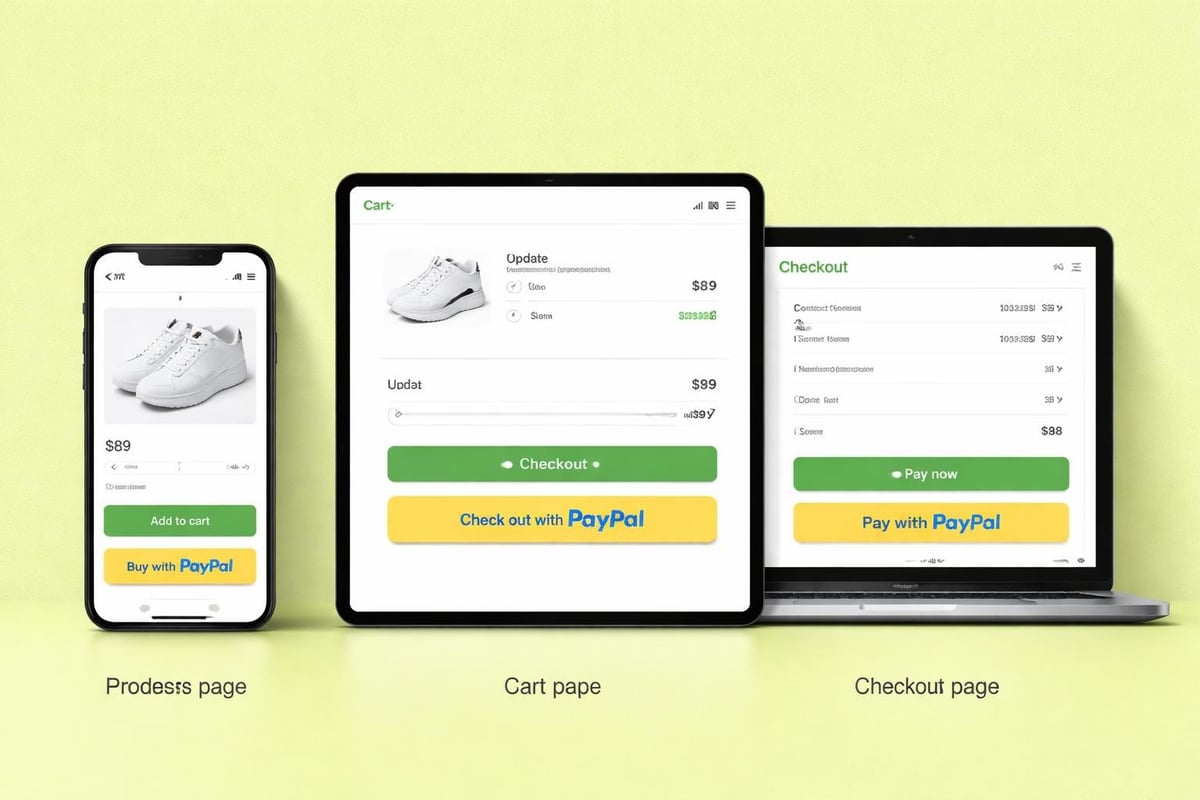
The Express Checkout button typically appears in three strategic locations: product pages, shopping cart pages, and the standard checkout page. This multi-placement strategy ensures customers can access rapid payment options at multiple decision points throughout their journey.
Setting Up PayPal Express Checkout on Shopify
Implementing paypal express checkout shopify functionality requires connecting your PayPal Business account to your Shopify admin panel. The process has become increasingly straightforward with Shopify's native payment provider integrations.
Prerequisites and Account Requirements
Before beginning the integration process, ensure you have:
- An active Shopify store with appropriate plan tier
- A verified PayPal Business account
- Administrator access to both platforms
- Completed business verification with PayPal
- Configured shipping zones and tax settings in Shopify
Your PayPal account must be fully verified with bank account details and business documentation submitted. This verification typically takes 24-48 hours but may extend longer depending on your location and business structure.
Step-by-Step Integration Process
Navigate to your Shopify admin panel and select Settings, then Payments. Within the Alternative Payment Methods section, locate PayPal Express Checkout and click Activate.
You'll be redirected to PayPal to authorise the connection between platforms. Log in using your PayPal Business account credentials and grant the necessary permissions. PayPal's official integration guide provides detailed screenshots for each authorisation step.
Once authorised, you'll return to Shopify where additional configuration options appear:
SettingRecommendationImpactPayment captureAutomaticFaster fulfilment, immediate fundsExpress checkout placementProduct + Cart + CheckoutMaximum conversion opportunityPayPal email receiptEnabledCustomer reassuranceTransaction fee displayTransparentBuilds trust
After saving these settings, conduct test transactions in your development environment before activating in production. Use PayPal's sandbox mode to simulate purchases without processing real payments.
Optimising Button Placement for Maximum Conversions
Strategic button placement directly influences conversion rates. Research shows that offering Express Checkout options early in the customer journey reduces abandonment by up to 35%.
Product Page Implementation
Positioning the PayPal Express Checkout button on product pages enables impulse purchases and reduces the steps between product discovery and transaction completion. This placement works particularly well for:
- High-consideration items where buyers have done prior research
- Repeat customers familiar with your brand
- Mobile shoppers seeking quick checkout experiences
- Limited-edition or time-sensitive products
The button should appear immediately below the Add to Cart button, maintaining visual hierarchy whilst offering an alternative pathway. Colour contrast and sizing should ensure the Express Checkout option is visible without overshadowing your primary call-to-action.
Cart Page Strategy
The shopping cart represents a critical decision point where customers evaluate their purchase before committing. Offering paypal express checkout shopify functionality here provides a fast-track option for customers ready to complete their transaction.
Best practices from PayPal suggest placing the Express Checkout button above the standard checkout button, with clear messaging about the speed and convenience benefits. Consider adding microcopy such as "Skip the checkout form" or "Pay in seconds with PayPal" to reinforce the time-saving advantage.
Technical Considerations and Performance Impact
Payment gateway performance directly affects both user experience and search rankings. Google's Core Web Vitals now factor page speed into ranking algorithms, making optimised payment integrations essential for organic visibility.
Loading Speed and JavaScript Impact
The paypal express checkout shopify integration adds JavaScript to your storefront that must be carefully managed to avoid performance degradation. PayPal's SDK loads asynchronously by default, but improper implementation can still cause render-blocking issues.
Implement these technical optimisations:
- Lazy loading for Express Checkout buttons below the fold
- Preconnect directives to PayPal's CDN domains
- Conditional loading based on customer location or device type
- Resource hints to improve DNS resolution and connection timing
For stores built with custom themes or extensive modifications, working with specialists in Shopify development ensures payment integrations are implemented without compromising site speed or user experience.
Mobile Responsiveness and Touch Optimisation
Mobile transactions now account for over 60% of eCommerce sales in the UK. The PayPal Express Checkout interface must render properly across all device sizes and orientations.
Test button sizing against Apple's Human Interface Guidelines (minimum 44x44 pixels) and Google's Material Design specifications (minimum 48x48 pixels). Ensure adequate spacing between interactive elements to prevent accidental taps.
Security, Compliance, and Customer Trust
Payment security directly influences conversion rates, with 17% of UK shoppers abandoning carts due to security concerns. PayPal Express Checkout provides built-in security features that can strengthen customer confidence.
PCI Compliance Benefits
By processing payments through PayPal's infrastructure, your Shopify store reduces PCI DSS compliance burden. PayPal maintains Level 1 PCI compliance, handling sensitive payment data outside your environment.
This doesn't eliminate all compliance requirements, but significantly reduces scope and complexity. You'll still need to:
- Maintain secure hosting and SSL certificates
- Implement strong password policies
- Regularly update Shopify apps and themes
- Monitor for suspicious transaction patterns
- Train staff on security best practices
Fraud Prevention and Dispute Management
PayPal's Seller Protection programme covers eligible transactions against fraudulent chargebacks and unauthorised purchases. To qualify for protection, ensure your paypal express checkout shopify transactions meet these criteria:
- Ship to the address on the transaction details page
- Provide online tracking information for physical goods
- Respond promptly to PayPal disputes and inquiries
- Maintain detailed records of customer communications
Dispute resolution through PayPal occurs within their platform, separate from Shopify's native systems. Establish clear processes for monitoring PayPal notifications and responding within required timeframes.
International Transactions and Currency Handling
For UK brands selling internationally, PayPal Express Checkout simplifies multi-currency transactions whilst introducing considerations around exchange rates and settlement.
Multi-Currency Selling Strategies
PayPal supports over 100 currencies, allowing customers to pay in their local currency whilst you receive settlement in GBP. This flexibility improves international conversion rates but requires strategic currency management.
ApproachAdvantagesDisadvantagesAutomatic conversionSimple setup, broad reachLess control over ratesManual currency selectionTransparent pricingRequires currency managementGeolocation-basedOptimal user experienceComplex implementation
Consider using Shopify Markets in conjunction with paypal express checkout shopify integration to manage international pricing, duties, and localised checkout experiences. This combination provides sophisticated multi-market capabilities whilst maintaining payment flexibility.
VAT and Tax Calculation
For UK merchants, Brexit has introduced complexity around EU transactions and VAT obligations. Ensure your Shopify tax settings correctly handle:
- Domestic UK VAT at appropriate rates
- Northern Ireland Protocol requirements
- EU distance selling thresholds
- Import VAT on goods from outside the UK
PayPal Express Checkout passes tax calculations from Shopify to the payment interface, but accuracy depends on proper tax configuration in your admin panel. Incorrect tax handling can lead to compliance issues and customer disputes.
Testing and Quality Assurance Procedures
Thorough testing prevents payment failures that directly impact revenue. Implement systematic testing procedures before launching paypal express checkout shopify functionality to live customers.
Pre-Launch Testing Checklist
Create a structured testing protocol covering:
- Desktop browsers: Chrome, Firefox, Safari, Edge (current and previous versions)
- Mobile devices: iOS Safari, Chrome Android (multiple screen sizes)
- Transaction types: Single product, multiple items, digital goods, subscriptions
- User scenarios: New customers, returning customers, guest checkout
- Edge cases: Maximum cart values, minimum order amounts, discount codes
Use PayPal's sandbox environment to simulate various transaction outcomes including successful payments, declined cards, and pending authorisations. Document each test scenario with screenshots and results for future reference.
Ongoing Monitoring and Analytics
After launch, establish monitoring systems to track payment performance and identify issues quickly:
- Set up conversion funnel tracking in Google Analytics
- Monitor PayPal transaction reports for anomalies
- Track abandonment rates at payment selection stage
- Review customer support tickets related to payment issues
- Compare PayPal conversion rates against other payment methods
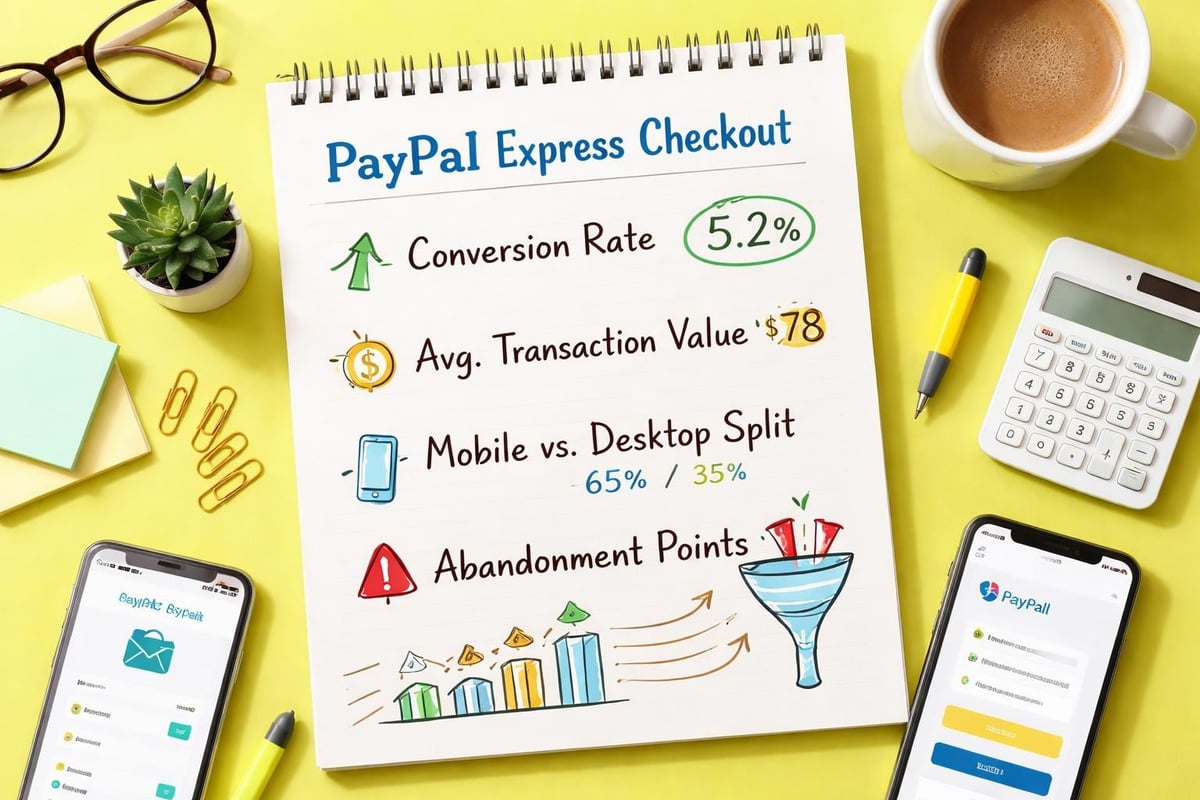
When analysing performance data, segment by device type, traffic source, and customer type to identify optimisation opportunities. Mobile conversion rates below desktop benchmarks often indicate responsive design issues rather than payment gateway problems.
Common Implementation Challenges and Solutions
Even straightforward integrations encounter obstacles. Understanding common paypal express checkout shopify challenges helps you troubleshoot efficiently and maintain optimal performance.
Button Visibility Issues
Sometimes Express Checkout buttons fail to appear despite correct configuration. This typically stems from:
- Theme conflicts where custom code overrides standard payment rendering
- App interactions that modify checkout behaviour
- Caching issues preventing updated settings from displaying
- Geographic restrictions in PayPal account settings
Resolve visibility problems by temporarily switching to a default Shopify theme to isolate whether customisations cause the issue. Clear browser cache and test in incognito mode to eliminate local caching as a factor.
Currency Mismatch Errors
Customers occasionally encounter currency errors when PayPal's detected location differs from your store's currency settings. This creates confusion and abandoned transactions.
Implement these preventative measures:
- Enable multi-currency selling through Shopify Markets
- Clearly display currency and prices before payment
- Configure PayPal to accept all major currencies
- Add currency converter functionality for transparency
Mobile Checkout Flow Disruptions
Mobile shoppers sometimes experience interrupted flows when redirected to PayPal's mobile interface. This occurs when the PayPal app is installed on their device but not properly authenticated.
Communicate clearly during checkout that customers may be redirected to the PayPal app. Consider adding instructional microcopy such as "You'll be securely redirected to complete payment" to set appropriate expectations.
Alternative Payment Methods and Strategic Considerations
Whilst PayPal Express Checkout offers significant benefits, it should form part of a broader payment strategy rather than operating in isolation. UK consumers expect multiple payment options at checkout.
Balancing Payment Options
Research from the UK Cards Association shows shoppers use an average of 2.8 different payment methods. Offering diverse options reduces friction for customers with strong payment preferences:
- Shopify Payments for seamless native integration
- Apple Pay and Google Pay for mobile wallet users
- Klarna or Clearpay for buy-now-pay-later preferences
- Traditional card processing for maximum compatibility
Each additional payment method adds complexity to your checkout experience. Balance comprehensiveness with simplicity by prioritising methods your target audience actually uses. Analytics data from similar UK stores in your vertical provides valuable benchmarking.
Cost Analysis and Fee Structures
Payment processing fees directly impact profit margins. PayPal Express Checkout charges vary based on transaction volume and business type:
Monthly VolumeDomestic RateInternational Rate£0 - £1,5002.9% + £0.303.9% + £0.30£1,500 - £6,0002.7% + £0.303.7% + £0.30£6,000 - £15,0002.5% + £0.303.5% + £0.30
Compare these rates against Shopify Payments and other providers whilst considering factors beyond percentage fees. Customer preference, conversion rate impact, and dispute handling quality all influence total cost of payment acceptance.
Advanced Customisation and Developer Options
For stores requiring bespoke payment experiences, PayPal offers advanced customisation options through their REST API and JavaScript SDK. These developer tools enable tailored implementations beyond standard paypal express checkout shopify functionality.
Custom Button Styling
PayPal's SDK supports button customisation including:
- Colour variations (gold, blue, silver, white, black)
- Size adjustments (small, medium, large, responsive)
- Shape modifications (rectangular, pill-shaped)
- Label text ("PayPal", "Pay", "Buy Now", "Checkout")
Match button styling to your brand guidelines whilst maintaining sufficient contrast for visibility. PayPal's placement guide recommends maintaining recognisable PayPal branding elements to leverage existing trust associations.
Headless Commerce Integration
Stores built on headless architecture require custom integration approaches. PayPal's REST API enables direct communication between your frontend and PayPal's payment infrastructure without relying on Shopify's native checkout.
This approach suits brands requiring:
- Completely custom checkout experiences
- Integration with external systems (ERP, CRM)
- Complex B2B payment workflows
- Multi-store environments with centralised payment processing
Headless implementations demand significant development resources but offer maximum flexibility. Consider whether your business case justifies this complexity versus utilising Shopify's built-in capabilities.
Regulatory Considerations for UK Merchants
Operating in the UK eCommerce market requires compliance with specific regulations affecting payment processing and customer rights. Understanding these obligations protects your business whilst building customer confidence.
Strong Customer Authentication Requirements
Since 2021, Strong Customer Authentication (SCA) regulations require multi-factor authentication for most online transactions. PayPal Express Checkout handles SCA compliance through:
- Device fingerprinting and behavioural analysis
- Challenge flows when additional verification is needed
- Exemption handling for low-value transactions
- Fallback authentication methods
Ensure your paypal express checkout shopify integration supports 3D Secure for transactions requiring additional authentication. Test the complete authentication flow to verify customers can complete verification without abandoning purchases.
Consumer Rights and Refund Processing
UK consumers enjoy robust protections under the Consumer Rights Act 2015 and Consumer Contracts Regulations. These regulations grant:
- 14-day cooling-off period for distance sales
- Right to refund for faulty or misdescribed goods
- Clear information requirements before purchase
- Transparent pricing including all mandatory charges
Process refunds promptly through PayPal's interface to maintain positive account standing and customer satisfaction. Delayed refunds generate disputes that negatively impact your seller metrics and can result in account limitations.
Performance Monitoring and Continuous Improvement
Optimising paypal express checkout shopify performance requires ongoing measurement and refinement. Establish baseline metrics and systematically test improvements to drive incremental conversion gains.
Key Performance Indicators to Track
Monitor these metrics to assess payment gateway effectiveness:
- Payment method selection rate: Percentage of customers choosing PayPal
- Express Checkout completion rate: Successful transactions versus initiations
- Average transaction value: Comparison across payment methods
- Mobile versus desktop performance: Device-specific conversion rates
- Time to purchase: Duration from button click to confirmation
Use Shopify's analytics alongside Google Analytics enhanced eCommerce tracking to build comprehensive performance dashboards. Segment data by customer type, traffic source, and product category to identify optimisation opportunities.
A/B Testing Payment Experiences
Systematic testing reveals which payment configurations drive optimal results. Test variables including:
- Button placement (above versus below fold)
- Button styling (colour, size, label text)
- Supporting microcopy and trust signals
- Express Checkout prominence versus standard checkout
Implement tests using Shopify's built-in A/B testing functionality or specialised conversion optimisation platforms. Ensure tests run for sufficient duration to achieve statistical significance, typically 2-4 weeks depending on traffic volume.
Brands seeking data-led improvements to their checkout experience may benefit from professional Shopify CRO services that systematically identify and resolve conversion barriers through testing and optimisation.
Integration with Marketing and Customer Experience
Payment methods influence customer experience beyond the transaction itself. Strategic integration of paypal express checkout shopify functionality with marketing initiatives creates cohesive brand experiences.
Abandoned Cart Recovery Strategies
PayPal transactions create specific abandoned cart scenarios requiring tailored recovery approaches. When customers initiate Express Checkout but don't complete payment:
- Send targeted email sequences referencing PayPal as their chosen method
- Include PayPal Express Checkout links directly in recovery emails
- Address common PayPal-specific concerns (account issues, fund availability)
- Offer alternative payment methods for flexibility
Track abandoned cart recovery rates by payment method to identify whether PayPal users respond differently to recovery campaigns than card users. This data informs segmentation and messaging strategies.
Post-Purchase Experience Optimisation
The payment confirmation page presents opportunities to strengthen customer relationships and drive repeat purchases. After successful PayPal transactions:
- Display personalised product recommendations
- Invite customers to join loyalty programmes
- Encourage social media follows and email subscriptions
- Provide clear order tracking information
- Set expectations for delivery timelines
Create consistent experiences whether customers pay via PayPal Express Checkout or alternative methods. Brand continuity throughout the purchase journey builds trust and encourages repeat business.
Implementing PayPal Express Checkout effectively requires balancing technical configuration, strategic placement, and ongoing optimisation to maximise conversion rates whilst maintaining excellent user experiences. For UK brands looking to strengthen their Shopify payment infrastructure alongside broader eCommerce capabilities, partnering with specialists who understand both technical implementation and commercial outcomes delivers the best results. Futur Media works with ambitious brands to build high-performing Shopify stores where payment processing, design, and user experience work together to drive measurable growth.



.svg)

