
.svg)



.webp)


%201.png)
Building a successful eCommerce store in 2026 requires more than selecting a platform and uploading products. Shopify design and development has evolved into a sophisticated discipline that combines technical expertise, user experience strategy, and commercial awareness. Whether you're launching a new brand, scaling an existing business, or migrating from another platform, understanding how design and development work together is essential for creating stores that convert visitors into loyal customers. This guide explores the strategic approach, technical considerations, and best practices that define modern Shopify build processes.
Understanding the Shopify Design Process
Effective Shopify design begins with commercial strategy, not visual aesthetics. Before a single pixel is placed, successful projects start with understanding your target audience, analysing competitor approaches, and mapping user journeys that align with business objectives.
The design phase establishes the foundation for everything that follows. It defines how products are presented, how navigation supports discovery, and how checkout flows minimise friction. Poor design decisions made early cascade through development, often requiring expensive revisions later.
Strategic Planning and Research
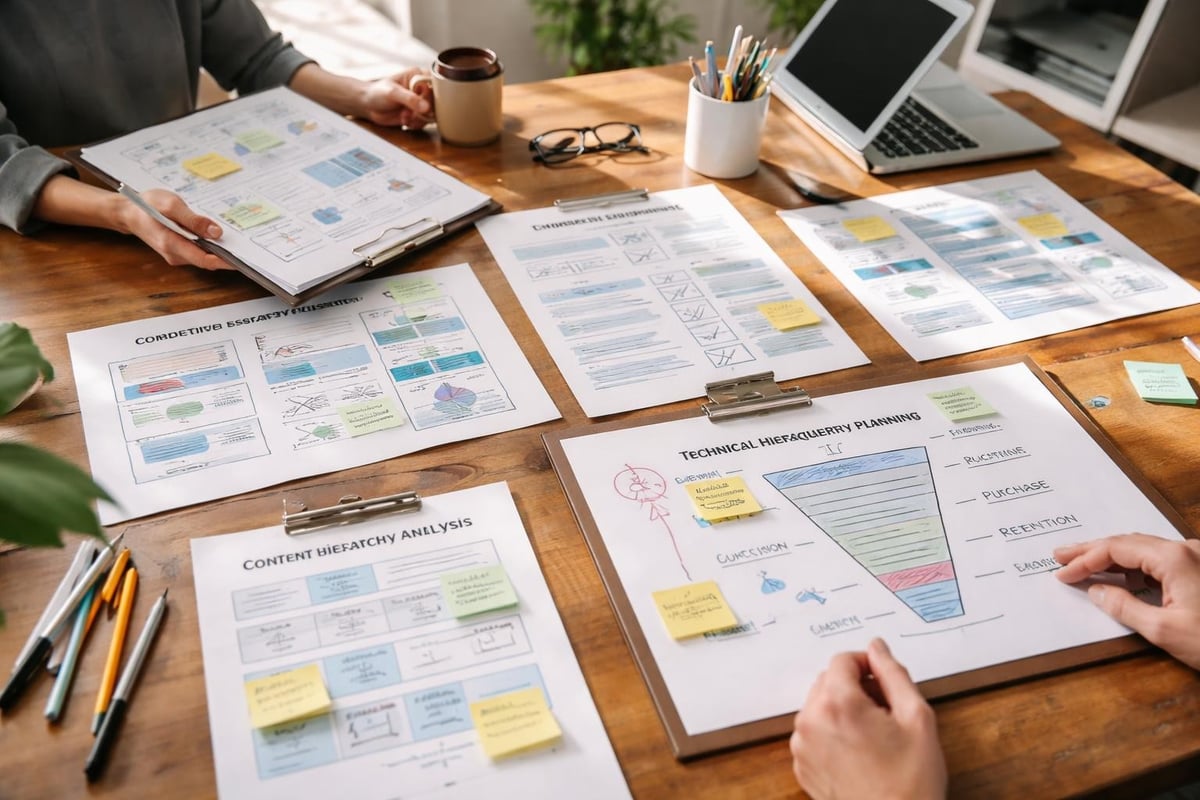
Strong Shopify projects begin with comprehensive research. This includes:
- Audience analysis to understand purchasing behaviours and preferences
- Competitor benchmarking to identify industry standards and opportunities for differentiation
- Technical requirements mapping to ensure design feasibility within Shopify's framework
- Conversion funnel planning to optimise each stage of the customer journey
- Content hierarchy definition to prioritise information based on commercial importance
Research informs design decisions with data rather than assumptions. Understanding that your customers browse primarily on mobile devices, for example, fundamentally changes layout priorities compared to desktop-first audiences.
User Experience Design Principles
User experience (UX) design for Shopify extends beyond making stores "look nice". It's about creating intuitive paths to purchase that feel effortless. According to Shopify's website design tips, balancing expected design patterns with unique brand elements creates familiarity while maintaining differentiation.
Key UX considerations include:
- Navigation architecture that allows customers to find products within three clicks
- Product page layouts that answer questions before they're asked
- Mobile-first design that prioritises the growing majority of mobile shoppers
- Accessibility standards that ensure all users can navigate and purchase
- Loading speed optimisation integrated into design decisions from the start
The most effective eCommerce designs guide users naturally towards conversion points without feeling pushy or aggressive. Every element serves a purpose, whether building trust, providing information, or removing purchase barriers.
Technical Development Fundamentals
While design defines what users see, development determines how it functions. Shopify design and development must work in harmony, with developers understanding design intent and designers appreciating technical constraints.
Modern Shopify development has shifted significantly with the introduction of Shopify 2.0 and Online Store 2.0 architecture. These frameworks provide enhanced flexibility whilst maintaining performance standards that directly impact conversion rates.
Theme Architecture and Customisation
Shopify themes form the foundation of your store's technical infrastructure. Choosing between pre-built themes and custom development depends on your requirements, budget, and growth plans.
ApproachBest ForConsiderationsPremium ThemeNew brands, limited budgetLimited customisation, shared codebaseCustom ThemeEstablished brands, unique requirementsHigher investment, complete flexibilityHybrid ApproachGrowing brandsTheme framework with custom sections
Custom Shopify development becomes essential when standard themes cannot accommodate specific functionality requirements or when brand differentiation demands unique interactions.
The best practices for developing Shopify themes emphasise clean code structure, efficient asset management, and adherence to Shopify's coding standards. These foundations ensure maintainability as your store evolves.
Liquid Templating and Section Development
Liquid, Shopify's templating language, enables dynamic content rendering whilst maintaining performance. Understanding Liquid's capabilities and limitations is crucial for efficient development.
Shopify 2.0's section-based approach transformed how themes are structured. Sections allow merchants to customise layouts without touching code, providing flexibility whilst maintaining design integrity. Developers must create sections that balance merchant control with design consistency.
Key development considerations include:
- Modular section architecture for reusability across templates
- Schema definitions that provide intuitive merchant controls
- Performance-conscious code that minimises server requests
- Mobile-responsive layouts built into every component
- Accessibility compliance following WCAG standards
Effective section development requires understanding both technical implementation and merchant usability. Sections that seem logical to developers may confuse non-technical store owners.

Performance Optimisation Strategies
Site speed directly impacts conversion rates and SEO rankings. Every second of loading time costs revenue. Shopify's infrastructure handles server-side performance, but theme development determines front-end speed.
Performance best practices for Shopify themes provide comprehensive guidance on optimising load times. However, implementation requires balancing visual richness with technical efficiency.
Image Optimisation and Asset Management
Images typically represent the largest portion of page weight. Proper image handling involves:
- Responsive image sizing using Shopify's image filters
- Lazy loading implementation for below-fold content
- Modern format adoption (WebP with fallbacks)
- Compression without quality loss for all product photography
- CDN utilisation through Shopify's infrastructure
Beyond images, JavaScript and CSS require careful management. Unnecessary third-party apps particularly impact performance, with each additional script increasing load time and potential conflicts.
Code Efficiency and Resource Loading
Clean, efficient code loads faster and maintains better performance under traffic. Critical rendering path optimisation ensures visible content loads before non-essential elements.
Asynchronous loading for non-critical JavaScript prevents render blocking. Deferring analytics scripts, for example, ensures they don't delay initial page display. Similarly, critical CSS should be inlined whilst additional styles load asynchronously.
For brands running multiple apps, choosing the best Shopify apps requires evaluating not just functionality but performance impact. Five poorly coded apps can eliminate performance gains from careful theme optimisation.
Mobile-First Development Approach
With mobile commerce dominating eCommerce traffic in 2026, mobile-first development isn't optional. This approach designs for mobile constraints first, then progressively enhances for larger screens.
Mobile-first thinking influences:
- Touch-friendly interface elements with adequate tap targets
- Simplified navigation patterns that work within screen limitations
- Streamlined checkout processes optimised for mobile completion
- Performance budgets stricter for mobile networks
- Content prioritisation focusing on essential information first
Testing on actual devices reveals issues desktop browsers miss. Touch interactions, viewport variations, and network conditions all impact mobile experience differently than emulators suggest.
Integration and App Development
Most modern Shopify stores extend functionality through apps and integrations. Effective shopify design and development considers how third-party tools integrate visually and technically.
Choosing and Implementing Apps
Apps solve specific business requirements but introduce complexity. Each app adds code, potential conflicts, and maintenance overhead. Selecting apps requires evaluating:
- Functionality match to your specific requirements
- Code quality and performance impact
- Support quality and update frequency
- Integration depth with your theme
- Pricing structure and long-term costs
When apps introduce visual elements, they must align with your design system. Poorly styled app interfaces break brand consistency and confuse customers.
Custom Application Development
Complex requirements sometimes demand custom app development. Shopify's app architecture allows building private apps for specific store needs or public apps for broader distribution.
The Shopify App Design Guidelines ensure apps integrate seamlessly with Shopify's admin interface. Following these standards creates consistent merchant experiences whilst maintaining functionality.
Custom apps require ongoing maintenance as Shopify's platform evolves. API changes, new features, and deprecated functionality mean apps need active support rather than "set and forget" approaches.
Conversion Rate Optimisation Through Design
Beautiful design means nothing without conversions. Every design decision should support commercial objectives. Shopify CRO integrates with design and development to create stores that convert visitors efficiently.
Trust Signal Implementation
Online shoppers need reassurance before purchasing. Trust signals reduce purchase anxiety and increase conversion rates.
Effective trust elements include:
- Security badges displayed prominently near checkout
- Customer reviews integrated into product pages
- Clear return policies accessible throughout the journey
- Live chat availability for pre-purchase questions
- Social proof indicators showing popularity or scarcity
The placement and presentation of trust signals matter as much as their presence. Subtle, professional implementation builds confidence; aggressive, sales-focused presentation raises suspicion.
Checkout Experience Optimisation
Shopify's checkout is hosted separately but can be customised (particularly on Shopify Plus). Optimising the checkout journey involves:
Optimisation AreaKey ConsiderationsForm FieldsMinimise required informationPayment OptionsOffer preferred methods for your audienceShipping DisplayShow costs early, avoid surprisesMobile ExperienceEnsure smooth mobile completionError HandlingClear, helpful validation messages
Checkout abandonment represents lost revenue. Even small improvements in checkout experience produce measurable revenue increases when applied to existing traffic.

Content Management and Scalability
Stores grow. Products multiply. Categories expand. Effective shopify design and development anticipates growth and builds scalable systems from the start.
Collection and Navigation Architecture
Product organisation becomes critical as catalogues grow. Shopify collection pages require thoughtful architecture that supports both current inventory and future expansion.
Scalable navigation systems include:
- Mega menus for large catalogues with multiple categories
- Faceted filtering allowing customers to refine results
- Search functionality that understands product attributes
- Breadcrumb navigation helping users track their location
- Related product systems supporting discovery
Poor information architecture frustrates customers and hides products. Well-designed systems make large catalogues feel manageable and support organic discovery patterns.
Content Strategy Integration
eCommerce stores increasingly compete on content, not just products. Blogs, guides, and educational content drive organic traffic whilst building authority.
Design and development must support content strategy through:
- Template flexibility for various content types
- SEO-optimised structure following best practices
- Content hierarchy that prioritises commercial pages
- Internal linking systems that distribute authority
- Performance optimisation maintaining speed across content
Integrating content strategy during initial development costs less than retrofitting it later. SEO-focused website design considers technical requirements from the planning stage.
Migration Considerations
Moving to Shopify from another platform involves careful planning. Shopify migration projects require coordinating design, development, data transfer, and SEO preservation.
Platform-Specific Migration Challenges
Different platforms present unique migration challenges:
- WooCommerce migrations involve recreating WordPress customisations within Shopify's framework
- Magento migrations require simplifying complex catalogue structures
- BigCommerce migrations focus on feature parity and performance improvement
- Custom platform migrations demand comprehensive data mapping
Each migration requires balancing feature replication with improvement opportunities. Simply recreating existing functionality misses the chance to fix inherited problems.
SEO and URL Structure Preservation
Search rankings represent valuable business assets. Maintaining SEO value during migration requires:
- URL structure planning that preserves existing patterns where beneficial
- 301 redirect mapping for every changed URL
- Metadata migration for titles, descriptions, and alt text
- Schema markup implementation for rich results
- Internal linking preservation maintaining authority distribution
Poor migration execution destroys years of SEO investment. Professional Shopify migration services protect search visibility whilst delivering platform benefits.
Testing and Quality Assurance
Thorough testing separates professional implementations from amateur attempts. Comprehensive QA processes catch issues before customers encounter them.
Cross-Browser and Device Testing
Customers use countless device and browser combinations. Testing must cover:
- Major browsers (Chrome, Safari, Firefox, Edge) across versions
- Mobile devices (iOS and Android) with various screen sizes
- Tablet experiences often neglected but still significant
- Accessibility tools ensuring compatibility with assistive technologies
- Network conditions simulating slow connections and interruptions
Automated testing tools catch obvious issues, but manual testing on real devices remains essential. Touch interactions, gesture recognition, and rendering differences require human evaluation.
Performance and Load Testing
Stores must handle traffic spikes during sales events and seasonal peaks. Load testing identifies bottlenecks before they impact customers.
Performance testing evaluates:
- Page load times across different content types
- Server response times for dynamic content
- Third-party script impact on overall performance
- Mobile network performance under realistic conditions
- Concurrent user handling during high-traffic scenarios
Tools like Google PageSpeed Insights and Shopify's theme inspector provide performance baselines, but real-world testing reveals practical experience.
Ongoing Maintenance and Evolution
Launch represents the beginning, not the end. Successful stores evolve continuously based on data, feedback, and changing business requirements.
Update Management
Shopify's platform evolves constantly. Theme updates, app compatibility, and new features require ongoing attention.
Regular maintenance includes:
- Security updates for any custom code or apps
- Compatibility testing after platform updates
- Performance monitoring to catch degradation
- Broken link checks as content evolves
- Backup verification ensuring recovery capabilities
Neglected stores accumulate technical debt. Regular Shopify support prevents small issues becoming major problems.
Data-Driven Iteration
Analytics reveal how customers actually use your store, often contradicting assumptions. Continuous improvement based on data outperforms one-time "perfect" builds.
Monitoring key metrics enables informed decisions:
MetricInsight ProvidedBounce RateContent relevance and load speedTime on PageEngagement and information sufficiencyCart AbandonmentCheckout friction pointsExit PagesWhere customers lose interestConversion RateOverall effectiveness
A/B testing specific changes validates improvements before full implementation. Data removes guesswork from optimisation decisions.
Design System Development
Consistency across hundreds of products and pages requires systematic approaches. Design systems document standards and components, ensuring coherence as stores grow.
Component Libraries and Standards
Reusable components accelerate development whilst maintaining consistency. Well-documented design systems include:
- Typography scales defining heading and body text styles
- Colour palettes with defined usage rules
- Spacing systems creating visual rhythm
- Button variations for different contexts and hierarchies
- Form elements with consistent styling and behaviour
Following Shopify's design best practices whilst incorporating brand requirements creates familiar yet distinctive experiences.
Design systems benefit both initial development and future maintenance. New team members understand standards quickly. Updates apply consistently across components.
Working with Agencies vs In-House Development
Businesses face the build-or-buy decision when approaching shopify design and development. Each approach offers distinct advantages and challenges.
Agency Partnership Benefits
Specialised agencies bring concentrated expertise. Established Shopify agencies have navigated countless projects, understanding what works and what doesn't.
Agency advantages include:
- Specialised expertise across design, development, and strategy
- Established processes reducing project risk
- Tool and resource access spreading costs across clients
- Ongoing support options providing long-term partnership
- Diverse experience from working across industries
The right agency becomes a strategic partner, not just a service provider. Their success depends on your success, aligning incentives effectively.
In-House Development Considerations
Internal teams offer direct control and ongoing availability. For some businesses, this justifies the investment in hiring and retention.
In-house development suits businesses with:
- Continuous development needs justifying full-time roles
- Highly specialised requirements demanding deep product knowledge
- Budget for competitive salaries in a tight talent market
- Established technical leadership managing the team
- Long-term commitment to the platform
Most growing brands benefit from hybrid approaches. Agencies handle major projects whilst internal teams manage daily operations and minor updates.
Platform Limitations and Workarounds
Despite its strengths, Shopify has limitations. Understanding these constraints shapes realistic project planning.
Technical Constraints
Shopify's hosted nature means certain customisations remain impossible. Common limitations include:
- Checkout page restrictions (unless on Shopify Plus)
- Database access limitations preventing some complex queries
- File upload constraints for user-generated content
- Account page customisation boundaries
- Shipping calculation complexity limits
Creative development works around many limitations. Custom apps, metafields, and strategic workarounds often achieve similar outcomes through different approaches.
When to Consider Shopify Plus
Shopify Plus removes many limitations whilst adding enterprise features. Growing brands should evaluate Plus when requiring:
- Checkout customisation for unique conversion strategies
- Wholesale channels with different pricing and experiences
- Advanced automation through Shopify Flow
- Dedicated support and technical resources
- Higher API limits for complex integrations
Shopify Plus implementations demand more sophisticated development approaches, leveraging additional capabilities effectively.
Emerging Trends and Future Considerations
The eCommerce landscape evolves rapidly. Forward-thinking shopify design and development anticipates upcoming changes rather than reacting to them.
Headless Commerce Adoption
Headless architectures decouple front-end presentation from back-end commerce logic. Shopify's Storefront API enables headless implementations when justified.
Headless approaches benefit businesses needing:
- Unique user experiences beyond theme constraints
- Multi-channel consistency across web, mobile, and emerging platforms
- Performance optimisation through modern frameworks
- Development flexibility using preferred front-end technologies
However, headless adds complexity and cost. Traditional Shopify themes satisfy most businesses effectively. Understanding when headless solves actual problems versus creating new ones separates strategic thinking from trend-chasing.
AI and Personalisation Integration
Artificial intelligence increasingly powers personalisation, search, and customer service. Integrating AI capabilities requires:
- Data infrastructure capturing relevant customer information
- Privacy compliance respecting regulations like GDPR
- Performance consideration as AI services add processing overhead
- User experience design presenting personalised content effectively
- Testing methodologies evaluating AI recommendations
AI represents tools, not magic solutions. Effective implementation requires clear objectives and measurable outcomes.
Building a successful Shopify store requires balancing design excellence with technical performance, creating experiences that convert whilst remaining maintainable as your business grows. Whether you're launching a new venture or scaling an established brand, professional shopify design and development provides the foundation for sustainable eCommerce success. At Futur Media, we specialise in creating high-performing Shopify stores for ambitious UK brands, combining conversion-focused design with robust development and ongoing optimisation to help your business achieve measurable results.



