
.svg)






%201.avif)
Building a successful eCommerce store requires more than just listing products online. You need a platform that balances ease of use with flexibility, performance with customisation, and speed with scalability. The shopify website builder has become the go-to solution for ambitious UK brands looking to launch, grow, and optimise their online presence. Whether you're starting from scratch, migrating from another platform, or redesigning an existing store, understanding how Shopify's builder works and what it can deliver will help you make informed decisions that drive real results.
Understanding the Shopify Website Builder Framework
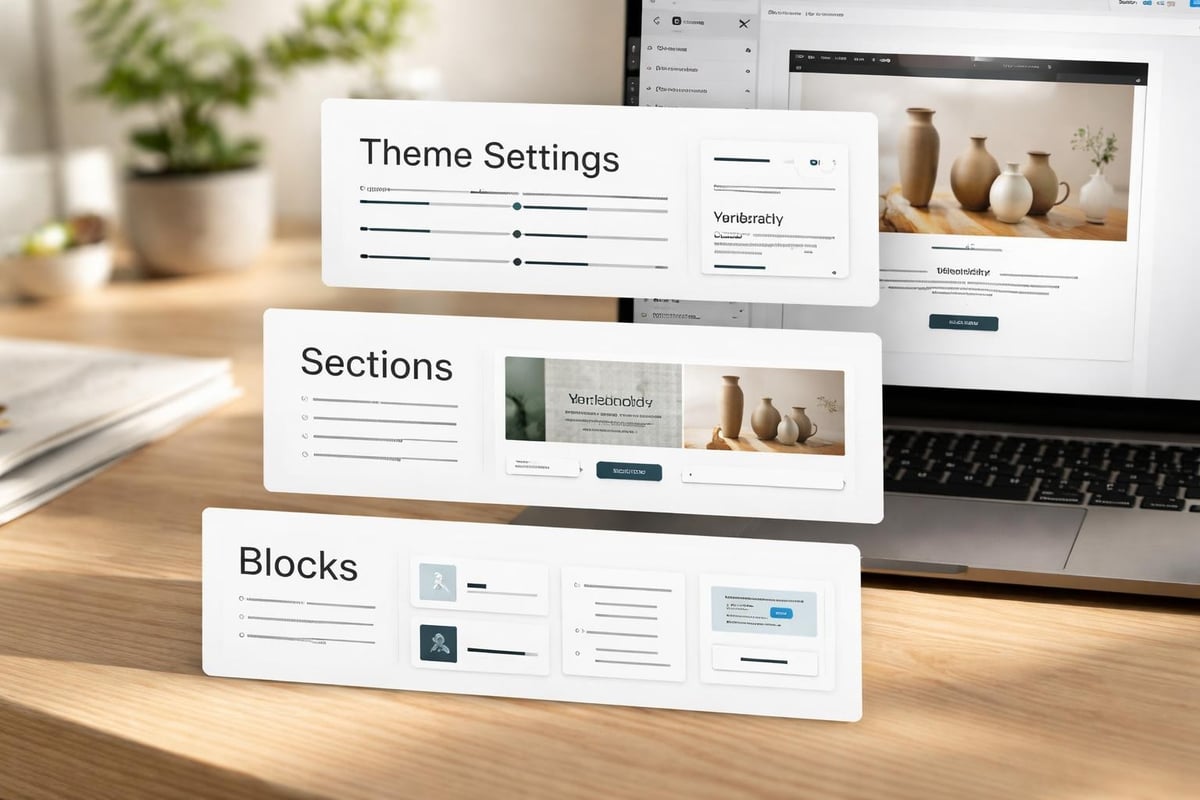
The shopify website builder operates on a structured system that combines themes, sections, and blocks. Unlike traditional website builders that rely solely on drag-and-drop interfaces, Shopify offers a more sophisticated approach that balances visual editing with underlying code flexibility.
At its foundation, you'll work with themes from the Shopify Theme Store or custom-built options. Each theme provides a framework of pre-designed templates for your homepage, product pages, collection pages, and checkout process. Within these templates, you'll find sections that can be rearranged, customised, or removed entirely.
Theme Architecture and Customisation Options
Shopify themes are built using Liquid, the platform's templating language, combined with HTML, CSS, and JavaScript. This structure means you can achieve surface-level changes through the visual editor whilst also having access to deeper customisation through code.
Key customisation layers include:
- Theme settings for colours, typography, and global styles
- Section configurations for layout and content blocks
- Block-level editing for individual elements
- Custom code injections for advanced functionality
- App integrations that extend native capabilities
The visual theme editor allows non-technical users to make substantial changes without touching code. You can adjust spacing, change button styles, swap images, and reorganise page layouts through an intuitive interface that shows real-time previews.
Online Store Editor vs Theme Customisation
Shopify provides two primary interfaces for building your store. The Online Store editor offers a simplified, template-based approach where you work within predefined section types. This works well for straightforward stores using standard theme features.
The Theme Customiser provides deeper access to your store's structure. Here you can create custom sections, modify existing templates, and implement more sophisticated design patterns. For UK brands with specific requirements around branding or user experience, this level of access becomes essential.
FeatureOnline Store EditorTheme CustomiserLearning CurveMinimalModerate to AdvancedCustomisation DepthBasic to IntermediateAdvancedCode AccessLimitedFullBest ForQuick launchesBespoke buildsTemplate FlexibilityStandard sectionsCustom sections
Building Your Store: Step-by-Step Process
Starting with the shopify website builder requires a methodical approach. Rushing through setup often leads to structural issues that become costly to fix later. Building a website on Shopify involves careful planning before you ever touch the platform.
Initial Setup and Configuration
Essential first steps include:
- Domain and SSL configuration to establish your brand identity and secure customer data
- Payment gateway integration to process transactions efficiently
- Shipping zone setup tailored to UK and international markets
- Tax configuration compliant with UK VAT requirements
- Store policies covering returns, privacy, and terms
These foundational elements affect both user experience and legal compliance. According to TechRadar's comprehensive 2026 Shopify review, proper initial configuration significantly reduces technical debt and improves long-term store performance.
Theme Selection and Installation
Choosing the right theme shapes your store's capabilities. Free themes from Shopify provide solid foundations for many businesses, whilst premium themes offer more sophisticated features and design options.
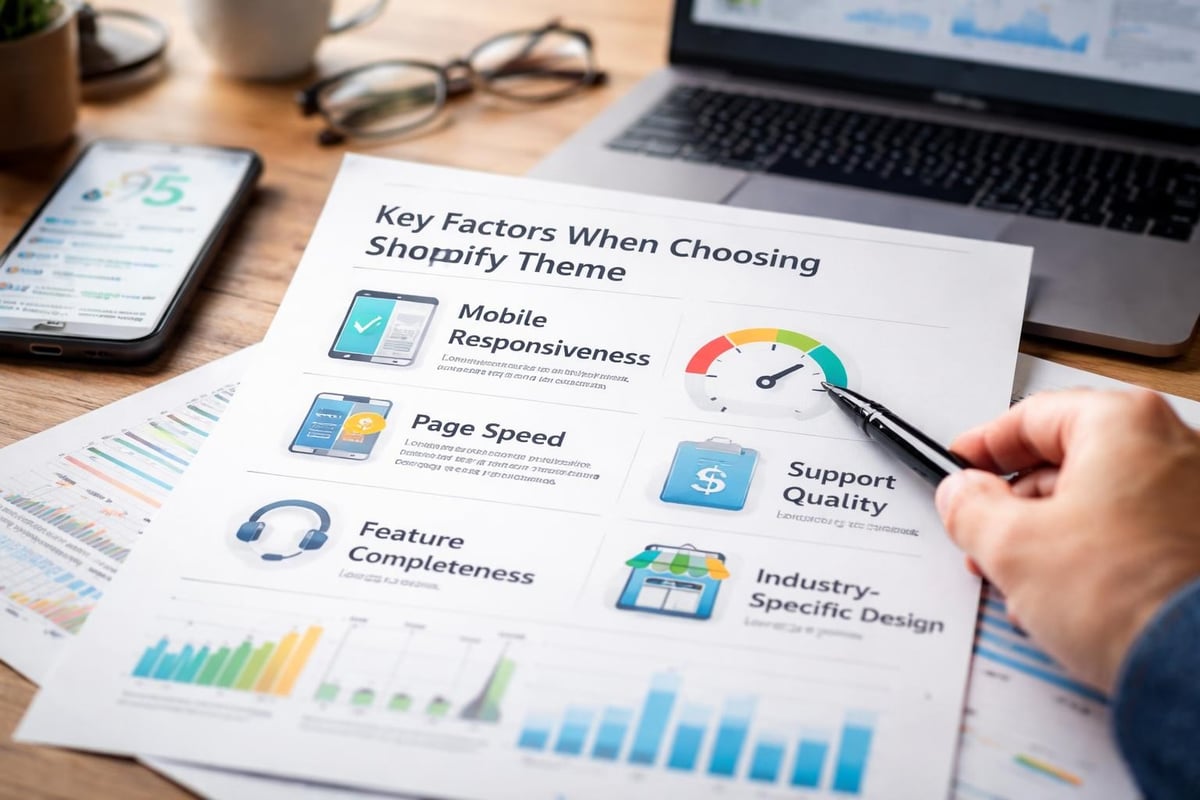
When evaluating themes, prioritise:
- Mobile responsiveness as over 70% of UK eCommerce traffic comes from mobile devices
- Page speed metrics including Core Web Vitals compliance
- Built-in features that reduce reliance on third-party apps
- Support and documentation for troubleshooting and updates
- Industry alignment with design patterns your customers expect
After installation, resist the urge to immediately customise everything. Spend time understanding how the theme works, explore demo content, and plan your modifications strategically.
Advanced Customisation and Development
Whilst the shopify website builder handles basic needs well, ambitious UK brands often require functionality beyond standard theme capabilities. This is where custom development becomes valuable.
When to Move Beyond Templates
Template limitations typically emerge in three scenarios. First, when your brand identity demands unique design patterns that don't exist in pre-built themes. Second, when your product catalogue requires custom filtering, variant handling, or presentation logic. Third, when your customer journey needs bespoke functionality around bundles, subscriptions, or B2B features.
Custom development doesn't always mean building from scratch. Often it involves extending existing themes with targeted modifications. This approach maintains the benefits of a supported theme whilst adding the specific features your business needs.
If your store requires advanced functionality, bespoke features, or scalable custom solutions, working with specialists in Shopify development ensures your build is future-proof and properly integrated with Shopify's latest architecture.
Section and Block Development
Modern Shopify development centres on creating reusable sections and blocks. These modular components allow you and your team to build pages quickly whilst maintaining design consistency.
A well-structured custom section might include:
- Schema definitions for admin controls
- Liquid logic for conditional rendering
- CSS scoped to the section
- JavaScript for interactive features
- Responsive breakpoints for all devices
This modular approach means you can create sophisticated page layouts without duplicating code or creating maintenance nightmares. Your marketing team can assemble landing pages from approved components, ensuring brand consistency whilst maintaining flexibility.
App Integration and Performance
The Shopify App Store offers thousands of apps extending platform functionality. However, each app adds code to your store, potentially impacting performance. The key is strategic selection.
App evaluation criteria should include:
- Actual necessity versus nice-to-have features
- Performance impact measured through speed testing
- Code quality and implementation approach
- Support responsiveness and update frequency
- Pricing sustainability as your store scales
Many functions that merchants install apps for can be achieved through native Shopify features or light custom development. Before installing an app, research whether the shopify website builder already provides the capability or whether a code snippet could solve the problem more efficiently.
Design Best Practices for Conversion
A beautiful store that doesn't convert is an expensive portfolio piece. The shopify website builder gives you tools to create visually appealing stores, but best eCommerce homepage design practices require strategic thinking about user behaviour and commercial objectives.
Homepage Structure and Hierarchy
Your homepage serves multiple audiences simultaneously: first-time visitors, returning customers, and search engines. Effective homepages guide each audience toward appropriate actions without creating confusion.
Essential homepage elements include:
- Clear value proposition above the fold
- Featured product collections with strategic merchandising
- Social proof through reviews, testimonials, or client logos
- Trust signals including security badges and guarantees
- Newsletter signup positioned strategically
- Brand storytelling that differentiates your business
The sequence and prominence of these elements should reflect your business priorities and customer research, not just aesthetic preferences.
Product Page Optimisation
Product pages are where browsers become buyers. The shopify website builder provides templates, but effective product pages require thoughtful content strategy and UX design.
ElementPurposeBest PracticeProduct ImagesVisual confirmation4-8 high-quality images showing details, context, and scaleProduct TitleSEO and clarityDescriptive, keyword-rich, natural languagePrice DisplayTransparencyClear pricing with savings highlighted for promotionsProduct DescriptionPersuasionBenefits-focused copy with technical specs belowReviewsSocial proofVisible ratings with recent verified reviewsAdd to CartConversionProminent button with clear next steps
Advanced product pages might include size guides, ingredient lists, sustainability information, or personalisation options. The shopify website builder allows you to create custom product templates for different product types, ensuring each category gets appropriate treatment.
Navigation and Site Architecture
How visitors move through your store directly impacts conversion rates. Shopify's navigation system supports multiple menu types, but strategic implementation for eCommerce sites requires understanding how customers actually shop.
Primary navigation should balance broad category access with featured collections. Mega menus work well for stores with deep catalogues, whilst streamlined menus suit focused product ranges. Secondary navigation in the footer can handle policy pages, company information, and auxiliary content without cluttering the primary experience.

Performance Optimisation and Technical SEO
A slow store loses customers before they see your products. The shopify website builder includes performance features, but achieving genuinely fast load times requires active optimisation.
Image Optimisation and Lazy Loading
Images typically account for the majority of page weight on eCommerce stores. Shopify automatically serves images via its CDN and provides responsive image handling, but you still need to upload appropriately sized and compressed files.
Image optimisation workflow:
- Resize images to maximum display dimensions before upload
- Compress using tools that maintain visual quality
- Use WebP format for supported browsers
- Implement lazy loading for below-fold images
- Optimise alt text for SEO and accessibility
Shopify's native lazy loading helps, but theme implementation varies. Review your theme's image handling and consider custom improvements if performance metrics indicate image-related slowdowns.
Code Efficiency and App Management
Every line of code in your theme affects load time. The shopify website builder includes substantial JavaScript and CSS by default, so additional code from apps and customisations needs careful management.
Regular performance audits help identify bottlenecks. Use Chrome DevTools, Google PageSpeed Insights, and Shopify's own analytics to monitor Core Web Vitals. Pay particular attention to Largest Contentful Paint (LCP), First Input Delay (FID), and Cumulative Layout Shift (CLS).
SEO Configuration and Content Strategy
Technical SEO for Shopify involves more than just installing an SEO app. You need structured data implementation, proper heading hierarchy, internal linking strategy, and content that demonstrates topical authority.
Shopify automatically generates XML sitemaps and provides basic SEO fields, but sophisticated SEO requires strategic thinking. Building topical authority through comprehensive content around your product categories helps establish your store as an authority in your niche.
Core SEO requirements include:
- Descriptive, keyword-optimised page titles under 60 characters
- Compelling meta descriptions that improve click-through rates
- Properly structured heading tags with natural keyword usage
- Image alt text that describes content for accessibility and SEO
- Internal linking between related products and content
- Schema markup for products, reviews, and business information
Content Management and Blogging
The shopify website builder includes a robust blogging platform that many merchants underutilise. Strategic content marketing drives organic traffic, builds brand authority, and supports conversion across the customer journey.
Blog Strategy for eCommerce
Your blog shouldn't just publish random content. Effective eCommerce blogs solve customer problems, answer pre-purchase questions, and demonstrate expertise. Each post should serve a strategic purpose within your content ecosystem.
High-value blog content types:
- Buying guides that help customers choose products
- How-to tutorials showing products in use
- Industry insights establishing thought leadership
- Behind-the-scenes content humanising your brand
- Customer stories showcasing results
These content types naturally incorporate products whilst providing genuine value. They attract organic search traffic and keep visitors engaged longer, improving both SEO performance and conversion probability.
Content Organisation and Taxonomy
Shopify's blogging platform supports tags and categories, allowing you to create content hubs around themes. This organisation helps both human visitors and search engines understand your content structure.
Consider creating collection pages that aggregate content around specific topics, products, or customer segments. These curated content experiences guide visitors through related articles whilst reinforcing topical authority in your niche.
Platform Comparison and Migration Considerations
Understanding how the shopify website builder compares to alternatives helps you make informed platform decisions. Comparing Wix and Shopify's eCommerce capabilities reveals fundamental differences in approach and scalability.
Shopify vs General Website Builders
General website builders like Wix, Squarespace, and WordPress prioritise flexibility across use cases. Shopify focuses specifically on eCommerce, which means deeper native functionality for selling products but less flexibility for non-commercial content.
Key differentiators:
AspectShopifyGeneral BuilderseCommerce FeaturesComprehensive native toolsAdd-on or limitedScalabilityHandles high volume easilyVariable performanceTransaction FeesShopify Payments eliminates feesOften charges per transactionSupport24/7 eCommerce-focusedGeneral or limitedApp Ecosystem8,000+ eCommerce appsBroader but less specialised
For businesses primarily focused on selling products, Shopify's specialisation typically delivers better results than general-purpose builders with eCommerce add-ons.
Migration Pathways and Considerations
Moving to Shopify from platforms like WooCommerce, Magento, or BigCommerce requires careful planning. Data migration, URL structure preservation, and SEO protection all need strategic handling.
Critical migration elements:
- Product data including variants, images, and descriptions
- Customer information maintaining accounts and order history
- URL redirects preserving SEO equity and customer bookmarks
- Content migration moving blog posts and static pages
- Design replication or redesign depending on objectives
Professional migration services ensure data integrity whilst minimising downtime and SEO disruption. Choosing the best Shopify agency for your migration can prevent costly mistakes that affect long-term performance.
Mobile Commerce and Responsive Design
Mobile commerce dominates UK eCommerce, with smartphone transactions accounting for the majority of online purchases. The shopify website builder includes mobile responsiveness by default, but truly optimised mobile experiences require deliberate design thinking.
Mobile-First Design Principles
Rather than treating mobile as a smaller version of desktop, mobile-first design starts with the constrained mobile context and progressively enhances for larger screens. This approach ensures core functionality works perfectly on smartphones whilst taking advantage of additional desktop screen space.
Mobile optimisation priorities include:
- Touch-friendly interface elements with adequate tap target sizes
- Simplified navigation reducing cognitive load on small screens
- Streamlined checkout minimising form fields and steps
- Fast load times crucial for mobile network conditions
- Thumb-zone design placing key actions within easy reach
Test your store on actual devices, not just browser emulators. Real-world testing reveals issues with touch interactions, font sizing, and layout problems that simulators miss.
Progressive Web App Capabilities
Shopify supports progressive web app (PWA) features that bridge the gap between websites and native apps. PWA implementation allows offline browsing, home screen installation, and push notifications without developing separate mobile applications.
Whilst full PWA development requires custom work, incorporating PWA principles into your shopify website builder implementation improves mobile user experience and can increase mobile conversion rates significantly.
Analytics, Testing, and Continuous Improvement
Building your store is just the beginning. Successful eCommerce requires ongoing measurement, testing, and refinement based on actual user behaviour and business performance.
Essential Analytics Implementation
Shopify includes basic analytics, but connecting Google Analytics 4 and Google Tag Manager provides deeper insights into customer behaviour. Proper tracking implementation allows you to understand not just what happens, but why.
Critical metrics to monitor:
- Conversion rate by traffic source and device
- Average order value and product performance
- Cart abandonment rate and recovery success
- Customer acquisition cost by channel
- Customer lifetime value by cohort
- Page load times and Core Web Vitals
These metrics inform where to focus optimisation efforts. A low mobile conversion rate suggests mobile UX problems. High cart abandonment might indicate shipping costs or checkout friction.
A/B Testing and Experimentation
The shopify website builder makes it easy to test different layouts, messaging, and features. Systematic testing removes guesswork from optimisation decisions.
Start with high-impact elements: homepage hero messaging, product page layouts, checkout process, and call-to-action buttons. Test one variable at a time to isolate what drives performance changes.
Testing methodology:
- Identify specific performance gaps or opportunities
- Develop hypothesis about what will improve results
- Create variation maintaining single variable change
- Split traffic between control and variation
- Gather statistically significant data
- Implement winning variation and identify next test
This scientific approach to optimisation compounds improvements over time, steadily increasing conversion rates and revenue per visitor.
Advanced Features and Future-Proofing
As your business grows, your store needs to scale alongside. The shopify website builder supports growth through advanced features and extensibility that accommodate increasing complexity.
Multi-Currency and International Expansion
Selling internationally requires more than just accepting foreign currencies. Shopify Markets simplifies international commerce by handling currency conversion, localised domains, and market-specific content.
International expansion considerations:
- Localised content in customer languages
- Region-specific payment methods
- International shipping logistics and duty handling
- Compliance with regional regulations and tax requirements
- Multi-currency pricing strategies
The shopify website builder allows you to create market-specific experiences whilst managing everything from a single admin interface, making international expansion more accessible for growing UK brands.
B2B Functionality and Wholesale
Shopify's B2B features allow you to serve both retail and wholesale customers from the same store. Separate customer groups, volume pricing, and custom payment terms enable sophisticated B2B operations without platform switching.
Creating distinct customer experiences for different audiences demonstrates the shopify website builder's flexibility. Retail customers see standard pricing and checkout, whilst B2B customers access net terms, volume discounts, and custom catalogues.
Headless Commerce and API Integration
For businesses with unique front-end requirements, Shopify supports headless commerce architectures. The Storefront API allows developers to build custom front-ends whilst using Shopify as the commerce engine.
This approach works well for brands needing mobile apps, custom checkout experiences, or integration with existing systems. However, it requires significant development resources and ongoing maintenance.
Security, Compliance, and Store Maintenance
Running a successful eCommerce store involves protecting customer data, maintaining compliance, and ensuring ongoing reliability. The shopify website builder includes enterprise-grade security, but you're still responsible for operational best practices.
Security Best Practices
Shopify handles platform security, SSL certificates, and PCI compliance automatically. Your responsibilities include access control, third-party app vetting, and staff training.
Security checklist:
- Use strong, unique passwords for all admin accounts
- Enable two-factor authentication for staff access
- Review app permissions and data access regularly
- Train staff on phishing and social engineering threats
- Monitor admin activity logs for unusual behaviour
- Keep customer data handling compliant with UK GDPR
Regular security audits help identify vulnerabilities before they're exploited. Even with Shopify's robust security, your operational practices determine overall security posture.
Ongoing Maintenance and Updates
Your store requires regular maintenance to stay performant, secure, and functional. Theme updates, app compatibility checks, and content refreshes all contribute to long-term success.
Monthly maintenance tasks:
- Review and update product information
- Check for theme and app updates
- Monitor site speed and fix slowdowns
- Review analytics for unusual patterns
- Test checkout process on multiple devices
- Refresh seasonal content and promotions
This ongoing attention prevents small issues from becoming major problems and keeps your store competitive as eCommerce best practices evolve.
The shopify website builder provides UK eCommerce brands with a powerful foundation for online retail success. Whether you're launching your first store or scaling an established business, understanding the platform's capabilities and limitations helps you make strategic decisions that drive measurable results. If you're ready to build a high-performing Shopify store that turns visitors into customers, Futur Media specialises in designing, developing, and optimising eCommerce experiences for ambitious brands. Get in touch to discuss how we can help you achieve your online retail goals.



.svg)

