
.svg)






%201.png)
Building a successful eCommerce store requires more than just selecting a template and uploading products. Effective shopify web design blends strategic thinking, conversion-focused user experience, and technical performance to create stores that not only look professional but deliver measurable commercial results. For UK brands competing in increasingly crowded digital markets, your Shopify store's design can be the difference between steady growth and stagnant sales. The way customers interact with your site, navigate through product categories, and progress through checkout directly impacts your bottom line. Understanding how to optimise every element of your store's design helps you build a platform that supports long-term eCommerce success.
Understanding the Foundation of Effective Shopify Web Design
Great shopify web design starts with understanding your audience and their expectations. UK shoppers have become sophisticated online buyers who expect fast-loading pages, intuitive navigation, and seamless mobile experiences. Your design needs to accommodate these expectations whilst reflecting your brand identity and commercial objectives.
Strategic Planning Before Design Execution
Before touching any design tools, successful Shopify projects begin with thorough planning:
- Customer journey mapping to understand how visitors move through your site
- Competitor analysis to identify opportunities and avoid common pitfalls
- Conversion goal definition that aligns design decisions with business outcomes
- Content strategy development ensuring design supports your messaging
- Technical requirements assessment for any custom functionality needs
This groundwork ensures your shopify web design serves genuine business needs rather than just aesthetic preferences. Shopify homepage best practices emphasise the importance of clarity and purpose in every design decision.

Balancing Brand Identity with Conversion Optimisation
Your store needs to communicate brand values whilst maintaining conversion-focused functionality. This balance often challenges businesses transitioning to Shopify or undertaking redesigns.
Strong branding creates recognition and trust. However, overly creative designs can sometimes hinder usability. The most effective approach integrates brand elements within proven eCommerce design patterns that shoppers recognise and trust.
Design ElementBrand FocusConversion FocusOptimal BalanceColour paletteUnique brand coloursHigh-contrast CTAsBrand colours with strategic conversion accentsTypographyDistinctive fontsReadable body textBrand fonts for headings, system fonts for contentImageryLifestyle photographyProduct-focused shotsMix of contextual and detailed product imagesNavigationCreative menusClear categorisationIntuitive structure with brand personality
Mobile-First Shopify Web Design Principles
Over 70% of UK eCommerce traffic now comes from mobile devices. Your shopify web design must prioritise mobile performance from the outset rather than treating it as an afterthought.
Performance Optimisation for Mobile Users
Mobile shoppers expect pages to load within two seconds. Anything slower significantly increases bounce rates and reduces conversions.
Critical performance considerations include:
- Image optimisation with WebP formats and lazy loading
- Minimal JavaScript to reduce processing demands
- Efficient theme architecture that loads only necessary resources
- Content delivery networks (CDNs) for faster UK delivery
- Strategic use of app integrations that don't bloat page weight
Many brands underestimate how mobile optimisation affects commercial performance. A slow mobile experience can cost thousands in lost revenue each month.
Touch-Friendly Interface Design
Mobile shoppers interact differently than desktop users. Your design needs to accommodate touch-based navigation with appropriately sized interactive elements.
Buttons should be minimum 44×44 pixels to prevent mis-taps. Spacing between clickable elements needs sufficient padding. Form inputs require mobile-optimised keyboards and autocomplete functionality. Navigation menus must work smoothly with thumb-based scrolling patterns.
These seemingly minor details significantly impact user experience and conversion rates on mobile devices.
Conversion-Focused Navigation Architecture
How customers move through your store determines whether they find products and complete purchases. Navigation design should reduce friction and guide visitors towards conversion points.
Mega Menus and Category Structure
Well-organised mega menus help customers quickly find relevant products:
- Group related categories logically based on how customers think, not internal organisation
- Limit main navigation items to 5-7 options to prevent overwhelming choices
- Use descriptive labels that communicate exactly what customers will find
- Include visual elements like category images to aid quick scanning
- Highlight promotional categories seasonally to drive campaign performance
Your navigation should reflect actual customer shopping patterns discovered through analytics and user testing rather than assumptions about how people should browse.
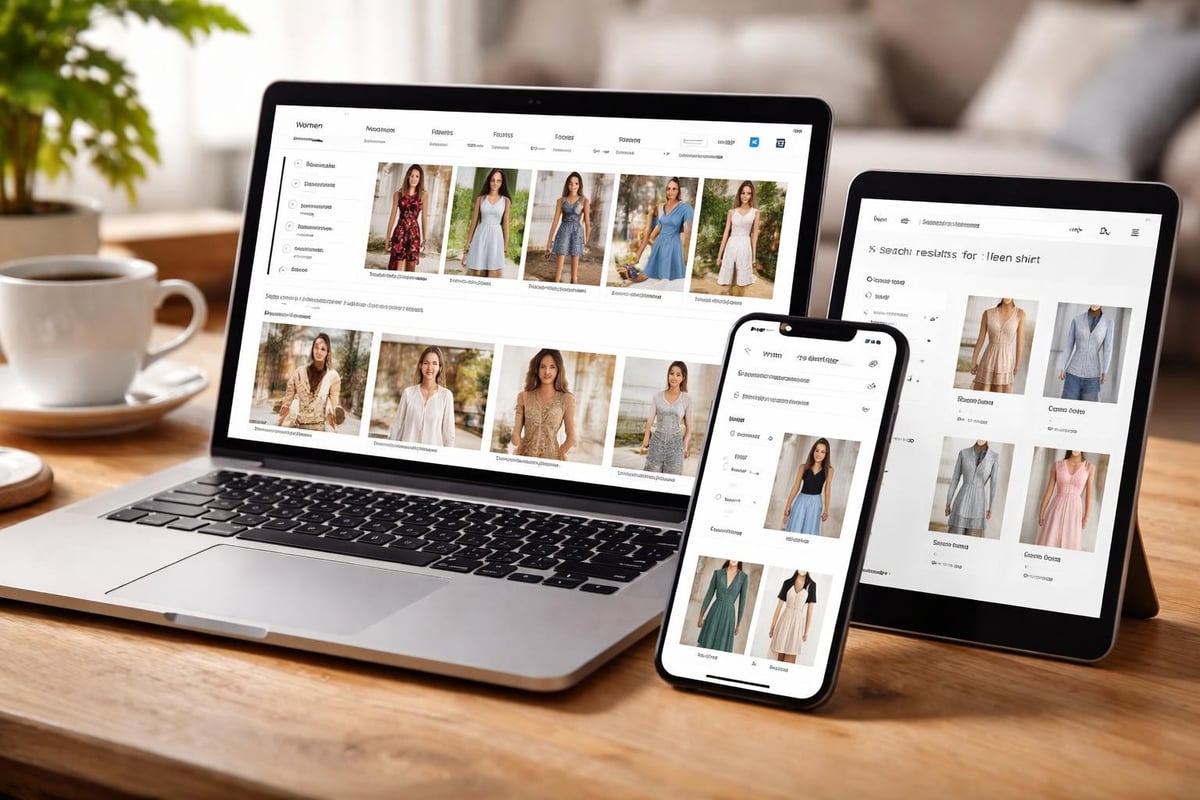
Search Functionality and Filtering
Robust search and filtering capabilities are essential for stores with extensive catalogues. Customers who use search typically have higher purchase intent.
Advanced filtering options let shoppers narrow results by:
- Price ranges
- Product attributes (size, colour, material)
- Brand or collection
- Customer ratings
- Availability and stock status
Search should support partial matches, common misspellings, and synonyms. Autocomplete suggestions help customers find products faster whilst exposing them to relevant alternatives they might not have considered.
Product Page Design That Drives Conversions
Product pages are where purchase decisions happen. Every element needs to support the customer's evaluation process and address potential objections.
Essential Product Page Components
Successful product pages combine persuasive copywriting with strategic design elements:
- High-quality product imagery from multiple angles with zoom functionality
- Clear pricing including any discounts or savings calculations
- Prominent add-to-cart buttons that remain visible whilst scrolling
- Detailed specifications in scannable formats like tables or bullet points
- Size guides and fit information to reduce returns and hesitation
- Stock availability indicators creating appropriate urgency
- Customer reviews and ratings providing social proof
- Related product recommendations increasing average order value
When designing for conversion optimisation, focus on removing barriers to purchase rather than adding unnecessary features.
Trust Signals and Social Proof
UK customers need reassurance before purchasing from online stores. Strategic placement of trust signals throughout product pages builds confidence:
Trust ElementPurposeOptimal PlacementCustomer reviewsDemonstrate product qualityBelow product descriptionSecurity badgesConfirm payment safetyNear add-to-cart buttonReturn policyReduce purchase anxietyProduct information tabsUK delivery detailsSet clear expectationsNear price and availabilityBrand credentialsBuild overall confidenceFooter and about sections
Checkout Design and Experience Optimisation
Cart abandonment rates typically exceed 70% across eCommerce. Optimised checkout design can recover significant revenue by reducing friction at the final purchase stage.
Streamlining the Checkout Process
Shopify's native checkout provides solid foundations, but design decisions around the pre-checkout experience matter enormously:
Best practices for checkout flows include:
- Visible progress indicators showing remaining steps
- Guest checkout options without forced account creation
- Address autocomplete to speed form completion
- Multiple payment method options clearly displayed
- Transparent shipping costs calculated early
- Mobile-optimised form fields with appropriate keyboards
- Clear error messaging that helps customers fix issues
Many abandoned carts result from unexpected costs or complicated processes. Transparent communication and simplified steps directly improve completion rates.
Cart Page Design Considerations
The cart page bridges browsing and checkout. Effective design at this stage maintains purchase momentum:
- Clear product summaries with thumbnail images
- Easy quantity adjustment without page reloads
- Prominent total costs including estimated shipping
- Cross-sell recommendations for complementary items
- Clear next-step buttons guiding to checkout
- Save-for-later functionality for considered purchases
- Estimated delivery dates to set expectations
For brands working with Shopify web design specialists, checkout optimisation often forms a core component of conversion-focused builds that prioritise measurable commercial outcomes.
Homepage Design Strategy
Your homepage serves multiple audiences with different intentions. Design needs to accommodate first-time visitors exploring your brand alongside returning customers seeking specific products.
Above-the-Fold Considerations
The initial viewport should immediately communicate:
- What you sell through clear imagery and messaging
- Why customers should care via compelling value propositions
- Where to go next with prominent navigation and CTAs
Avoid cluttering this critical space with too many competing messages. Focus on guiding visitors towards relevant product categories or featured collections.
Content Sections and Visual Hierarchy
Homepage design best practices recommend structured sections that progressively reveal information:
- Hero section with primary message and CTA
- Featured product categories with visual navigation
- Bestsellers or new arrivals showcasing inventory
- Brand story or unique value proposition
- Social proof through reviews or press mentions
- Editorial content or lifestyle imagery
- Email capture for ongoing marketing
Each section should have a clear purpose within the overall customer journey. Remove any elements that don't serve specific conversion or engagement goals.

Technical Performance and SEO Integration
Beautiful design means nothing if customers can't find your store or pages load too slowly. Technical performance directly impacts both search rankings and conversion rates.
Core Web Vitals and Page Speed
Google's Core Web Vitals measure user experience through quantifiable metrics:
- Largest Contentful Paint (LCP) should occur within 2.5 seconds
- First Input Delay (FID) must be less than 100 milliseconds
- Cumulative Layout Shift (CLS) should stay under 0.1
Achieving these benchmarks requires optimised images, efficient code, and minimal third-party scripts. Apps and tracking tools often slow Shopify stores significantly. Regular audits identify performance bottlenecks.
SEO-Friendly Design Architecture
Shopify web design needs to support search visibility through:
- Logical URL structures that reflect site hierarchy
- Descriptive heading hierarchies using proper H1-H6 tags
- Alt text for all images describing content for accessibility and search
- Schema markup for products, reviews, and breadcrumbs
- Internal linking strategies that distribute page authority
- Mobile responsiveness as a ranking factor
Many UK brands benefit from combining design projects with SEO optimisation to maximise organic visibility alongside conversion improvements.
Theme Selection and Customisation Approaches
Choosing between pre-built themes and custom development shapes your entire project. Each approach offers distinct advantages depending on budget, timeline, and requirements.
When Premium Themes Work Best
Quality premium themes suit brands with:
- Straightforward product catalogues without complex variants
- Limited budget for extensive custom development
- Faster launch timelines of 4-8 weeks
- Standard eCommerce functionality requirements
- Plans to iterate and improve post-launch
Modern Shopify themes offer impressive flexibility through customisation options. However, significant modifications often require developer expertise to maintain performance and avoid technical debt.
Custom Development for Unique Requirements
Bespoke Shopify development becomes necessary when you need:
- Unique user experiences that differentiate from competitors
- Complex product configurations or customisation tools
- Advanced filtering and search functionality
- Integration with specific business systems
- Subscription models or membership features
- Headless commerce implementations
Custom builds typically cost more and take longer but provide complete control over functionality and user experience. The investment makes sense for established brands with specific commercial requirements.
Avoiding Common Shopify Web Design Mistakes
Even experienced brands make preventable errors that undermine store performance. Understanding common pitfalls helps you avoid costly redesigns.
Design Mistakes That Hurt Conversions
Frequent issues include:
- Poor quality or insufficient product photography
- Overcomplicated navigation with too many options
- Missing mobile optimisation for touch interfaces
- Slow page loads from unoptimised images or apps
- Inconsistent branding across different pages
- Unclear calls-to-action that don't guide behaviour
- Hidden or unclear shipping and return policies
Common Shopify mistakes often stem from prioritising aesthetics over functionality or skipping proper user testing before launch.
Technical Implementation Errors
Beyond design decisions, technical mistakes create ongoing problems:
Common ErrorImpactSolutionDuplicate contentSEO penaltiesCanonical tags and proper redirectsBroken internal linksPoor user experienceRegular link auditsMissing SSL certificatesSecurity warningsEnsure HTTPS across entire siteUnoptimised imagesSlow performanceAutomated compression and WebPExcessive app installationsPerformance degradationRegular app audits and cleanup
Accessibility and Inclusive Design
Accessible design isn't just ethical – it expands your potential customer base and often improves overall usability for everyone.
WCAG Compliance Fundamentals
Web Content Accessibility Guidelines (WCAG) provide standards for inclusive digital experiences:
- Sufficient colour contrast between text and backgrounds (minimum 4.5:1 ratio)
- Keyboard navigation for users who can't use pointing devices
- Alt text descriptions for screen reader users
- Clear focus indicators showing which element is active
- Resizable text without breaking layouts
- Video captions for hearing-impaired customers
Many accessibility improvements benefit mobile users and improve SEO simultaneously. For example, clear heading structures help both screen readers and search engines understand content hierarchy.
Testing for Diverse User Needs
Regular testing with assistive technologies ensures your store works for everyone:
- Screen reader testing with NVDA or JAWS
- Keyboard-only navigation verification
- Colour blindness simulation tools
- Mobile screen reader testing on iOS and Android
- Automated accessibility scanning with tools like Axe
Ongoing Optimisation and Testing
Launch represents the beginning of continuous improvement rather than project completion. Data-driven optimisation consistently improves performance over time.
Conversion Rate Optimisation Process
Systematic testing identifies what actually works for your specific audience:
- A/B testing comparing design variations on key pages
- Heatmap analysis showing where users click and scroll
- Session recordings revealing friction points in journeys
- User surveys gathering qualitative feedback
- Analytics review identifying drop-off points
Small improvements compound significantly. A 0.5% conversion increase might seem minor but can generate substantial additional revenue at scale. Understanding best practices for eCommerce design provides starting points for testing priorities.
Performance Monitoring and Maintenance
Regular technical audits prevent gradual performance degradation:
- Monthly speed testing across mobile and desktop
- Quarterly app reviews removing unused integrations
- Image optimisation for newly added products
- Link checking for broken internal and external references
- Security updates and theme maintenance
Many brands partnering with agencies benefit from ongoing support agreements that handle these maintenance tasks systematically.
Integration with Broader Marketing Strategy
Your Shopify store doesn't exist in isolation. Design should support email marketing, social media, and content marketing initiatives.
Email Capture and List Building
Strategic placement of email signup forms balances list growth with user experience:
- Exit-intent popups offering genuine value (discounts, guides)
- Footer signup forms for engaged visitors
- Post-purchase email capture for order updates
- Account creation incentives during checkout
Ensure design consistency between email campaigns and your store. Customers should recognise your brand immediately when clicking through from newsletters.
Social Commerce Integration
UK shoppers increasingly discover products through social platforms. Your store design should facilitate social shopping:
- Instagram and Facebook shop integrations
- Social sharing buttons on product pages
- User-generated content galleries
- Social proof widgets displaying recent purchases
- Influencer collaboration landing pages
Planning Your Shopify Web Design Project
Successful projects begin with clear scope definition and realistic timeline expectations. Understanding the process helps you prepare appropriately.
Project Phases and Timeline
Typical shopify web design projects follow structured phases:
- Discovery and strategy (1-2 weeks): Research, planning, requirements
- Design concepts (2-3 weeks): Visual design, feedback, refinement
- Development (3-6 weeks): Build, testing, content population
- Quality assurance (1-2 weeks): Cross-browser testing, bug fixes
- Launch preparation (1 week): Training, final checks, go-live
Custom projects naturally take longer than theme customisations. Complex functionality or extensive product catalogues extend timelines. Building buffer time prevents rushed launches that compromise quality.
Choosing the Right Shopify Partner
Selecting an appropriate agency or developer significantly impacts outcomes:
- Review portfolios for relevant industry experience
- Check UK client references within similar sectors
- Assess technical capabilities beyond just design skills
- Understand support offerings for post-launch needs
- Evaluate communication styles ensuring good working relationships
For brands migrating to Shopify from other platforms, experience with data migration and SEO preservation becomes particularly important.
Effective shopify web design combines strategic thinking, user-centred principles, and technical excellence to create stores that drive measurable commercial results. By focusing on mobile performance, conversion optimisation, and accessible design whilst avoiding common pitfalls, UK brands can build eCommerce platforms that support sustainable growth. Whether you're launching a new store or improving an existing one, Futur Media specialises in conversion-focused Shopify builds that blend smart UX with performance-led development, helping ambitious brands across the UK create stores that turn visitors into customers.



