
.svg)



.webp)


%201.avif)
Your checkout is the final hurdle between a browsing visitor and a paying customer. It's where intent becomes revenue, and where even small friction points can cost you thousands in lost sales. For UK eCommerce brands, optimising the Shopify checkout isn't just about aesthetics or convenience. It's about removing barriers, building trust, and creating a seamless path to purchase that converts browsers into buyers. Whether you're launching a new store, redesigning an existing one, or struggling with cart abandonment, understanding how to refine your checkout experience is essential to sustainable growth. If you're on Shopify Plus, much of that refinement now runs through Shopify Checkout Extensibility, the framework that replaced checkout.liquid.
Why Your Shopify Checkout Matters More Than You Think
Every element of your checkout experience influences conversion rates. A slow loading time, unclear shipping costs, or limited payment options can trigger doubt and cause customers to abandon their carts.
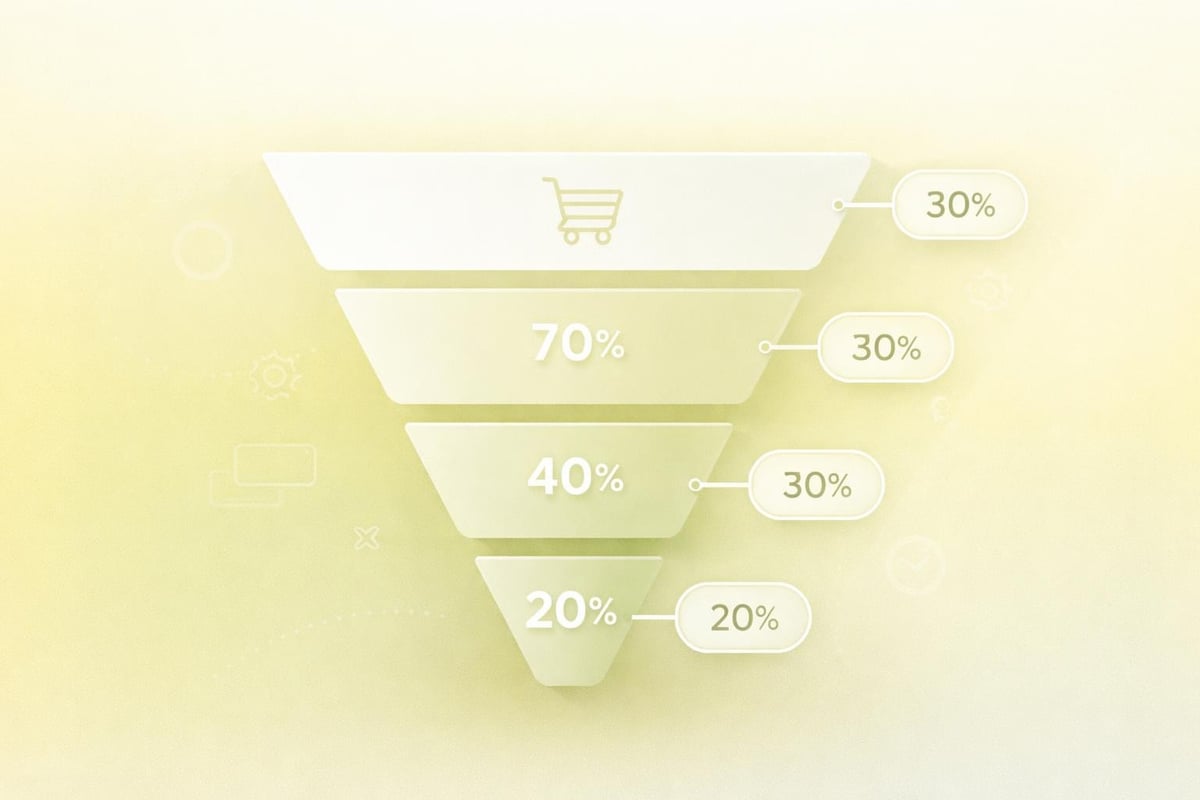
Cart abandonment rates in the UK average around 70%, meaning most shoppers leave without completing a purchase. While some abandonment is inevitable, much of it stems from preventable friction during checkout. The right improvements can recover a significant portion of that lost revenue.
Consider these common pain points:
- Unexpected costs revealed late in the process
- Forced account creation before purchase
- Complicated or lengthy forms
- Lack of payment flexibility
- Unclear delivery timelines
Addressing these issues requires a strategic approach. Your shopify checkout should feel effortless, transparent, and trustworthy from the moment a customer clicks "proceed to checkout" until they receive their order confirmation.
Core Elements of a High-Converting Shopify Checkout
Guest Checkout and Account Options
Forcing customers to create an account before purchasing is one of the fastest ways to lose sales. Guest checkout removes this barrier entirely, allowing first-time buyers to complete their purchase with minimal friction.
That said, offering the option to save details for future purchases adds value without creating obstacles. The key is choice. Let customers decide whether they want to create an account, and make it clear that registration is optional.
Shopify Plus merchants have even greater flexibility here, with the ability to fully customise the checkout experience through extensibility features and custom fields.
Payment Method Diversity
UK shoppers expect choice when it comes to payment. Offering multiple payment methods isn't just about convenience, it's about meeting customers where they are.
Payment TypeWhy It MattersDebit/Credit CardsStandard expectation for most transactionsDigital WalletsApple Pay, Google Pay, and Shop Pay offer one-tap purchasesBuy Now, Pay LaterKlarna, Clearpay increase average order value and appeal to younger demographicsPayPalTrusted brand that reassures first-time buyers
Enabling accelerated checkout options like Shop Pay can dramatically reduce friction. These solutions auto-fill customer information, cutting checkout time from minutes to seconds. Leveraging accelerated payments is particularly effective for mobile shoppers who value speed and simplicity.
Clear Shipping and Tax Information
Hidden costs are conversion killers. Displaying shipping fees and taxes upfront eliminates nasty surprises at the final step.
Use real-time shipping calculators where possible, and offer free shipping thresholds to encourage higher cart values. If you ship internationally, make currency conversion and customs information transparent from the start.
Trust Signals and Security Badges
First-time buyers need reassurance that their payment information is safe. Displaying security badges, SSL certificates, and payment provider logos builds credibility.
Customer reviews, testimonials, and clear return policies also contribute to trust. If you've won awards or hold certifications, showcase them near the payment section. Showcasing trust signals throughout the checkout process reduces hesitation and reinforces confidence.
Customising Your Shopify Checkout
Standard Shopify plans offer limited checkout customisation, but Shopify Plus unlocks powerful options for brands that need greater control.
Checkout Extensions and Apps
The Shopify App Store offers several tools designed to enhance and customise checkout functionality. Apps like Custom Checkout PRO allow you to add custom fields, banners, and branding elements to create a more tailored experience.
For Plus merchants, Checkout Blocks and Customizer enables even deeper customisation, including promotional banners, cart editing, and conditional logic based on customer behaviour.
Popular customisation options include:
- Custom fields for gift messages or delivery instructions
- Upsell blocks showcasing complementary products
- Promo code fields with visual prominence
- Dynamic content based on cart value or customer segment
When selecting apps, prioritise those that align with Shopify App Store best practices to ensure performance, security, and ongoing support. A well-chosen app can improve conversions without slowing down your checkout.
Branding Consistency
Your checkout should feel like a natural extension of your store. Inconsistent branding at the final step can create doubt and erode trust built throughout the browsing experience.
Maintain visual coherence through:
- Logo placement at the top of checkout pages
- Colour schemes that match your primary brand palette
- Typography consistent with the rest of your site
- Custom messaging that reflects your brand voice
For brands investing in Shopify web design, ensuring that checkout design aligns with the overall store aesthetic is critical. A disjointed experience signals amateurism and can cause customers to question your legitimacy.

Mobile Optimisation for Shopify Checkout
More than half of UK eCommerce traffic comes from mobile devices, yet mobile checkout conversion rates often lag behind desktop. The reason? Poor mobile experiences that haven't been properly optimised.
Responsive Design Essentials
Your shopify checkout must adapt seamlessly to smaller screens. This means large, tappable buttons, simplified forms, and auto-zoom disabled on input fields to prevent layout shifts.
Mobile-first checkout considerations:
- Single-column layouts that eliminate horizontal scrolling
- Larger input fields with adequate spacing
- Minimal required fields to reduce typing
- Autofill support for addresses and payment details
One-Page Checkout Architecture
Multi-step checkouts work on desktop but often frustrate mobile users. Where possible, condense your checkout into a single scrollable page. This reduces load times, simplifies navigation, and creates a more cohesive experience.
If a multi-step approach is necessary, use a clear progress indicator so customers know exactly where they are in the process. Transparency reduces anxiety and keeps shoppers moving forward.
Accelerated Mobile Payments
Mobile wallets like Apple Pay and Google Pay are designed specifically for smartphone transactions. Enabling these options can cut mobile checkout time by up to 80%, dramatically improving conversion rates for mobile traffic.
Shop Pay, Shopify's native accelerated checkout, remembers customer details across all Shopify stores. This creates a frictionless experience for repeat buyers and significantly boosts mobile performance. For more on improving mobile commerce, explore strategies around customising Shopify websites to ensure responsive, high-performing builds.
Reducing Cart Abandonment Through Checkout Optimisation
Cart abandonment is inevitable, but many instances are preventable through thoughtful checkout design.
Transparent Pricing
Surprise fees at checkout are the leading cause of cart abandonment. Display all costs upfront, including VAT, shipping, and any handling fees.
Best practices for pricing transparency:
- Show estimated shipping costs on product pages
- Use free shipping thresholds to incentivise larger purchases
- Clarify delivery timelines before checkout begins
- Highlight any discounts or promotions prominently
Simplified Form Fields
Every additional form field increases cognitive load and the likelihood of abandonment. Audit your checkout and eliminate any unnecessary requests.
Ask only for essential information:
- Email address
- Shipping address
- Payment details
Optional fields like phone numbers or company names should be clearly marked as such. Auto-complete and address validation tools speed up the process and reduce errors. Minimising form fields is one of the most effective ways to streamline checkout and improve completion rates.
Progress Indicators and Clear CTAs
Customers need to know how much longer the process will take. A simple progress bar showing "Step 2 of 3" reduces uncertainty and keeps momentum going.
Call-to-action buttons should be large, clearly labelled, and visually distinct. Avoid vague language like "Next" or "Continue." Instead, use action-oriented copy like "Proceed to Payment" or "Complete Purchase."
ElementWeak ExampleStrong ExampleCTA ButtonContinueComplete Your OrderProgress IndicatorNoneStep 2 of 3: Payment DetailsError MessagesInvalid entryPlease enter a valid postcode
Exit-Intent Popups and Recovery Emails
Even with an optimised checkout, some customers will abandon their carts. Capture their interest before they leave with exit-intent popups offering discounts, free shipping, or reminders.
Follow up with cart recovery emails that:
- Remind customers of what they left behind
- Highlight product benefits or reviews
- Offer limited-time incentives to encourage completion
- Simplify the return journey with a direct checkout link
Testing and Improving Your Shopify Checkout
Optimisation is an ongoing process. What works today may not work tomorrow as customer expectations evolve and new technologies emerge.
A/B Testing Key Elements
Test one variable at a time to isolate what drives results. Focus on high-impact areas first:
- CTA button colour and copy
- Number of form fields
- Placement of trust badges
- Upsell positioning
- Payment method order
Run tests long enough to gather statistically significant data. Small sample sizes can lead to misleading conclusions.
Analytics and Heatmap Tools
Use analytics to identify where customers drop off during checkout. Google Analytics, Shopify's native reports, and heatmap tools like Hotjar reveal behaviour patterns you can't see otherwise.
Key metrics to monitor:
- Checkout abandonment rate
- Time spent on each checkout step
- Most common exit points
- Mobile vs desktop conversion rates
Heatmaps show where users click, scroll, and hesitate. If customers repeatedly click a non-clickable element or ignore your CTA, you've found a usability issue worth fixing.
Customer Feedback
Sometimes the best insights come directly from customers. Post-purchase surveys, on-site feedback tools, and abandoned cart surveys reveal pain points you might otherwise miss.
Ask specific questions like:
- Was checkout easy to complete?
- Did you encounter any issues?
- What nearly stopped you from purchasing?
This qualitative data complements your quantitative metrics and uncovers opportunities for improvement that numbers alone won't reveal. For brands serious about ongoing performance, conversion rate optimisation provides a structured approach to testing, learning, and iterating based on real user data.

Advanced Shopify Checkout Features for Plus Merchants
Shopify Plus unlocks checkout customisation capabilities unavailable on standard plans. For high-volume merchants, these features justify the investment through improved conversion rates and greater flexibility.
Custom Checkout Scripts
Scripts allow you to apply conditional logic to discounts, shipping rates, and payment methods. You can create personalised experiences based on cart contents, customer tags, or purchase history.
Example use cases:
- Hide specific payment options for wholesale customers
- Apply tiered discounts based on cart value
- Offer free shipping to VIP customer segments
- Display custom messaging for first-time buyers
Checkout Extensibility
Shopify's new checkout extensibility model replaces traditional script-based customisations with a more robust, performance-optimised approach. This allows developers to build custom UI components directly into the checkout using Shopify's APIs.
Benefits include:
- Faster load times compared to script-heavy customisations
- Greater design flexibility and branding control
- Better integration with third-party apps and services
- Future-proof architecture aligned with Shopify's roadmap
Headless Commerce Options
For brands with highly customised front-end experiences, headless commerce separates the customer-facing interface from Shopify's backend. This gives complete control over checkout design while still leveraging Shopify's reliable infrastructure.
Headless setups require significant development resources but offer unmatched flexibility for brands with unique requirements. When exploring Shopify development options, consider whether headless architecture aligns with your long-term vision and technical capabilities.
Post-Checkout Experience and Customer Retention
The customer journey doesn't end when someone clicks "Complete Order." The post-checkout experience influences repeat purchase rates, reviews, and word-of-mouth referrals.
Order Confirmation Pages
Your confirmation page is prime real estate. Beyond transaction details, use it to:
- Thank customers and reinforce their decision
- Provide clear next steps and delivery timelines
- Encourage social sharing or referrals
- Suggest complementary products for future purchases
- Invite customers to join your email list or loyalty programme
Transactional Emails
Order confirmation and shipping notification emails should be branded, informative, and engaging. These messages have some of the highest open rates of any email type.
Include:
- Order summary with product images
- Estimated delivery date
- Tracking information (once available)
- Customer service contact details
- Links to relevant resources or FAQs
Building Long-Term Relationships
First-time customers are more valuable when they become repeat buyers. Use your post-purchase touchpoints to build relationships:
- Send personalised thank-you emails
- Request reviews after delivery
- Offer exclusive discounts for future orders
- Share helpful content related to their purchase
For stores looking to establish ongoing engagement, consider implementing Shopify subscriptions to create predictable recurring revenue and deepen customer loyalty.
Common Shopify Checkout Mistakes to Avoid
Even well-intentioned optimisations can backfire if implemented poorly. Here are mistakes to avoid:
Overcomplicating the Process
Adding too many customisations, fields, or upsells can slow down checkout and confuse customers. Prioritise simplicity and speed over feature bloat.
Ignoring Loading Speed
Checkout pages that take more than three seconds to load see significantly higher abandonment rates. Optimise images, minimise scripts, and test performance regularly.
Inconsistent Mobile Experience
If your mobile checkout doesn't match the quality of your desktop experience, you're losing sales. Test on real devices, not just desktop browsers resized to mobile dimensions.
Poor Error Messaging
Generic error messages frustrate customers and increase abandonment. Provide clear, actionable guidance when something goes wrong. Instead of "Error: Invalid input," say "Please enter a valid UK postcode (e.g., CF10 1AA)."
Lack of Communication
Customers want to know their order was received and when it will arrive. Silence creates anxiety. Send immediate confirmation emails, provide tracking updates, and make customer service easily accessible.
For additional guidance on optimising Shopify checkout for improved conversion, focus on removing friction, adding transparency, and testing relentlessly.
Your Shopify checkout is where potential revenue becomes actual revenue, and optimising it requires both strategic thinking and technical execution. By focusing on simplicity, transparency, and customer trust, you can dramatically reduce cart abandonment and increase conversions. If you're ready to build a high-performing eCommerce store that turns browsers into buyers, Futur Media specialises in designing and optimising Shopify stores for ambitious UK brands, combining smart UX, performance-led builds, and conversion-focused strategy to drive measurable growth.



.svg)

