
.svg)



.webp)


%201.avif)
Your Shopify product page is where browsing turns into buying — and for most UK ecommerce stores, it's the single biggest untapped conversion opportunity on the site. Poor layout, weak copy, slow load times or missing trust signals can silently cost you sales every single day. This guide covers every element of high-performing Shopify product page design, from visual hierarchy and copy structure through to SEO and UX best practices. If you'd like expert help improving your store's performance, take a look at our Shopify web design service.
Core Elements of a High-Converting Shopify Product Page
Every effective Shopify product page shares foundational components that work together to inform, persuade, and convert. These aren't optional extras but essential building blocks.
Product Imagery and Visual Hierarchy
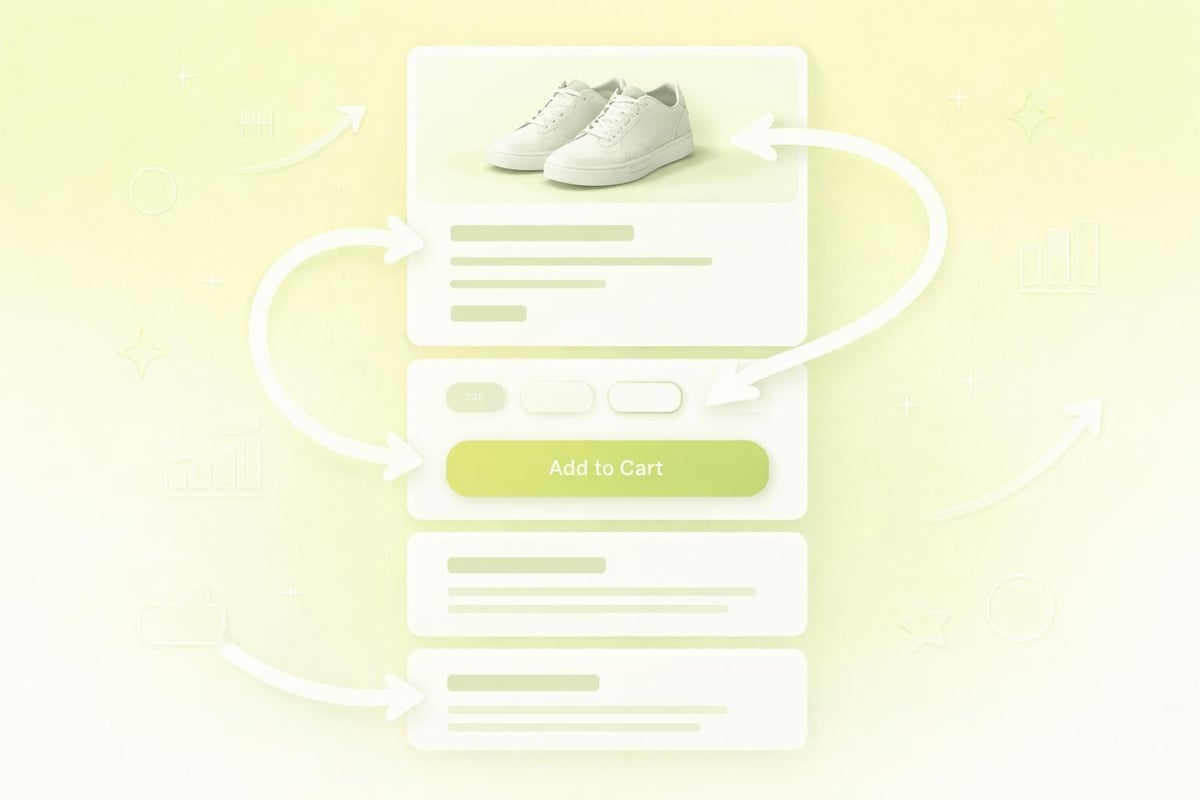
Your hero image sets the tone instantly. Shoppers expect high-resolution photography that showcases the product from multiple angles, ideally with zoom functionality and lifestyle shots that demonstrate use cases. Poor-quality images damage credibility and increase bounce rates.
Key image requirements include:
- Minimum 2000px width for detailed zoom
- Multiple angles (front, back, side, detail shots)
- Lifestyle images showing the product in context
- Video demonstrations where applicable
- Consistent background treatment across all products
Beyond the main image, visual hierarchy guides the eye down the page. Your price, product title, and add-to-cart button should sit above the fold without scrolling. This prime real estate must communicate value immediately.
Product Titles and Descriptions That Sell
Your product title needs to balance SEO requirements with customer clarity. Include the brand name, product type, key feature, and variant where relevant. "Men's Waterproof Hiking Boots - Black, Size 10" performs better than vague titles like "Adventure Boot".
Descriptions require more nuance. Rather than listing specifications, successful product pages tell a story that addresses customer pain points and demonstrates benefits. Structure your content with:
- Opening hook that identifies the customer problem
- Key benefits written in accessible language
- Technical specifications in scannable bullet points
- Usage instructions or care information
- Size guides or compatibility details
The ecommerce product page SEO strategies you implement here affect both search rankings and conversion rates. Every word should work towards answering customer questions and reducing purchase hesitation.
Variant Selectors and Add-to-Cart Functionality
Size, colour, material, or style variants need intuitive selectors that show availability at a glance. Dropdown menus work for extensive variant lists, whilst swatch buttons perform better for visual choices like colours or patterns.
Your add-to-cart button deserves careful consideration. Contrasting colour, adequate size (minimum 44px tall for mobile tap targets), and action-oriented copy all contribute to performance. "Add to Bag" often outperforms generic "Add to Cart" in testing.
ElementBest PracticeWhy It MattersButton colourHigh contrast with page backgroundDraws attention, increases clicksButton textAction-oriented ("Add to Bag", "Buy Now")Creates urgency, clarifies actionLoading stateVisual feedback during addConfirms action, reduces double-clicksSuccess messageClear confirmation with cart previewReassures customer, encourages checkout
Trust Signals and Social Proof Integration
Modern shoppers are sceptical. Your Shopify product page must answer unspoken objections before they arise. Trust signals provide the reassurance needed to complete a purchase from an unfamiliar brand.
Customer Reviews and Ratings
Product reviews serve dual purposes: they boost conversion rates whilst providing fresh, user-generated content that search engines value. Display star ratings prominently near the product title, and position detailed reviews further down the page where interested buyers will scroll.
Reviews should include:
- Star rating system (preferably filterable)
- Verified purchase badges
- Customer photos where available
- Response from the brand to negative reviews
- Summary statistics (average rating, total reviews)
According to research on product page optimization, products with reviews convert at significantly higher rates than those without. Even a handful of authentic reviews dramatically impacts purchase confidence.
Shipping, Returns, and Guarantee Information
Unexpected shipping costs remain the primary reason for cart abandonment. Surface this information early on the Shopify product page rather than hiding it until checkout. Free shipping thresholds, delivery timeframes, and return policies all reduce friction.
Effective trust elements include:
- Free shipping badges or threshold indicators
- Expected delivery date calculators
- Hassle-free returns messaging
- Money-back guarantees
- Secure payment icons
- Industry certifications or awards
When working on Shopify web design projects, we consistently see these elements move the needle on conversion rates. Transparency builds trust, and trust drives sales.
Payment Options and Security Badges
Multiple payment methods cater to different customer preferences. Beyond credit cards, consider integrating Klarna, Clearpay, PayPal, Apple Pay, and Google Pay. Each additional option removes a potential barrier to purchase.
Security concerns still prevent some online purchases. Display SSL certificates, payment security badges, and data protection compliance prominently. These small visual cues provide significant psychological reassurance.

Technical Optimisation for Performance and SEO
A beautiful Shopify product page that loads slowly or ranks poorly in search results won't deliver results. Technical optimisation ensures your design efforts actually reach customers.
Page Speed and Core Web Vitals
Google's Core Web Vitals now directly impact search rankings, and slow pages absolutely devastate mobile conversion rates. Your Shopify product page should target:
- Largest Contentful Paint (LCP) under 2.5 seconds
- First Input Delay (FID) under 100 milliseconds
- Cumulative Layout Shift (CLS) under 0.1
Achieving these metrics requires image optimisation, lazy loading, minimal third-party scripts, and efficient theme code. Every additional app or feature adds weight, so audit ruthlessly.
SEO Best Practices for Product Pages
Search engine optimisation for Shopify product pages extends beyond keyword stuffing. Structured data markup helps search engines understand product details, price, availability, and reviews, which can trigger rich results in search listings.
Technical SEO checklist for product pages:
- Unique, descriptive title tags (60 characters maximum)
- Compelling meta descriptions (150-160 characters)
- Semantic HTML structure (proper heading hierarchy)
- Schema.org Product markup implementation
- Optimised image alt text for accessibility and SEO
- Clean, descriptive URLs without unnecessary parameters
- Internal linking to related products and category pages
The relationship between brand-led web design and SEO performance shouldn't be overlooked. A cohesive brand experience that guides users naturally through your site generates engagement signals that search engines reward.
Mobile Responsiveness and Touch Interactions
Over 70% of eCommerce traffic now comes from mobile devices. Your Shopify product page must deliver an excellent mobile experience, not just a shrunk-down desktop version. This means:
- Touch-friendly buttons (minimum 44x44px tap targets)
- Readable text without zooming (minimum 16px font size)
- Simplified navigation for smaller screens
- Fast-loading images optimised for mobile bandwidth
- Sticky add-to-cart buttons that remain accessible whilst scrolling
Test on actual devices, not just desktop browser emulators. Real-world mobile performance often differs significantly from simulated testing.
Conversion Rate Optimisation Tactics
Beyond the fundamentals, strategic optimisation techniques can substantially improve Shopify product page performance. These tactics reduce friction, create urgency, and guide customers towards purchase.
Urgency and Scarcity Messaging
Psychological triggers influence buying decisions. Displaying stock levels ("Only 3 left in stock"), countdown timers for limited offers, or recent purchase notifications ("Sarah from Manchester bought this 2 hours ago") all encourage faster decision-making.
Use these elements authentically. Fake scarcity damages trust when customers recognise manipulation. Real inventory levels or genuine time-limited offers perform better long-term than manufactured urgency.
TacticImplementationConversion ImpactStock counterShow when inventory drops below threshold+12-18% urgency-driven conversionsCountdown timerDisplay for genuine flash sales or launches+8-15% during promotional periodsSocial proof notificationsRecent purchases or page views+5-10% through validationLimited edition badgesHighlight exclusivity for special products+10-20% on featured items
Cross-Selling and Upselling Integration
Strategically positioned product recommendations increase average order value without aggressive sales tactics. "Frequently bought together" bundles near the add-to-cart button capture additional revenue whilst genuinely helping customers discover complementary products.
Upselling works best when it offers clear value. Showing a premium version with tangible benefits (better materials, additional features, longer warranty) converts when the upgrade feels worthwhile, not when it's just more expensive.
Position these elements carefully. Recommendations above reviews perform better than those buried at page bottom. Expert advice on improving product pages consistently shows that placement matters as much as the recommendation algorithm itself.
Personalisation and Dynamic Content
Advanced Shopify product page implementations can display different content based on customer behaviour, location, or browsing history. Returning customers might see "You viewed this earlier" whilst new visitors see introductory messaging.
Personalisation opportunities include:
- Location-based shipping estimates
- Currency conversion for international visitors
- Recently viewed items displayed on related products
- Cart abandonment recovery messaging
- Loyalty programme member pricing
These features require more sophisticated implementation but deliver measurable improvements in engagement and conversion rates for established stores with sufficient traffic data.
Content Strategy Beyond the Basics
The best Shopify product pages educate and inspire rather than simply listing specifications. Rich content builds authority, answers questions, and keeps customers engaged longer.
FAQ Sections and Information Architecture
Every product generates predictable questions. Rather than forcing customers to contact support, integrate FAQ accordions directly on the Shopify product page. This improves user experience whilst reducing support overhead.
Common FAQ topics include:
- Sizing and fit guidance
- Materials and care instructions
- Shipping timeframes and costs
- Return and exchange policies
- Warranty or guarantee details
- Compatibility or usage requirements
Well-structured FAQs also provide SEO benefits by targeting question-based search queries and providing schema markup opportunities for featured snippets.
Video Content and Interactive Media
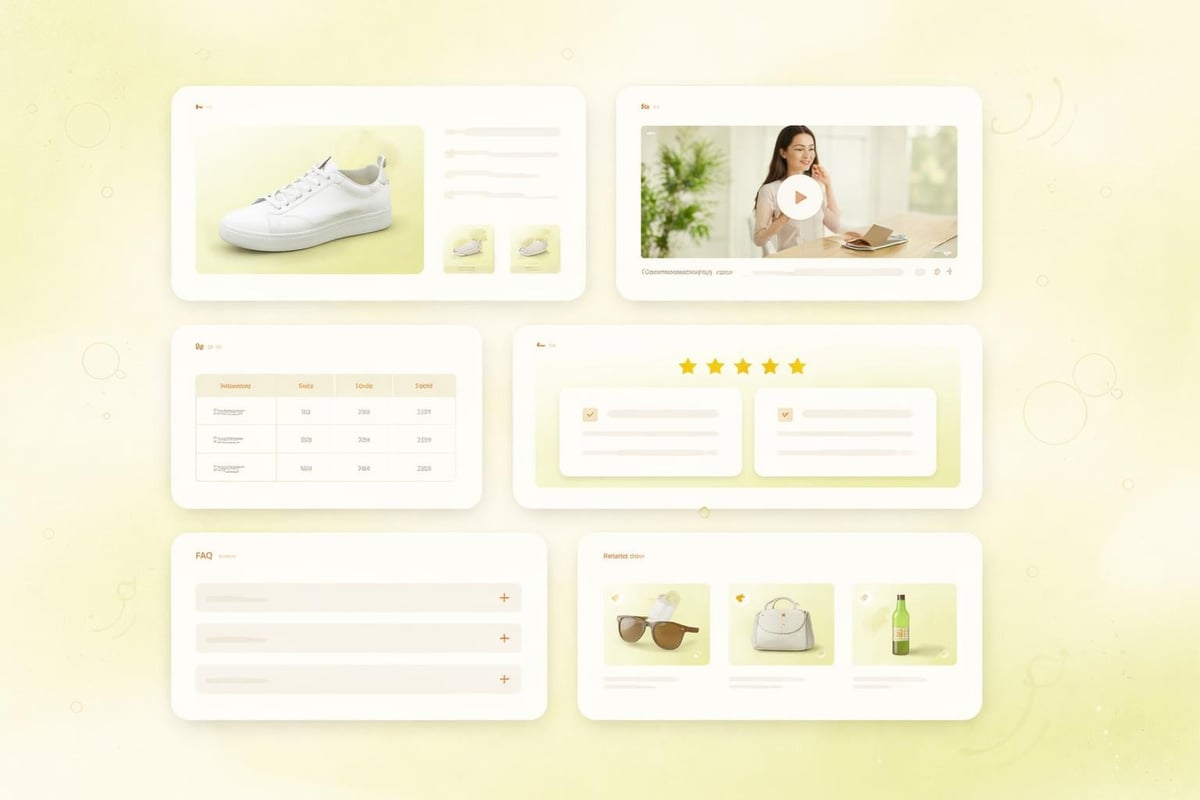
Product videos significantly outperform static images for demonstrating features, showing scale, and building emotional connection. Demonstration videos, unboxing content, or customer testimonials all enhance the Shopify product page experience.
Keep videos concise (60-90 seconds ideal), mobile-optimised, and hosted properly to avoid performance issues. Auto-play should be disabled with sound off to prevent annoying mobile users.
Interactive elements like 360-degree product spins, augmented reality previews, or configurators for customisable products create engaging experiences that differentiate your brand. High-converting Shopify product page examples increasingly incorporate these immersive technologies.
Accessibility and Inclusive Design
Accessible Shopify product pages aren't just ethically important, they expand your potential customer base and improve overall usability. Many accessibility improvements benefit all users, not just those with disabilities.
Screen Reader Compatibility and Keyboard Navigation
Proper semantic HTML ensures screen readers can navigate your product page logically. This means using actual heading tags (H2, H3) rather than styled paragraphs, providing descriptive alt text for images, and ensuring form labels are properly associated with inputs.
Keyboard navigation allows users to tab through interactive elements in a logical order without requiring a mouse. Your variant selectors, quantity inputs, and add-to-cart button must all be keyboard-accessible.
Colour Contrast and Typography
Text must maintain sufficient contrast against backgrounds for readability. WCAG AA standards require a 4.5:1 contrast ratio for body text and 3:1 for large text. This benefits users with visual impairments whilst improving readability for everyone.
Typography choices affect accessibility significantly. Minimum 16px font size for body text, adequate line height (1.5x font size), and reasonable line length (50-75 characters) all contribute to comfortable reading experiences.
Common Mistakes to Avoid
Even experienced eCommerce brands make preventable errors that damage Shopify product page performance. Recognising these pitfalls helps you avoid them.
Frequent mistakes include:
- Overwhelming visitors with too many choices or options
- Hiding critical information below multiple clicks
- Using generic stock photos instead of authentic product imagery
- Neglecting mobile experience in favour of desktop design
- Implementing too many apps that slow page load times
- Writing product descriptions that simply list features without benefits
- Failing to update inventory or pricing in real-time
- Missing structured data markup for search engine visibility
Many merchants underestimate how small changes compound. Optimising Shopify product pages requires systematic testing and iteration rather than occasional major overhauls. A/B testing different layouts, copy approaches, or trust signals reveals what actually works for your specific audience.
Platform-Specific Shopify Considerations
Shopify provides powerful built-in functionality for product pages, but understanding platform-specific features and limitations helps you maximise results.
Metafields and Custom Product Data
Shopify's metafield system allows you to store additional product information beyond default fields. This enables custom specifications, care instructions, sustainability credentials, or any other structured data relevant to your products.
Metafields require some technical implementation but unlock significant flexibility. They allow you to maintain consistent data structure across products whilst customising how that information displays on your Shopify product page.
Liquid Templating and Customisation
Shopify's Liquid templating language provides extensive customisation options without requiring complete custom development. Understanding basic Liquid syntax allows you to modify product page layouts, add conditional content, or integrate dynamic elements.
For brands requiring advanced functionality beyond theme capabilities, partnering with specialists in Shopify development ensures custom features are built properly using Shopify's latest architecture.
App Integration and Performance Balance
Shopify's app ecosystem offers solutions for reviews, size guides, wishlist functionality, and countless other features. However, each app adds code to your store, potentially impacting performance.
Audit apps regularly. Remove unused or redundant apps, consolidate functionality where possible, and prioritise lightweight solutions. Ways to optimize your Shopify product pages consistently emphasise performance management as critical for maintaining fast page loads.
Testing and Continuous Improvement
Your Shopify product page should never be "finished". Continuous testing and refinement based on real data drives ongoing improvement.
Analytics and User Behaviour Tracking
Understanding how visitors interact with your product pages reveals optimisation opportunities. Key metrics to monitor include:
- Time on page and scroll depth
- Add-to-cart rate by traffic source
- Bounce rate and exit rate patterns
- Mobile versus desktop conversion rates
- Variant selection patterns
- Video view completion rates
Heat mapping tools show where users click, how far they scroll, and which elements capture attention. Session recordings reveal friction points you might never discover through analytics alone.
A/B Testing Methodology
Systematic A/B testing removes guesswork from optimisation decisions. Test one variable at time (button colour, headline copy, image arrangement) to isolate what drives improvement.
Prioritise high-impact tests:
- Call-to-action button design and copy
- Product image gallery layout and functionality
- Trust signal placement and messaging
- Description format and content structure
- Pricing display and promotion presentation
Allow tests to run until statistical significance is achieved. Small sample sizes produce unreliable results that can lead you astray.
Iterative Design and Development Cycles
Rather than pursuing perfection before launch, successful Shopify merchants adopt iterative improvement cycles. Launch with solid fundamentals, gather real user data, identify weaknesses, implement improvements, and repeat.
This approach gets products to market faster whilst ensuring changes are data-driven rather than based on assumptions. Working with agencies experienced in both eCommerce website design and ongoing optimisation provides the strategic partnership needed for continuous improvement.
Building a high-converting Shopify product page requires balancing aesthetic design with strategic functionality, user experience with technical performance, and brand storytelling with clear conversion paths. The most successful UK eCommerce brands treat product pages as evolving assets that require ongoing refinement based on customer behaviour and market changes. If you're looking to launch a new Shopify store, redesign existing product pages, or systematically improve conversion rates, Futur Media combines conversion-focused design, technical expertise, and strategic thinking to build eCommerce experiences that turn browsers into buyers.



.svg)

