
.svg)





%201.avif)
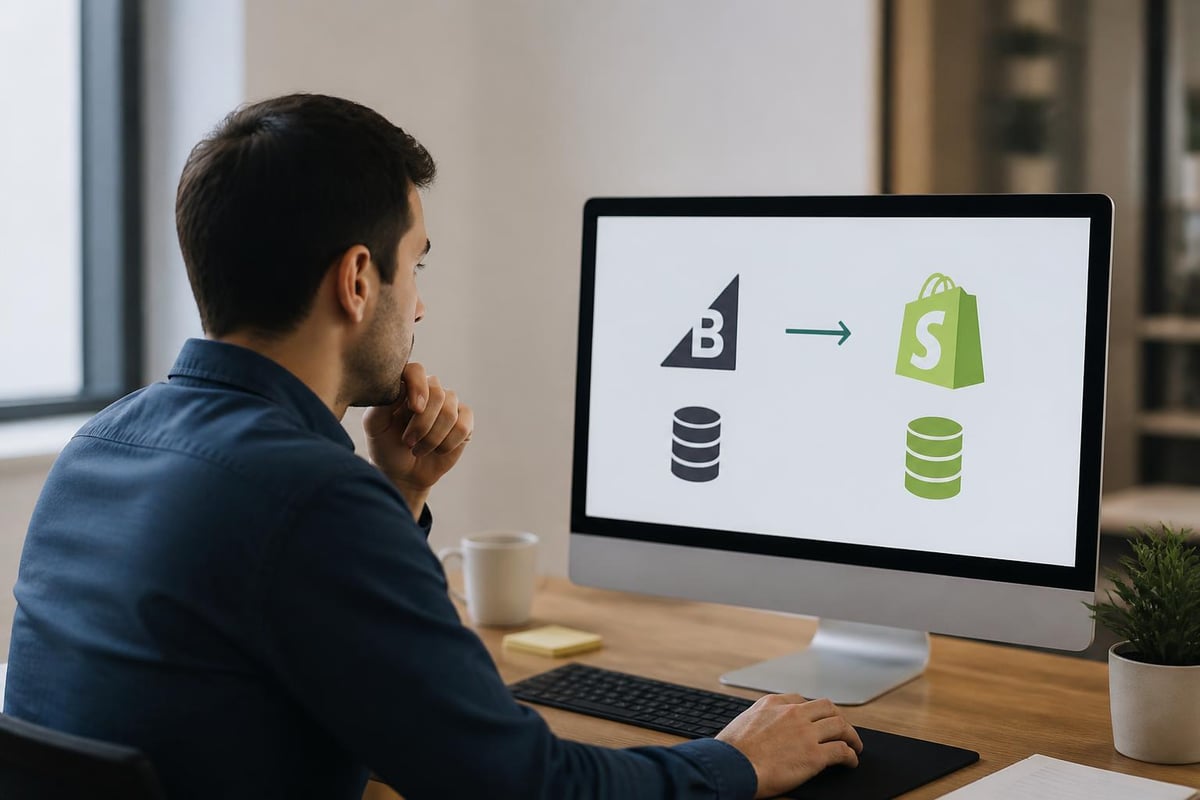
Migrating from one ecommerce platform to another represents one of the most significant decisions a growing online business can make. For brands that have outgrown BigCommerce or simply need the flexibility, ecosystem, and market dominance that Shopify offers, a bigcommerce to shopify migration can unlock new growth opportunities, better app integrations, and a more intuitive user experience. However, the process requires careful planning, technical expertise, and a clear understanding of what needs to move, what might change, and how to protect your hard-earned SEO rankings and customer data throughout the transition.
Why Brands Choose to Migrate from BigCommerce to Shopify
BigCommerce serves many businesses well, but specific limitations often drive established brands towards Shopify. The primary motivations include access to Shopify's vast app ecosystem, which offers over 8,000 applications compared to BigCommerce's more limited selection. This difference becomes critical when brands need sophisticated functionality for subscriptions, advanced email marketing, or customer loyalty programmes.
Cost Structure and Scalability
Shopify's transparent pricing model appeals to brands that want predictable monthly costs without surprise fees. BigCommerce implements revenue-based pricing tiers, meaning your platform costs increase as you grow. This structure can become problematic for high-volume merchants.
Key cost considerations include:
- Monthly platform fees: Shopify offers fixed pricing regardless of revenue
- Transaction fees: Negotiable or eliminated with Shopify Payments
- App costs: More competitive pricing due to larger marketplace
- Development resources: Larger talent pool for Shopify developers
The benefits of migrating to Shopify extend beyond cost savings, encompassing improved user experience, better mobile performance, and stronger community support.
User Experience and Interface
Shopify's admin interface consistently receives praise for its intuitive design and ease of use. Staff training time decreases significantly, and day-to-day store management becomes more efficient. This matters particularly for growing teams where multiple people need access to update products, process orders, and manage customer enquiries.

Pre-Migration Planning and Preparation
A successful bigcommerce to shopify migration begins weeks before any data moves. Rushing this phase leads to broken URLs, lost customer data, and SEO penalties that can take months to recover.
Audit Your Current BigCommerce Store
Document everything currently on your BigCommerce store. This inventory becomes your migration checklist and ensures nothing gets overlooked.
| Data Type | Items to Document | Priority Level |
|---|---|---|
| Products | SKUs, variants, images, descriptions | Critical |
| Customers | Account data, order history, addresses | Critical |
| Content | Blog posts, pages, media files | High |
| SEO Elements | Meta titles, descriptions, URL structure | Critical |
| Integrations | Third-party apps, payment gateways | High |
Create spreadsheets tracking your current URL structure. Every product, collection, and content page needs mapping to its future Shopify equivalent to maintain SEO value through proper 301 redirects.
Choose Your Migration Method
Three primary approaches exist for executing a bigcommerce to shopify migration. Each suits different business sizes and technical capabilities.
Manual migration works for stores with fewer than 100 products. You export data from BigCommerce, clean and format it, then import to Shopify using CSV files. This method offers maximum control but proves time-consuming and error-prone for larger catalogues.
Automated migration tools like Cart2Cart, LitExtension, or Shopping Cart Migration handle the heavy lifting. These services charge based on the number of entities migrated but significantly reduce manual work and technical complexity.
Custom API migration provides the most flexibility for complex stores with custom fields, unique product structures, or extensive customisation. This approach requires development expertise but delivers the cleanest results for sophisticated operations. Working with experienced Shopify migration specialists ensures your data transfers accurately whilst preserving SEO value and maintaining business continuity throughout the process.
Step-by-Step Migration Process
The actual migration follows a structured sequence designed to minimise risk and maintain data integrity. Never migrate directly to your live Shopify store.
Setting Up Your Shopify Environment
- Create your Shopify account and select the appropriate plan based on your current revenue and needs
- Configure basic store settings including currency, units of measurement, and checkout preferences
- Install essential apps before migration to ensure data maps correctly to app-specific fields
- Set up your theme or begin custom development to match your brand requirements
The theme selection significantly impacts migration complexity. Off-the-shelf themes simplify the process but may require design compromises. Custom development delivers exactly what your brand needs but extends timeline and budget.
Migrating Core Data
Begin with products, as they form the foundation of your store structure. Export product data from BigCommerce, including all variants, images, pricing, and inventory levels. Clean this data before import.
Common data issues to address:
- Inconsistent category assignments
- Missing or poorly formatted meta descriptions
- Duplicate SKUs across variants
- Image quality and naming conventions
- Custom field data that requires mapping
Customer data migration requires particular care due to GDPR and data protection regulations. Customers cannot retain their existing passwords during a bigcommerce to shopify migration, so plan your communication strategy for password resets.
Protecting Your SEO During Migration
Search rankings represent years of investment. Losing them during migration can devastate traffic and revenue. The technical considerations for maintaining SEO during platform migration require meticulous attention.
URL Structure and 301 Redirects
Shopify uses a different URL structure than BigCommerce. Your current product URLs might follow patterns like /product-name/ whilst Shopify defaults to /products/product-name/. These differences necessitate comprehensive 301 redirects.
Map every existing URL to its Shopify equivalent. This includes:
- Product pages
- Collection pages
- Blog posts and articles
- Static content pages
- Category pages
Shopify's built-in URL redirect tool handles up to 10,000 redirects. Larger stores require CSV imports or custom redirect apps. Test every redirect before going live.
Preserving Meta Data and Content
Export all meta titles, descriptions, and content from BigCommerce. Don't rely on automated tools to handle this perfectly. Review and optimise during migration.
Many brands use Shopify's SEO capabilities to improve upon their existing optimisation during migration, treating the move as an opportunity for enhancement rather than simple replication.
Schema Markup and Technical SEO
Shopify includes built-in schema markup for products, reviews, and breadcrumbs. Verify this matches or improves your current BigCommerce implementation. Custom schema requires theme modifications or app installations.
Theme Selection and Design Considerations
Your store's visual presentation directly impacts conversion rates and brand perception. This decision significantly affects migration complexity and timeline.
Customising Your Shopify Theme
| Approach | Timeline | Investment | Flexibility |
|---|---|---|---|
| Pre-built theme, minimal customisation | 1-2 weeks | £500-£2,000 | Limited |
| Pre-built theme, moderate customisation | 3-4 weeks | £2,000-£8,000 | Moderate |
| Custom theme development | 8-12 weeks | £15,000-£50,000+ | Complete |
The right choice depends on your brand maturity, budget, and competitive positioning. Premium brands typically require custom development to properly represent their positioning, whilst emerging brands might prioritise speed to market.
Ensure your chosen theme supports all required functionality before migration. Converting a basic theme to support complex features like product customisation, subscription options, or advanced filtering proves more expensive than starting with appropriate foundations.
App Migration and Functionality Mapping
BigCommerce and Shopify offer different native features. Understanding these gaps determines which Shopify apps you need.
Common App Requirements
Most BigCommerce to Shopify migrations require apps for:
- Advanced filtering and search: Shopify's native search lacks BigCommerce's power
- Wholesale functionality: B2B features require third-party apps
- Customer reviews: You'll need to migrate reviews and install a review app
- Email marketing: Shopify Email, Klaviyo, or Omnisend replace native tools
- Subscription management: Recharge or native Shopify subscriptions for recurring revenue
Research apps thoroughly before migration. Many require specific data structures, so installing them before importing products ensures compatibility.

Testing and Quality Assurance
Never launch without comprehensive testing. Create a systematic QA process covering every aspect of store functionality.
Pre-Launch Testing Checklist
- Product accuracy: Verify pricing, descriptions, images, and variants for representative products
- Checkout process: Complete test transactions using different payment methods and shipping destinations
- Mobile responsiveness: Test on multiple devices and screen sizes
- Page speed: Benchmark loading times against your BigCommerce store
- Form functionality: Test newsletter signup, contact forms, and account creation
- Search and filtering: Ensure customers can find products efficiently
- Email notifications: Verify order confirmations, shipping updates, and password resets
- SEO elements: Check meta data, structured data, and redirect functionality
Establish a staging environment for team testing before public launch. Share access with key stakeholders for feedback on functionality and user experience.
Managing the Go-Live Transition
The actual switch from BigCommerce to Shopify requires coordination and clear communication. Minimise downtime and customer confusion through proper planning.
Launch Day Protocol
Choose your launch timing strategically. Avoid peak sales periods, major holidays, or promotional campaigns. Tuesday through Thursday typically offers the lowest risk window.
Key launch steps include:
- Update DNS settings to point your domain to Shopify
- Enable your Shopify store and disable BigCommerce maintenance mode
- Monitor redirect functionality using server logs and search console
- Watch for error notifications from payment gateways and integrations
- Track conversion rates to identify any checkout issues immediately
Keep your BigCommerce store accessible in maintenance mode for 24-48 hours. This allows quick rollback if critical issues emerge.
Customer Communication Strategy
Inform customers about improvements they'll experience, not technical details they don't care about. Focus messaging on:
- Enhanced mobile experience
- Faster checkout process
- Improved site speed
- New features or product discovery tools
Expect increased support enquiries during the first week. Brief your customer service team on common questions about password resets, account access, and navigation changes.
Post-Migration Optimisation
Migration completion marks the beginning of optimisation work. Most stores require 30-60 days of refinement to achieve peak performance.
Performance Monitoring
Track these metrics closely during the first month:
| Metric | Benchmark Period | Alert Threshold |
|---|---|---|
| Organic traffic | Previous 30 days | 15% decrease |
| Conversion rate | Previous 30 days | 10% decrease |
| Average order value | Previous 30 days | 5% decrease |
| Page load speed | Pre-migration baseline | 20% increase |
| Cart abandonment | Previous 30 days | 10% increase |
Many brands discover conversion rate optimisation opportunities during post-migration analysis, identifying user experience improvements that boost performance beyond pre-migration levels.
Addressing Technical Debt
No migration completes perfectly. Prioritise fixes based on revenue impact:
- Critical: Issues preventing purchases or causing errors
- High: Problems affecting significant user segments or SEO
- Medium: Minor functionality gaps or cosmetic issues
- Low: Nice-to-have improvements without business impact
Schedule weekly review meetings for the first month post-launch. This cadence allows rapid response to emerging issues whilst avoiding reactive panic.
Common Migration Challenges and Solutions
Every bigcommerce to shopify migration encounters obstacles. Anticipating these challenges enables proactive solutions.
Data Inconsistencies
Product data rarely transfers perfectly. Variant structures differ between platforms, causing import errors. Custom fields from BigCommerce may lack direct Shopify equivalents.
Solution: Clean data before migration. Standardise formats, remove duplicates, and map custom fields to Shopify metafields. Budget extra time for data quality work.
App Functionality Gaps
Some BigCommerce native features require multiple Shopify apps working together. This creates integration complexity and potentially higher monthly costs.
Solution: Research app combinations thoroughly. Test integrations in your development store before migrating customer data. Factor app costs into your ongoing budget projections.
Customer Account Migration
Customers cannot retain passwords when moving platforms. This creates friction during their first post-migration visit.
Solution: Send proactive emails before launch explaining the password reset process. Implement easy password recovery with minimal friction. Consider offering a discount code to ease the transition annoyance.
The detailed migration challenges merchants face vary by store complexity, but proper planning mitigates most issues before they impact customers.
Budgeting for Your Migration
Understanding total migration costs prevents mid-project budget shocks. Many brands underestimate the full investment required.
Cost Components
Platform fees include your Shopify subscription during setup and overlap period with BigCommerce. Budget for at least two months of dual platform costs.
Migration services range from £500 for automated tool fees on small stores to £15,000+ for custom API migrations on complex operations.
Development work encompasses theme customisation, custom functionality, and integration development. Expect £5,000-£50,000 depending on complexity.
App subscriptions add ongoing monthly costs. Calculate annual app spend, which typically ranges from £200-£2,000 monthly for established stores.
Testing and QA require dedicated resources. Whether internal staff time or external contractors, budget for 40-80 hours of thorough testing.
Contingency should cover unexpected issues. Add 20-30% to your calculated budget for scope creep and unforeseen challenges.
Choosing Migration Partners
Technical expertise significantly impacts migration success. Many brands lack internal resources for a smooth transition.
When evaluating potential partners, assess their:
- Shopify certification status and platform expertise
- Migration portfolio with similar-sized brands in your industry
- Technical approach to data migration and SEO protection
- Post-launch support offerings and response times
- Project management methodology and communication style
Request detailed proposals covering timeline, deliverables, and success metrics. Avoid partners offering unrealistic timelines or guaranteeing zero downtime without proper planning.
Understanding how professional agencies approach migrations helps you evaluate proposals and select the right partner for your specific needs.
Successfully executing a bigcommerce to shopify migration requires careful planning, technical expertise, and ongoing optimisation to achieve your growth objectives. The process represents significant investment but unlocks Shopify's powerful ecosystem, improved user experience, and scalability for ambitious ecommerce brands. Whether you're planning a straightforward migration or need custom development to match complex requirements, partnering with experienced Shopify specialists ensures your transition protects SEO value whilst positioning your store for long-term success. Futur Media works with UK brands to deliver seamless platform migrations that maintain business continuity, preserve search rankings, and create high-performing Shopify stores built for growth.



.svg)

